
JavaScript Introduction
In this JavaScript tutorial, you will learn about introduction to JavaScript, why JavaScript, differences between Java and JavaScript and advantages of JavaScript.
What is JavaScript?
JavaScript was first developed by Netscape as an open scripting language to create interactive web pages. Script is nothing but a small program which is generally very easy to learn and use. JavaScript as an open language implies that it can be used by anyone; no license is required to use JavaScript. Microsoft created Jscript for its Internet Explorer similar to Netscape JavaScript. JavaScript has the ability to function both as an object oriented language as well as procedural language. Using JavaScript you can create objects, attach methods and properties. Though JavaScript can run on both client-side and server-side, it is very popular among client-side scripting languages. Client side means the script runs on client browser. JavaScript are generally embedded in the header of web pages.
Why JavaScript?
JavaScript plays a vital role for adding interactive feature to HTML web pages. JavaScript can respond to several events that occur on web-pages and thereby help in designing dynamic and interactive web-sites. Moreover JavaScript makes it very easier to validate a form, check if any fields are empty and verify correctness of data. JavaScript does all these at client side even before actually sending the data to server, thereby reducing considerable load on server and thus makes form processing easier and quicker. Millions of web-pages and server applications make use of JavaScript all over the world, there is no doubt that almost all major web-browsers support JavaScript.
My First JavaScript
JavaScript Example
<HTML>
<HEAD>
<TITLE>My First JavaScript</TITLE>
</HEAD>
<BODY>
<H1 ALIGN=CENTER>
<BR /><BR /><BR />
<SCRIPT LANGUAGE="JavaScript">
document.write("My First JavaScript")
</SCRIPT>
</H1>
</BODY>
</HTML>
Output
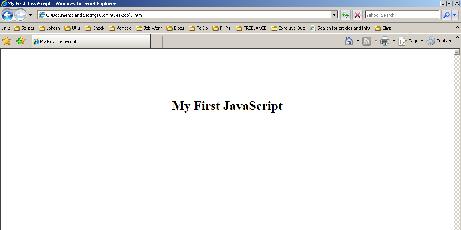
JavaScript can be used in different ways within an HTML file.
1. header scripts
In this type, JavaScript is embedded between <SCRIPT> tags within the <HEAD> tag and is used for initializing variables and or create functions that can be called from anywhere of the entire script. JavaScript in header is executed once when the page is loaded.
2. body scripts
In this type, JavaScript is embedded between <SCRIPT> tags within the <BODY> tag. JavaScript within Body Tags are used for handling various events.
3. called directly when certain events occur
In this type, JavaScript are called when certain events occur. Example of events include onLoad, onClick, onError, onSelect, onSubmit, onChange etc.,
Differences between Java and JavaScript:
JavaScript is different from Java programming language, Unlike Java, which needs compilation; JavaScript is dynamic and is interpreted in run-time. Though there are some similarities like both Java and JavaScript are client-side programming language, both descend from C++ yet both Java and JavaScript differ in many ways.
- Java was developed by Sun Microsystems while JavaScript was developed by Netscape.
. - JavaScript is a high-level scripting language whereas Java is an Object Oriented Programming language.
. - JavaScript is easy to learn and use whereas Java is comparatively difficult.
. - In case of Java programming language the code is first written and then compiled. In JavaScript the script can be executed without any compilation.
. - JavaScript as conveyed can be directly embedded or placed in HTML but it is not possible in case of Java. One cannot write Java code directly into HTML. .
JavaScript was mainly developed for web pages or web sites to add interactive facility or feature and there by making programming effort easier, enable users to interact with web sites and there by making it user-friendly. In addition to interactive facility JavaScript also helps in giving a dynamic functionality for a webpage which helps JavaScript to handle large volume of data during online processing.
Advantages of JavaScript:
JavaScript offers numerous features which makes it popular. Few among them are listed below:
- JavaScript is a dynamic open scripting language with simple syntax and rules which makes it easier to use and learn for programmers. This has made JavaScript a popular Client-side scripting language.
. - It is an interpreted language meaning that it could be used or executed with ease without pre-compilation.
. - JavaScript is very useful for creating interactive web pages or web sites.
. - JavaScript helps in adding dynamic functionality to websites
. - JavaScript makes it very easier to validate a form at the client side without connecting to server. JavaScript has the ability to instantly notify users in case there is any mistake in input data.

