
SqlDataSource Control
In this tutorial you will learn about The Data Source Wizard – SqlDataSource Control, the process of setting up the data source.
The Data Source Wizard
DataSource controls enable programmers to declaratively connect data sources to the user interface. The logic for retrieving the data from the source is inbuilt into the control. For instance when a DropDownList is added to the form the developer is prompted to connect to the DataSource. On Clicking ‘connect to DataSource’, the wizard is started to guide the user through the process of setting up the data source.
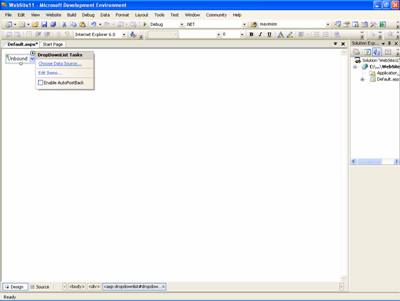
The user has to indicate whether an existing data source or a new data source has to be added.
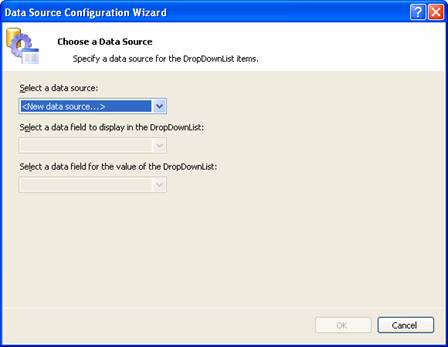
The DataSource that can be added can be a SQL server database or a Microsoft Access Database or a DataSet object or an XML file. In this instance we shall create a new SQLDataSource. In the Choose a DataSource drop down box, select < New DataSource > The next screen of the wizard prompts the user select the type of data source required
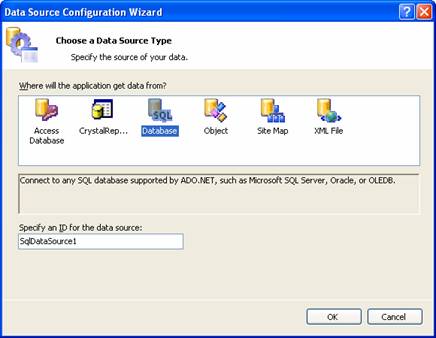
The user has to select the database and specify an ID for the DataSource. Click Ok to continue.
A connection string will now have to be specified. The connection can be an existing string or a new string. Since there are no existing connections a new one will be created.
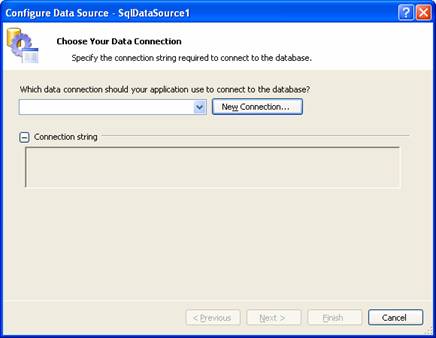
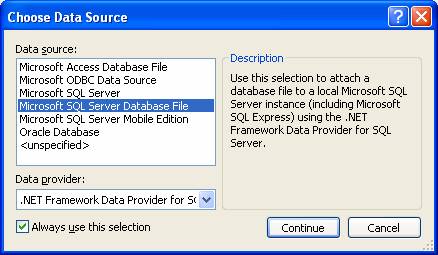
Click on New Connection to create the connection string. A number of options are given to the user. Select Sql Server DataBase file to connect to the SQL Server Express database.
{mospagebreak}
.
.
On clicking continue the user is prompted to select an existing data source or to click change to change the data source or provider. The user has to also enter the name of the new database or an existing data base. Name the new database as ExForSys and click Test Connection.
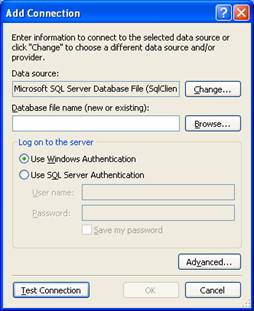
If the connection is successful the user gets a message to the effect that he has been successfully connected. The connection is then displayed in the Configure data Source box.
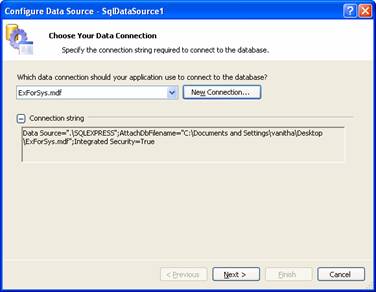
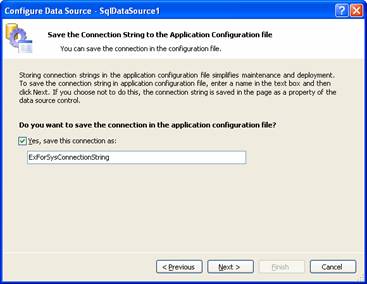
The next string prompts the user to save the connection string to the application configuration file. The user has to click on the check box if ‘yes’ and then click Next.
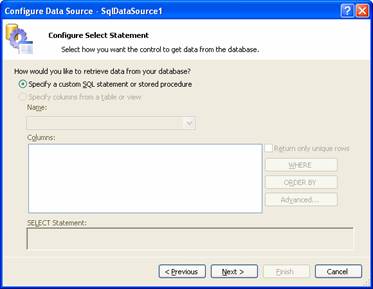
The next screen prompts the configuration of the Select Statement. Now the user has to specify a custom SQL statement or stored procedure or specify columns from a table or view. Click Next to continue.
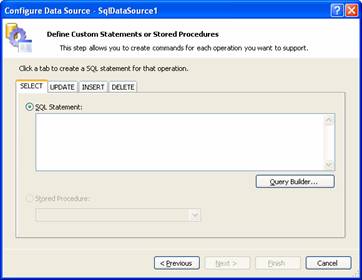
The next screen requires the user to define custom statements or stored procedure. The screen helps the user create commands for each operation that has to be supported in the database such as select, update, insert or delete.
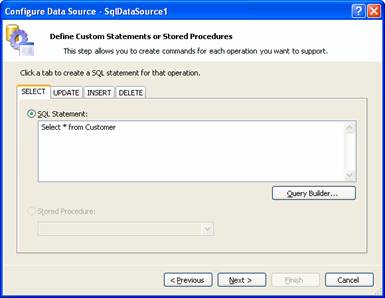
For instance a select statement can be entered by the user as shown in the screen as under or the help of the query builder can be taken to create the SQL statement.
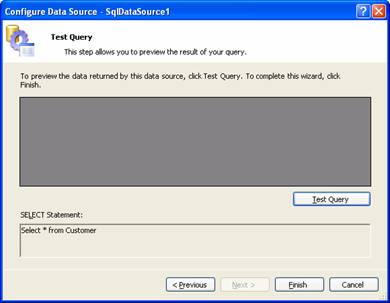
The query can be tested and the results of the query will be displayed in the preview screen of the wizard. Once the preview is complete the user can click finish to complete the process of configuring the database.
The user is now taken back to the DataSource configuration wizard screen that requires him to select the data field to display in the drop down list and within that a data field for the value of the drop down list. Once the user has selected the required data, he has to click OK to continue.
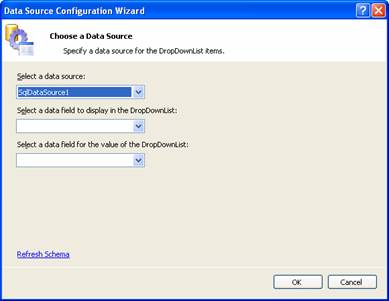
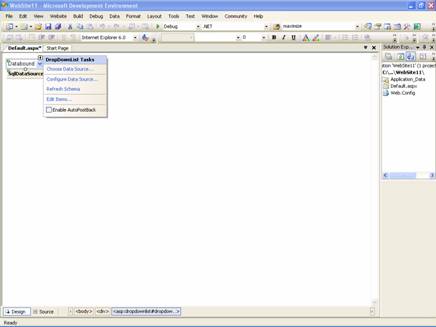
The user is now taken back to the Design view of the Visual Studio IDE with the control displaying that it is DataBound and that the data source is SqlDataSource with the SqlDataSource1. A number of new options have been added to the DropDownList Task menu.
ASP.NET 2.0 offers a codeless way of incorporating data into a web application. The data source controls can be declaratively and automatically instantiated and IDataSource and IHierarchicalDataSource can be used to allow data sources and data controls to work together efficiently.
The consistent model of data representation enables developers to control data access and is also consistent with the old methods of accessing data. The data also has become accessible across a variety of sources while the page developer can use the same model of data access irrespective of the data source he is accessing. In the next lesson we shall explore in greater detail some of the data bound controls that take advantage of codeless binding.
[catlist id=179].