
ASP.NET Working With Master Pages
In this Tutorial you will learn how to work with Master Pages, create a file system on website, create a Master Page, create layout table for the Master Page, To add static content to the master page and add a content placeholder.
Creating a Simple Master Page
As pointed out in the preceding section “Working with Master Pages”, Master pages can be simple or complex. We shall start by creating a simple master page and then go on to understanding the complexities that can be interwoven.
A master page can be created using the Windows Notepad or the Microsoft Visual Web Developer which gives full designer support for building master pages.
We shall now create a simple master page titled Simple Master Page. This page will contain a HTML table with one ContentPlaceHolder control.
To create a file system Web site
1. Open Visual Studio Developer environment
2. On the File menu, click NewWeb Site.
The New Web Site dialog box appears.
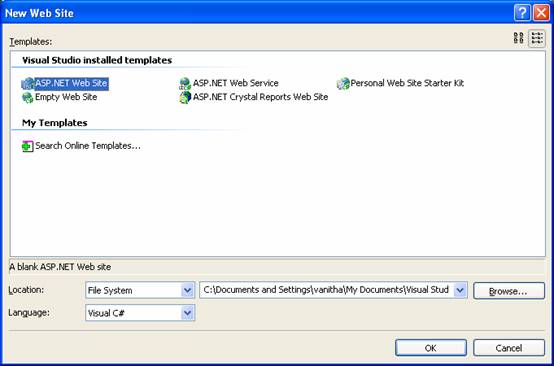
3. Under Visual Studio installed templates, click ASP.NET Web Site.
4. In the Location box, enter the name of the folder where you want to keep the pages of your Web site. Here we are creating a File system folder so we do not change the contents of the combo box.
5. In the Language list, click the programming language you prefer to work in. We propose to work with C sharp. So we select that.
6. Click OK.
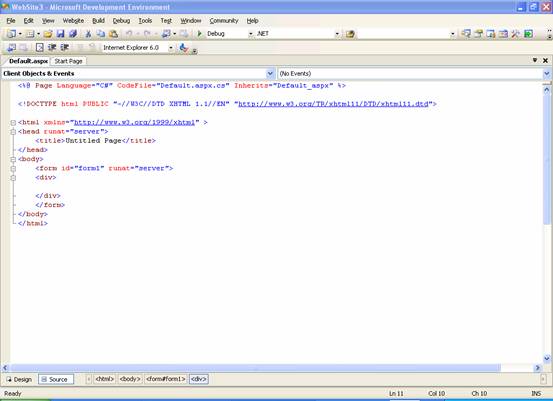
Visual Web Developer creates the folder and a new page named Default.aspx.
Creating the master page
1. In Solution Explorer, right-click the name of your Web site, and then click AddNew Item.
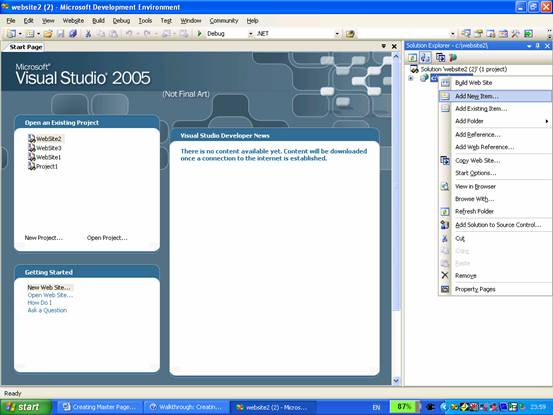
2. Under Visual Studio installed templates, click Master Page.
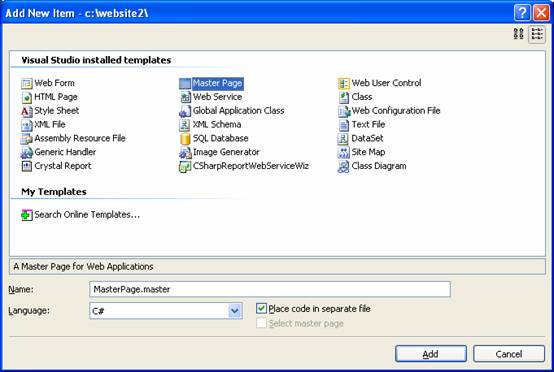
3. In the Name box, type MasterPage.
4. Select the Place code in separate file box.
5. In the Language box, click the programming language you prefer and then click Add.
The new master page opens in Source view.
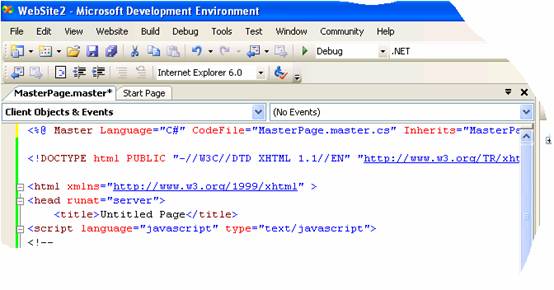
At the top of the page, the page includes a < %@ master % > declaration instead of the < %@ page % > declaration normally found at the top of ASP.NET pages. The body of the page contains an < asp:contentplaceholder > control, which is the area of the master page where replaceable content will be merged from content pages at run time.
This master page is now the template for the pages in the web site. It can contain combinations of text and controls. It can also contain one or more ContentPlaceHolders which will determine where dynamic content will appear.
We will now position a table to help place the elements on the page. We will start by creating a layout table to hold the master elements and later we will position the ContentPlaceHolder control in an appropriate place.
{mospagebreak}
.
.
.
To create a layout table for the master page
1. Switch to Design view.
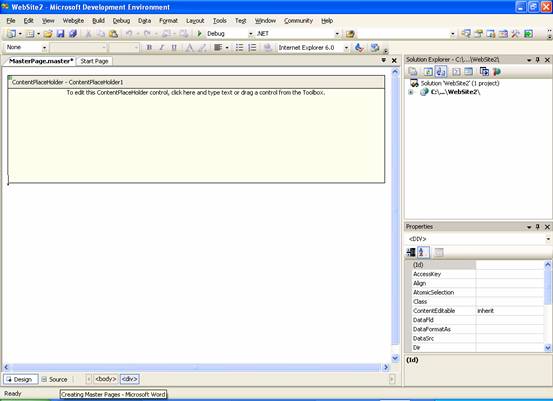
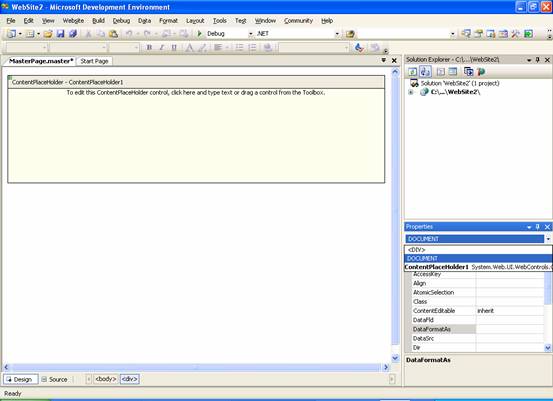
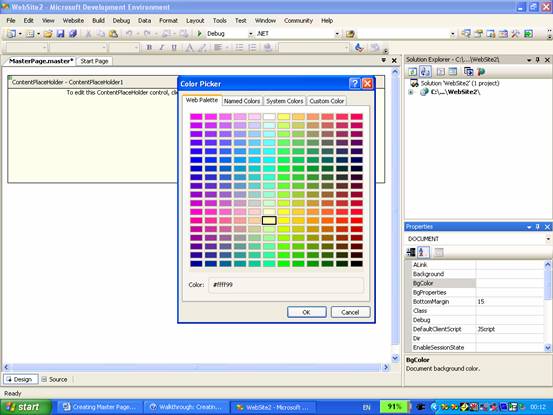
2. In the Properties window, in the drop-down list at the top, click DOCUMENT, and then set BgColor to a distinctive color, such as blue.
3. It is not important what color you select. Later in this walkthrough you will create a second master page without a color to contrast with what you have selected here.
4. Click in the page where you want to place the layout table.
5. On the Layout menu, click Insert Table.
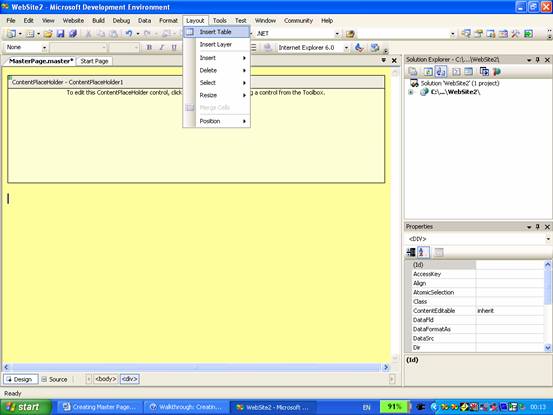
6. In the Insert Table dialog box, click Template, in the list, click Header, footer and side, and then click OK.
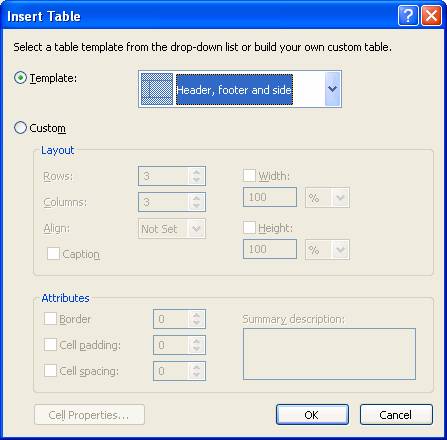
7. The template defines the arrangement of rows and cells in the table.
8. Make the following settings:
………………1. Click the left-most column, and then set its width to 48.
………………2. Click the top row, and then set its height to 48.
………………3. Click the bottom row, and then set its height to 48.
9. The width and height can be set by dragging the table cell borders or by selecting the cell and setting values in the Property window
10. Select each cell, and then set BgColor to a color that will be obvious to you and set VAlign to top.
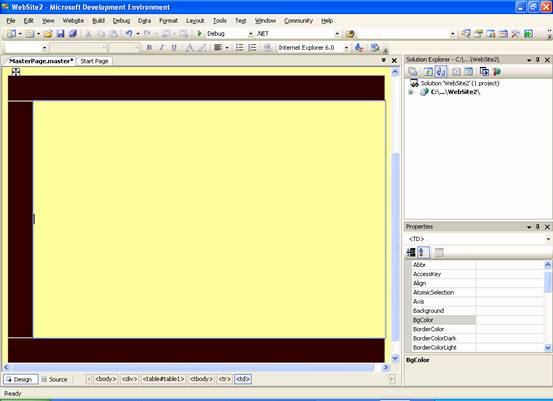
Once the table layout is complete content can be added to the master page. This is the content that is to appear on all the pages of the website. A copyright message can be added at the footer and a menu. Logos can be added to Header if required.
{mospagebreak}
.
.
.
To add static content to the master page
1. Click the bottom right cell, and then type footer text such as "Copyright 2005 Exforsys Inc."
2. In the Toolbox, from the Navigation group, drag a Menu control onto the top cell.
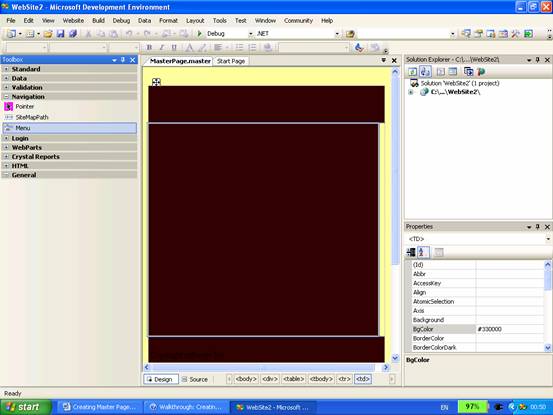
3. Create a menu by following these steps:
a. Set the Menu control’s Orientation property to Horizontal.
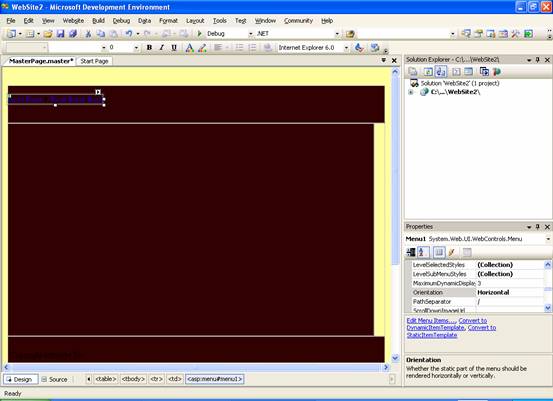
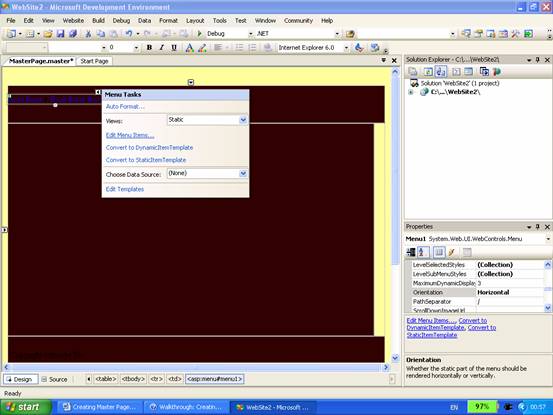
b. On the Menu control’s Common Menu Tasks menu, click Edit Menu Items.
4. Under Nodes, click the Add a root node icon twice to add two menu items.
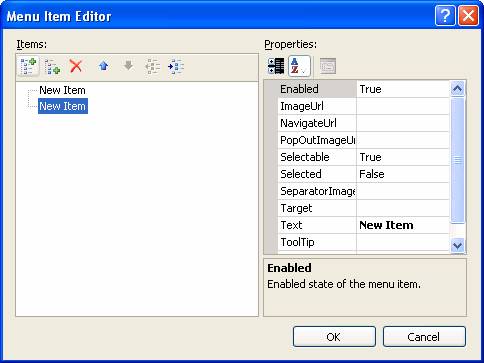
a. Click the first node, and then set Text to Home and NavigatUrl to Home.aspx.
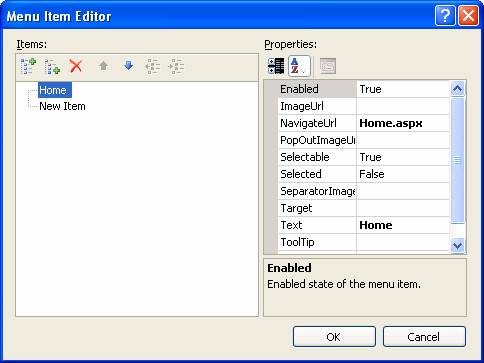
b. Click the second node, and then set Text to About and NavigatUrl to About.aspx.
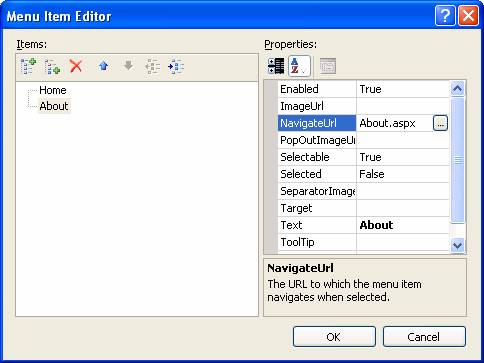
c. Close the node editor.
5. If you have a graphics file available to use as a logo, follow these steps to place it on the master page:
a. In Solution Explorer, right-click the name of your Web site, and then click Add Existing Item.
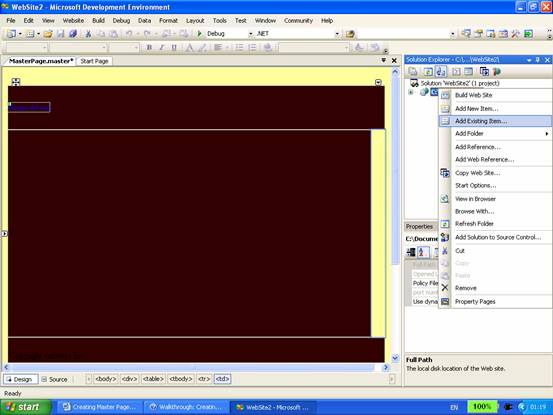
b. Navigate to your graphics file, select the graphic file, and then click Add.
c. In the Toolbox, from the Standard group, drag an Image control to the middle left-most column of the table.
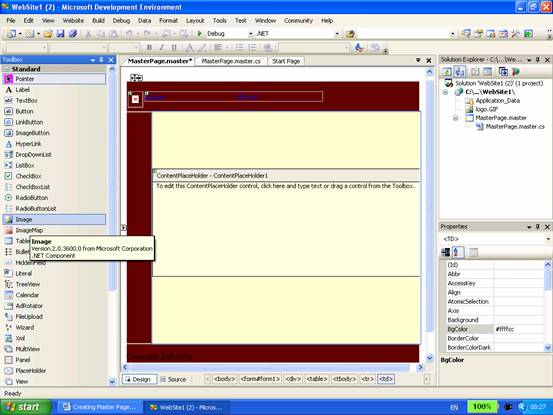
d. Set the Image control’s ImageUrl property to the name of the graphics file.
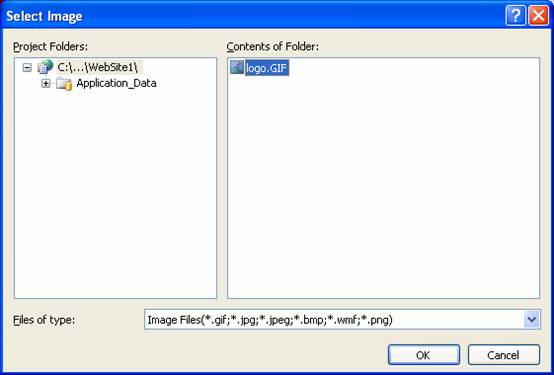
The content place holder can now be positioned to display content at runtime.
To add a content placeholder
1. Drag the ContentPlaceHolder control onto the middle right-most cell.
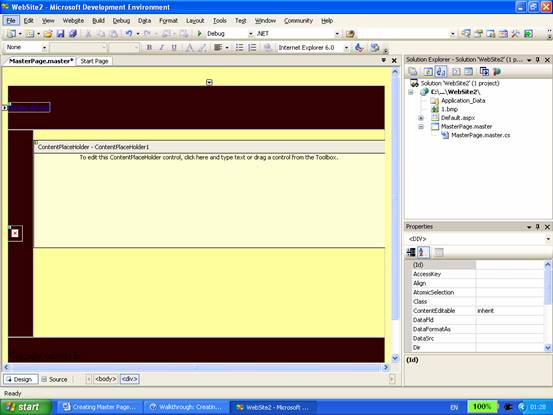
2. The control’s ID property is ContentPlaceholder1. This name can be changed if so desired.
3. Save the page.
[catlist id=179].