
JavaScript FileUpload object
In this JavaScript tutorial, you will learn about FileUpload object, FileUpload properties, accessKey, disabled, form, name, type, value, FileUpload methods – blur(), focus(), select(), handleEvent(), click() and event handlers – onblur, onchange and onfocus.
FileUpload object:
FileUpload represents an element that allows a user to specify a file to be uploaded or submitted along with the form. The FileUpload object is a Browser object and is used to access the above FileUpload element of a form. Thus, the FileUpload object allows the user to give any file as input. If a user wants to access the FileUpload object then he or she can using the indexing concept on the elements array. The user can make use of each element inside the form that is stored as an array element within the array named elements [].
To implement the FileUpload object:
<FORM>
<INPUT TYPE="file" NAME="elementName">
FORM>
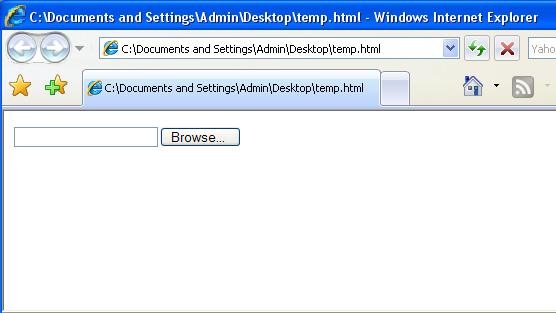
The above gives a text area and a Browse button where users can upload their files of choice to the form.
Properties of FileUpload object:
- accessKey
- disabled
- form
- name
- type
- value
accessKey:
The accessKey property of FileUpload object is used to set or return the accessKey for the field. The returned value from this property is a string.
disabled:
The disabled property of FileUpload object is used to set or return whether or not the field is disabled. The returned value from this property would be a boolean type that is true or false.
form:
The FileUpload object is a Browser object, used to access the FileUpload element of a form. The form property of FileUpload object is used to reference the form that contains the file upload field. Thus, the form property of FileUpload object returns a reference to the parent form of the FileUpload object.
General syntax of form property of FileUpload object is:
The name property of FileUpload object denotes the name of the FileUpload field. General syntax of name property of FileUpload object is:
The type of the calling form element and the type property of FileUpload object denotes the file type. General syntax of type property of FileUpload object is:
The value property of FileUpload object denotes the file name entered into the FileUpload field. NOTE: FileUpload object is a read only property. General syntax of form property of FileUpload object is:
The blur() method of FileUpload object is used to remove the focus away from the FileUpload field. General syntax for using this method is:
The focus() method of FileUpload object is used to set the focus on the FileUpload field. General syntax for using this method is:
The select() method of FileUpload object is used for selecting the input area of the FileUpload field. General syntax for using select() method is:
The handleEvent() method of FileUpload object is used to call or invoke the handler for the specified event. General syntax for using this method is:
In the above statement, the event given in argument of the handleEvent method denotes the name of the event associated with the object that has the event handler. The click() method of FileUpload object denotes and simulates the mouse-click on the FileUpload object. General syntax for using click() method is:
Event Handlers of FileUpload object: The onBlur Event Handlers of FileUpload object fire and execute on the occurrence of the blur event. The onBlur Event Handlers of FileUpload object fire and execute JavaScript code when the focus is lost from the fileUpload field. The onChange Event Handlers of FileUpload object fire and execute JavaScript code when the user changes the value of the FileUpload field and moves focus away from the field. The onFocus Event Handlers of FileUpload object fire and execute on the occurrence of the focus event. The onFocus Event Handlers of FileUpload object (in contrast to OnBlur event handler) fire and execute JavaScript code when the focus is set on the FileUpload field.
object.formname:
object.name type:
object.type value:
object.value Methods of FileUpload object:
blur():
object.blur() focus():
object.focus() select():
object.select() handleEvent():
handleEvent(event) click():
object.click()
onBlur:
onChange:
onFocus:
[catlist id=157].