7. Assign responsibilities
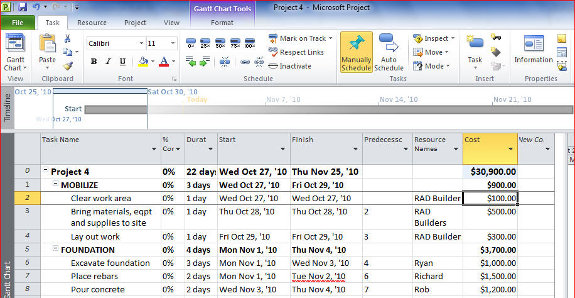
Assign responsibilities by either typing in the names of those responsible or selecting the names from the drop down menu.
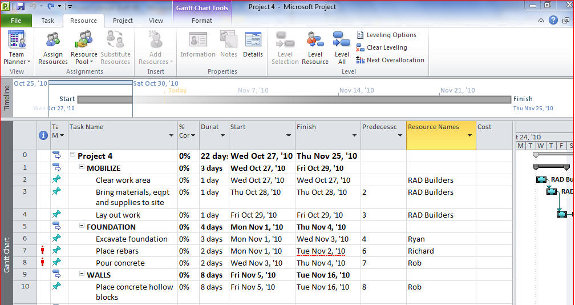
Under the column Resource Names and opposite the lowest-ranking task, type the name of the responsible person or entity. This name will be included in the list of resources assigned to the project.
Type in succeeding names as they occur. When you click on a Resource name cell and drop down menu appears. If a name has already been included in the Resource List, the name appears. You can then check the appropriate name and Enter.
8. Assign cost values
Under the column Cost, type the value of each task, then click Enter.
Assign cost to all lowest-ranking task.
[catlist id=194].