6. Sequence your tasks
In this tutorial you will learn how to sequence your tasks in MS Project, create milestones and respect links.
You can sequence tasks several ways.
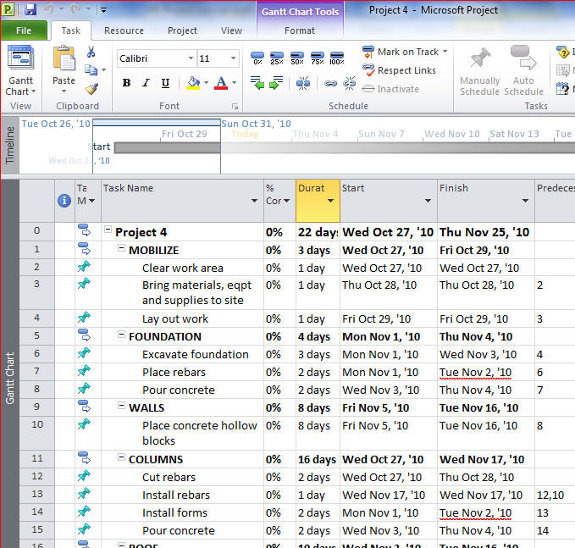
1. Highlight tasks that are linked and use the link icon.
2. Enter the task number of tasks that precede a task
Do not link phase titles.
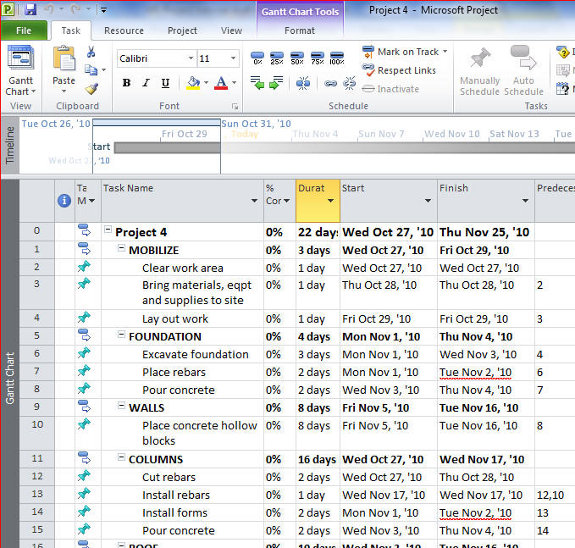
There are two ways used to link tasks.
Highlight tasks that have to be completed one after another.
Manually input the predecessor of a task.
Click Respect Links to ensure that tasks are not started before the completion of tasks that precede them.
Create milestones
You can create tasks that indicate important events in a project
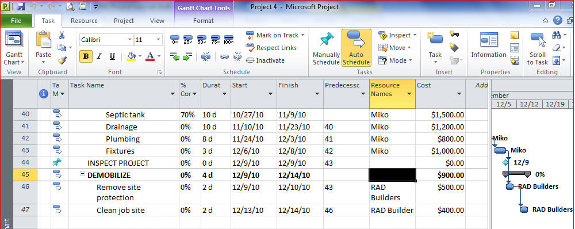
Enter the name of the milestone task on the Task Name and enter 0 as its Duration.
The milestone icon will appear
Respect links
MS Project does not automatically move tasks whose start dates are earlier than the completion dates of predecessor tasks
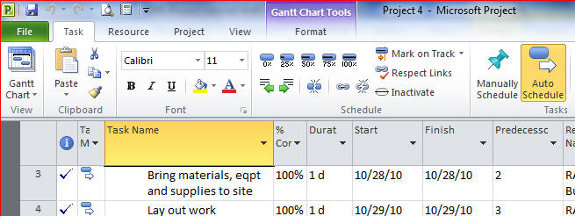
To ensure that tasks follow the links established, you have to make your schedule “respect” links.
Click on Task, the click on Respect Links
[catlist id=194].