
Defining Actions
End users can define certain operations to be performed or cubes or portions of a cube. These user defined operations are called Actions. The end user can use an action as a parameter for starting an application or for retrieving information. He can go beyond traditional analysis and initiate solutions to discovered problems and deficiencies by using actions. It enables them to send data as an input into operational applications. For instance, if the end user’s analysis reveals that the stock of tinned beans is low in a store. He can select an Order action and initiate an action for purchase of more stock of tinned beans. In short actions transform client applications from sophisticated data rendering tools to integral parts of an enterprise’s operational system.
Actions provide flexibility to the end user. Different types of actions can be created for launching different types of applications or extracting different kinds of information. Triggers can be created from various portions of a cube(such as dimensions, levels, members and cells). Multiple actions can be created for one portion of a cube. String parameters can be passed to enable the launch of applications and specific action captions can be displayed to end users.
Actions can be performed only if the client application being used supports actions. What kinds of client applications support actions? The Client application must support the Cube browser or be capable of running applications that use COM interfaces of the SQL Server Analysis Services Libraries. Actions that are supported include the following:
- A URL that can be launched by the Web Browser
- An HTML script that can be viewed by a Web Browser
- A dataset that can be returned by an MDX statement
- A rowset that can be returned by an MDX Drillthrough statement
- A command line execution
- Some proprietary action.
When actions are defined as command objects, they are not automatically executed like other command objects. The action is executed only when the user performs client specific operations that initiate the action.
Creating Actions
Actions can be created using the Action Wizard and saved so that they can be used when browsing a cube that contains them. Actions with session scope can be created using the CREATE ACTION statement. Such actions are not saved. Actions can be created with the following kinds of scopes:
Cube scope is defined for actions independent on specific dimensions, members, or cells.
Dimension scope is defined for actions that applies to a specific dimension. Those actions are not dependent on specific selection of levels or members.
Level scope is defined for an action that applies to a specific dimension level. Those actions are not dependent on specific selection of a member in that dimension.
Member scope is defined for an action that applies to specific level members.
Cell scope is defined for an action that applies to specific cells only.
Set scope is defined for an action that applies to a set only. The name ActionParameterSet is reserved for use by the application inside the expression of the action.
The Action wizard
The action wizard is an utility that helps users create actions easily. It takes the user through the following steps
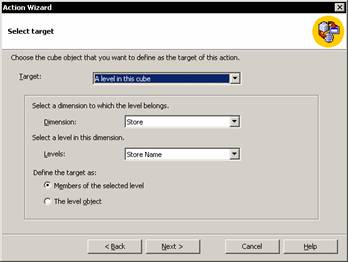
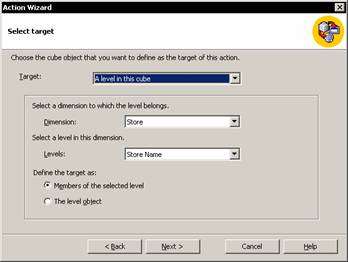
1. Target: The user is prompted to select the object to which the action is to be attached. The end user will be able to see the action when he selects the object to which the action is attached. Actions can be attached to Cubes, Dimensions, members in a dimensions, levels, members in a level, Cells or named sets.
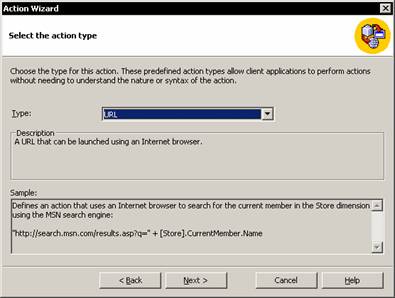
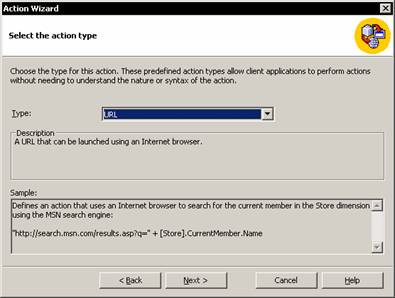
2. The Next screen prompts the user to select the type of action. An action can be a command line, a statement, HTML script, URL, Dataset, Rowset or a proprietary action.
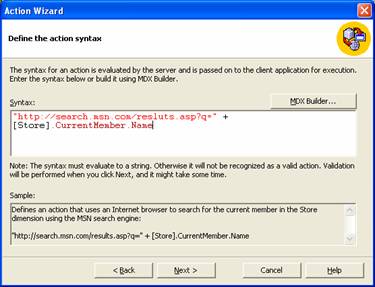
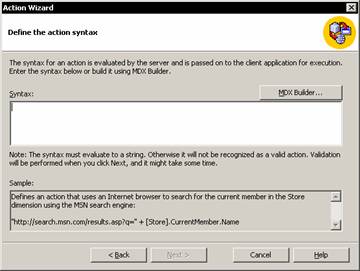
3. Next the user is required to select the syntax for the action by specifying parameters that are passed when the action is executed. The syntax may evaluate to a string or can be included as an expression written in Multidimensional expressions(MDX).
Actions can be created on regular cubes and virtual cubes.
{mospagebreak}
Creating Actions in Regular Cubes
The cube editor or the Action Wizard can be used to create an action for a regular cube.
In the Analysis Manager tree pane, under the database in which you want to create the action, expand the Cubes folder.
Right-click the cube in which you want to create the action, and then click Edit.
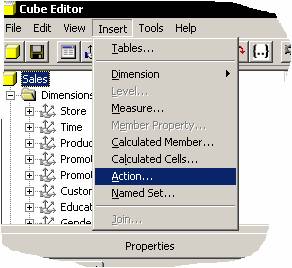
In Cube Editor, on the Insert menu, click Action.
|
|
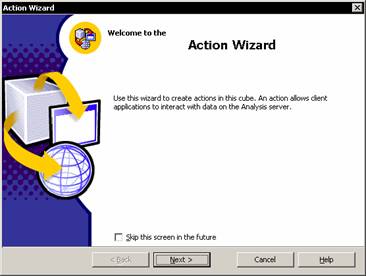
In the Action Wizard, in Welcome step, click Next.
|
|
In the Select target step, select the object to which the action is attached. Generally, in client applications, the action is displayed when end users select the target object; however, the client application determines which end-user operation displays actions. Click Next.
|
|
In the Select the action type step, select the type of action. The type indicates the kind of operation performed by the action. Click Next
|
|
In the Define the Action Syntax step, specify the parameters that are passed when the action is executed. The syntax must evaluate to a string. Click Next.
|
|
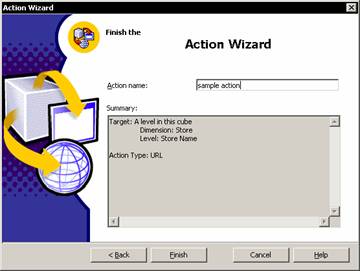
In the Finish step, specify the action name. Click Finish.
|
|
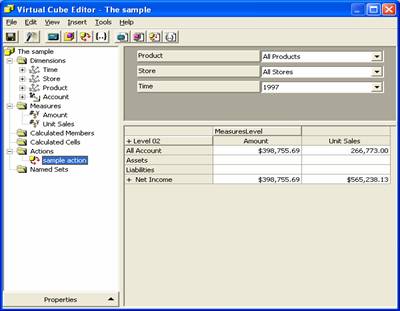
This leaves us in the Cube editor with the data displayed on the right pane.
|
|
To save the action, in Cube Editor, on the File menu, click
Note that Actions in regular cubes are not visible in the Analysis Manager tree pane. To create and access regular cubes, you must first display Cube Editor
{mospagebreak}
Creating and Maintaining Actions in Virtual Cubes
Actions can be created directly in virtual cubes or imported from component parts of cubes. The Action Wizard can also be used to create and edit actions in Virtual cubes. The Virtual cube editor can be used to maintain the actions and the Virtual Cube Editor provides a single click access to the Action Wizard. The Import Actions dialog box can be used to import actions into virtual cubes.
In the Analysis Manager tree pane, right-click the virtual cube, and then click Edit.
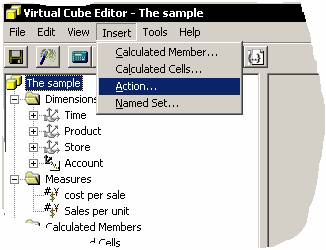
In Virtual Cube Editor, on the Insert menu, click Action.
|
|
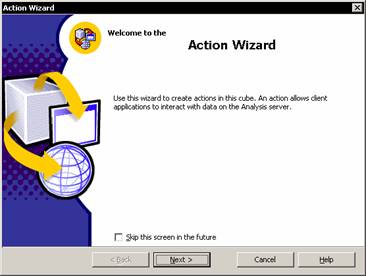
In the Action Wizard, in Welcome step, click Next.
|
|
In the Select target step, select the object to which the action is attached. Generally, in client applications, the action is displayed when end users select the target object; however, the client application determines which end-user operation displays actions. Click Next.
|
|
In the Select the action type step, select the type of action. The type indicates the kind of operation performed by the action. Click Next.
|
|
In the Define the action syntax step, specify the parameters that are passed when the action is executed. The syntax must evaluate to a string. Click Next
|
|
In the Finish step, specify the action name. Click Finish.
|
|
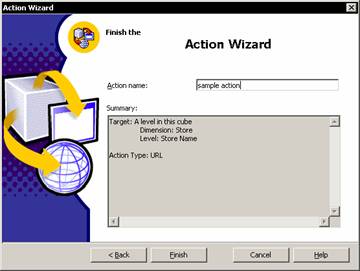
To save the action, in Virtual Cube Editor, on the File menu, click Save.
Note that Actions in virtual cubes are not visible in the Analysis Manager tree pane. To create and access them, you must first display Virtual Cube Editor.
{mospagebreak}
Importing an Action into a Virtual Cube
To import an action into a virtual cube, invoke the Import actions Dialog box from the Virtual Cube editor. Actions can be imported only from cubes that are in the same database as the edited virtual cube. If the imported action has the same name as an action already in the virtual cube, the imported action is given a new name consisting of its old name and a numeric suffix. An error message is displayed if the imported action’s definition includes a measure, dimension, or other object that is not in the virtual cube or if there are syntax errors. The action is not included in the virtual cube data displayed to end users as long as the error exists. To correct the error, the user must add the missing measure, dimension, or object to the virtual cube and process it. To add a measure or dimension, use the Virtual Cube Wizard. To start Virtual Cube Wizard from within Virtual Cube Editor, on the Edit menu, click Structure… (Wizard).
In the Analysis Manager tree pane, right-click the virtual cube, and then click Edit.
In Virtual Cube Editor, on the Edit menu, point to Import, and then click Actions.
|
|
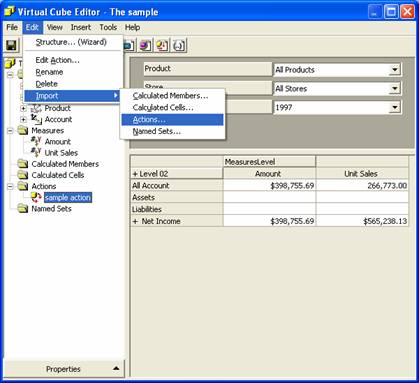
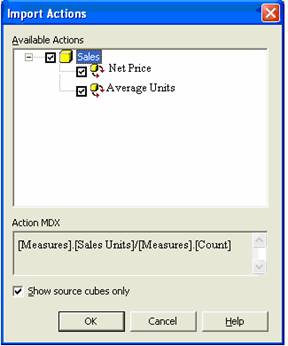
In the Import Actions dialog box, select the check box beside the action, and then click OK. (To select all the actions in a cube, select the check box beside the cube.)
|
|
In Virtual Cube Editor, on the File menu, click Save.
Editing an Action in a Virtual Cube
To edit an action in a virtual cube, use Virtual Cube Editor and the Action Wizard.
In the Analysis Manager tree pane, right-click the virtual cube, and then click Edit.
In the Virtual Cube Editor tree pane, right-click the action, and then click Edit. The action wizard is invoked.
Follow the steps of the action wizard.
Note that Actions in virtual cubes are not visible in the Analysis Manager tree pane. To create and access them, you must first display Virtual Cube Editor.
[catlist id=181].