
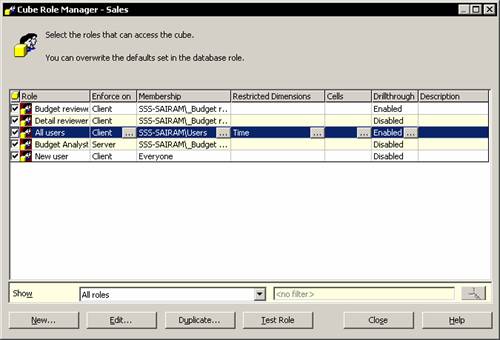
When roles are assigned for cubes the user has access or no access to the cube. When roles are assigned to a dimension, the user gains only partial access to parts of the cube. The simplest method of restricting access to a dimension is to prevent access to all levels except the top level of the dimension. In the Cube role dialog box all users were given complete access to the sales cube. Let us restrict the access of users by permitting them to see only values broken out by fiscal years.
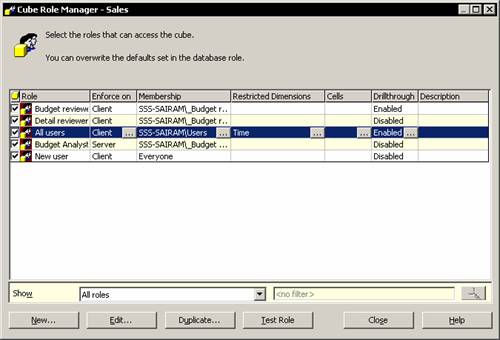
In the console tree right click the sales cube and click Manage roles. The cube role manager displays all the roles in the database with a check mark against the roles that apply to this cube.
|
|
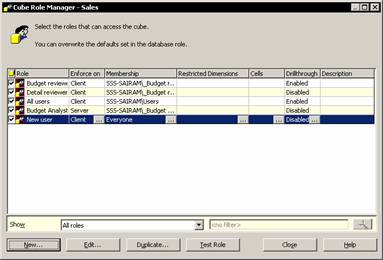
Select All users role and click the ellipsis button in the restricted Dimensions column
|
|
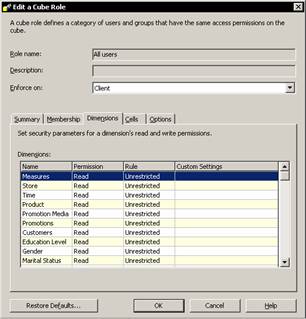
The Edit a cube role dialog box appears. It shows all the dimensions in the cube. The default role is unrestricted. Click on Time and note that a drop down box appears in the Role column. Click on the drop down and select Restricted.
|
|
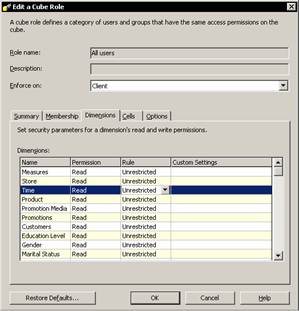
The dimension access can be set to fully restricted, unrestricted or custom. Let us click fully restricted and click Ok to change the dimension rule. Note that the restriction is displayed in the cube role manager dialog box.
|
|
If the user is logged in the role he can browse the data by clicking test role button. The time dimension continues to be available. Restricted access does not remove the dimension. If the user clicks on the drop down list of the dimension he will note that only the All time level is available. Restriction has effectively removed all other levels of the dimension, except the top level.
Users can be restricted from viewing certain members of a dimension. Click on the Product dimension in the Dimensions tab of the Cube role Editor. Click on the drop down list in the Rule column and select Custom.
|
|
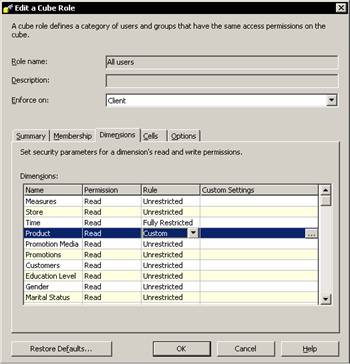
Note that the custom settings column acquires a new ellipsis button. Clicking on this button will enable us to set new restrictions on the dimension.
|
|
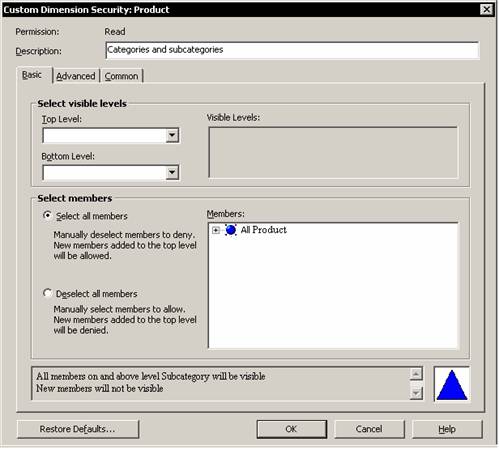
Click Ok to return to the list of dimensions in the cube. Note that a custom security definition is complex and cannot be displayed in the grid for a role. The description that appears is only a reminder that there is a purpose for the custom definition. Browse the data.
Dimensions can be filtered further to include or exclude individual members from values that are visible to end users.
Click the ellipsis button in the Restricted dimensions column and select Product dimension and click the ellipsis button in the custom settings column. Leave the Select all members option selected and expand the All Product and Diary nodes. Clear the check boxes next to members. The select all option implies that all members which are not specifically excluded will be included.
|
|
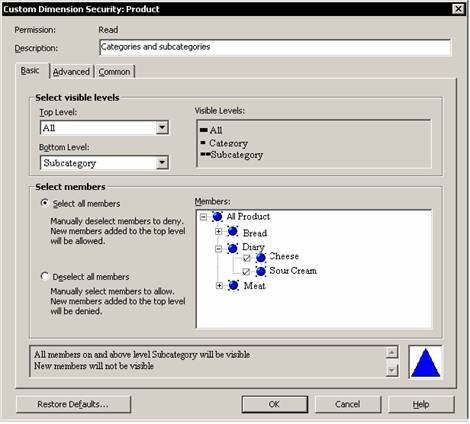
The advanced tab displays the impact of the choices on the basic tab. Click the advanced tab.
|
|
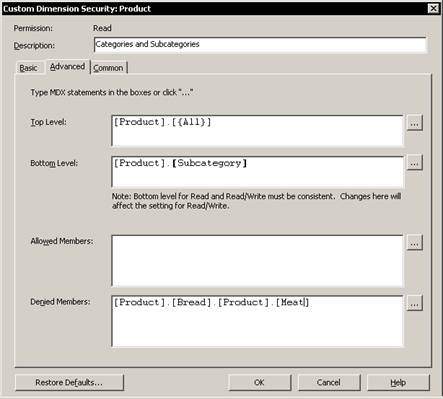
Note that the Advanced tab contains MDX expressions. Selection of values based on the basic tab simply inserts MDX constant expressions into the boxes. The top two boxes can include any MDX expression that returns a valid level of the current dimension. The last two boxes includes MDX expressions that return a valid set for the current dimension. Click Ok to close the custom dialog box and browse the data. The bread category will not appear in the data displayed. However the totals appear wrong as it is calculated for all the values in the cube and hence does not match the values shown in the report. This can be overcome by selecting the enable option in the Common tab of this dialog box.
Now let us examine the Common tab in the Custom Dimension Security dialog box. Under visual totals let us click Enable.
|
|
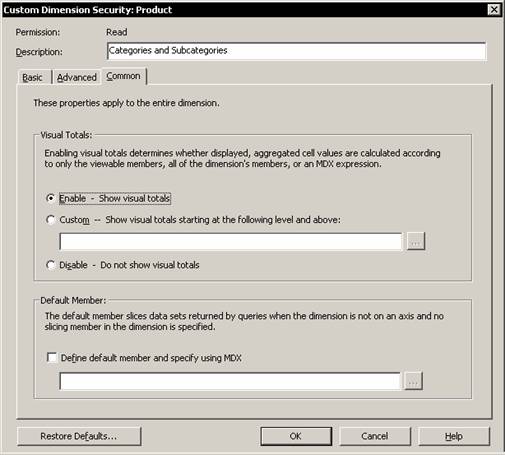
Note that the default is not to show visual totals. Enabling visual totals determines whether displayed, aggregated, cell values are calculated according to only the viewable members, all of the dimensions members or an MDX expression. The totals will now be calculated only for the displayed values.
Often default members are created in a dimension for use as a filter in a dimension that does not have an explicit value selected. The default member for a dimension is placed within the All member level. This kind of definition enables the administrator give each group a default member of its own.
In the Cube Role manager for the sales cube select the All users role and click the ellipsis button in the Restricted dimensions column.
Select the time dimension and then select custom from the Rule drop down list. Then click the ellipsis button to open the Custom Dimension security dialog box. In the common tab select the check box for defining a default member. Note that an MDX expression has to be specified.
|
|
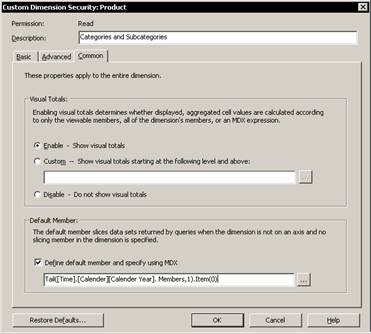
Click Ok three times in the screens that follow. The members function retrieves a set of all the members of the Calendar year level, while the Tail function forms a set that consists of only the last member from the level. The Item function extracts the first and the last member of that set. The resultant values are the last member of the Calendar Year level. Click the test role button to test the role.
Cell level security further restricts users from viewing certain cell values. Most often dimension level security is sufficient to ensure that the values of the cells in the restricted dimension are not visible. Yet when the cells need to be secured without removing members in a dimension then, cell level security is useful.
Right click the cube for which you want to apply cell level security and click manage roles. Expand all the levels and click Test role. Browse the data. Note that all the cells contain values. Close the Browser window and Click on the Cells column ellipsis button. The default Cell security policy value is unrestricted read. Select Advanced from the drop down list.
|
|
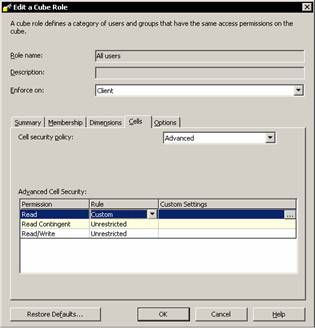
Select custom in the rule column and click on the ellipsis button in the custom settings column. Type a description in the description box. The cell security needs an MDX expression that can be calculated for each cell of a grid so that the value evaluated returns a false and nothing will be displayed to the end user.
|
|
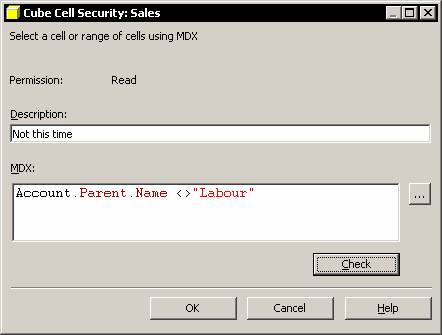
Check the syntax by clicking the Check button if required. If the syntax is valid Analysis services says so. Close the message box and proceed.
The Read Contingent and Read/write permission for the role are automatically set to Fully restricted. Close the Edit cube dialog box and browse the data. The restricted cells will have #N/A against their value.
Cell level security is extremely important in write enabled cubes. Different groups of people may modify different cell values causing loss of integrity of data. To enable members to write to a cube the cube must be write enabled.
Analysis services gives a lot of importance to security. The cube role manager provides the administrator with flexibility for applying security. He can set permission at various levels beginning with the server itself and going down to the cell in a cube. Fine tuning of security can be done using MDX expressions.
In the next lesson we shall learn how to create and implement data mining models.
[catlist id=181].