Analysis services provides various tools that can be programmatically used to extend its functionality. Analysis services supports OLE DB to meet the OLAP specific requirements and is also designed to meet the requirements for Data mining specifications. The Analysis services is made compatible with the ActiveX Data Objects(ADO) and its multidimensional counterpart ADO MD. User defined functions for creating Component Object Model(COM) libraries enable the Analysis services to extend its capabilities of using automation languages such as Microsoft Visual Basic or Microsoft Visual C++. These libraries can be registered and the functions can be used in calculated member definitions and other expressions written in Multidimensional Expressions(MDX).
The functionality of the Analysis Manager can be extended by use of the Decision Support Objects(DSO) to create applications that define and manage cubes, data mining models and other objects. It helps in automating the ongoing maintenance of the system.
The Analysis Services Add in Manager interface and the DSO can be used to create custom extensions, dialog boxes, wizards and other applications that integrate with the Analysis manager.
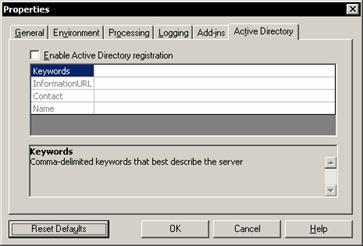
Analysis services can be registered with Active Directory to provide users with an easy way to search for registered servers using the Microsoft Windows 2000 search functionality. Once the server is registered the relevant details such as the location of the server, the name of the person who maintains the server, how the server is to be used, the kind of data it stores and so on is available to the user. The Analysis server can be registered with the active directory by right clicking the server name in the Analysis manager and selecting properties. The active directory tab is then to be clicked to register the server and set the properties.
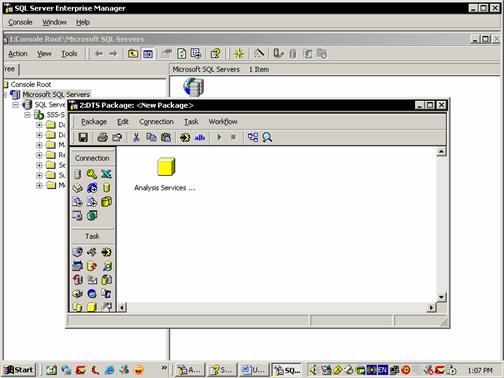
Data Transformation Services can be used with Analysis services to process cubes, data mining models and other objects. For processing activities the DTS task called Analysis Services Processing task the Enterprise manager is accessed. The DTS designer is invoked by right clicking on the Data Transformation Package folder and selecting New package.
For mining model predictions a Data mining prediction query task is provided. Both these tasks can be accessed within the DTS Designer which provides the user interface for defining the DTS packages and tasks.
The Msmdarch Command is used to restore databases in the Analysis services. This command can be executed in the command prompt window or from the .bat file. This command returns an exit code of 1 if it fails. Analysis services databases can also be archived using this command.
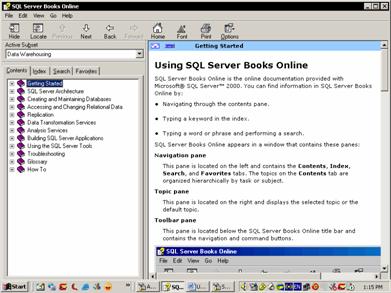
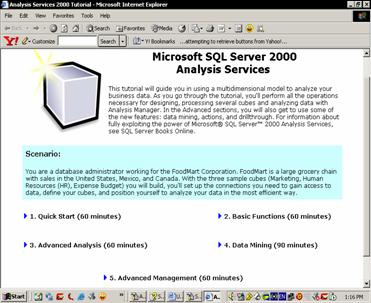
Finally, the Analysis Manager provides help to users by documentation and tutorials. The Help files in the Analysis Manager application, help the user make optimum use of the various components of the Analysis Services. The step by step tutorials guide the user through the entire process of creating, maintaining and browsing cubes and objects, wizards and editors.
[catlist id=181].