Time dimensions are part and parcel of OLAP cubes. At the lowest level of detail a time dimension may contain a month, minute or even a second. At the most summarized level it may contain a year, a decade or a century. The repetitive nature of time encourages users to view data in terms of a time dimension. How much sales of x product occurred during the month of March or April in the year 2000 compared to the year 2001? This would be a query on a sales cube with a time dimension.
A frequent issue that arises while dealing with time dimension is the definition of the year. Many organizations use the fiscal year in place of the calendar year or may be constrained to use both. In such instances Analysis Services permits the user to maintain two different hierarchies when the time dimension is created. These multiple hierarchies must be planned for before the dimension is created.
Creating a time dimension from a single Date/Time Column
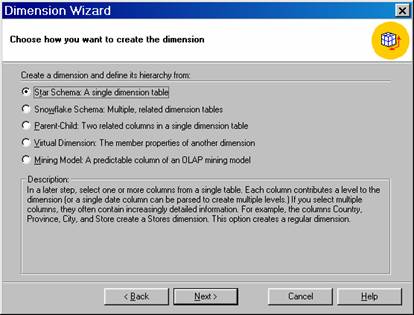
Open the Dimension Editor, click on File Menu, point to New Dimension and launch the Dimension Wizard.
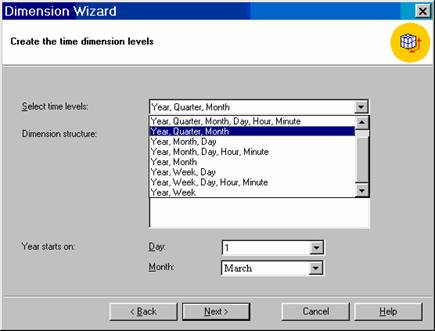
Click single table option and click next. Select Time_by_day as the dimension table and Click Next. Click the Time Dimension option, click Next, Select Year, Quarter, Month for time levels, and click Next. Click Next to skip the Advanced options screen.


On the finish Screen type TimeMonth as the name of the dimension, select the check box labeled Create a hierarchy of a Dimension and type Calendar in the Hierarchy Name box that appears.
Click Finish to create the dimension.
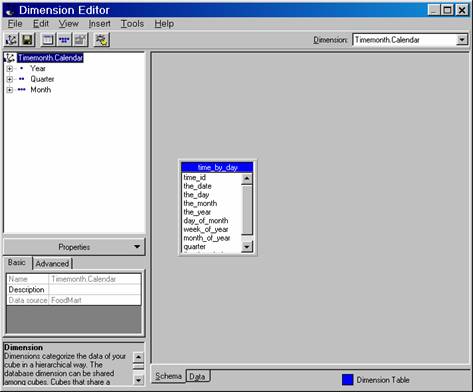
The user is back on the Dimension Editor with a dimension named TimeMonth.Calendar. Note that the name of the dimension cannot be changed in the properties pane. Also note that when an explicit hierarchy is created in the Dimension Wizard, Analysis Services creates a compound name—the dimension name followed by a period and the hierarchy name. Technically all dimensions will have a hierarchy. If a dimension name is created without a period, the dimension has one unnamed hierarchy. The impact of creating compound names is that Analysis services makes it possible for a client application to indicate the relationships between the hierarchies.
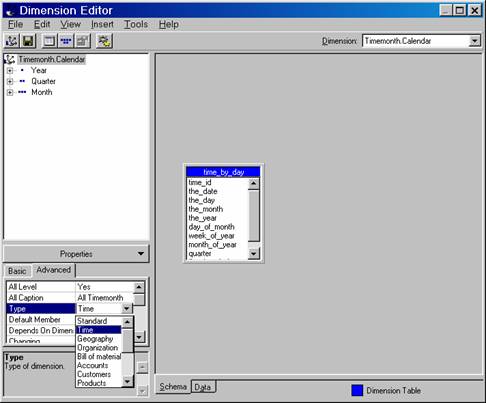
In the Dimension Editor select the TimeMonth.Calendar dimension. Click the Advanced tab in the properties pane. The value of the Date property is Time. The type property has many possible values but the defaults are Time and standard. The dimension wizard has also given standard names to the levels of time dimension. Level names appear above row headings in a cube browser.
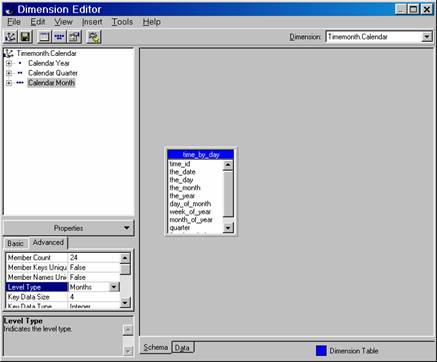
Change the name of the year level to Calendar Year, the name of the Quarter Level to Calendar Quarter and the Month level to Calendar Month.
Switch to Advanced Tab of the Properties pane and note the value of the Level Type properties as they are selected. The Dimension wizard sets the value of each Level Type to match the type of time data stored in the level.
{mospagebreak}
Select the Calendar Year level and click the basic tab of the properties pane. Compare the values of the Member Key Column and the Member Name Column properties. Note that both contain the same expression “DatePart(‘yyyy’,”Time/Month”.”Month”). The Dimension wizard constructs expressions for the key and name columns in the time dimension.
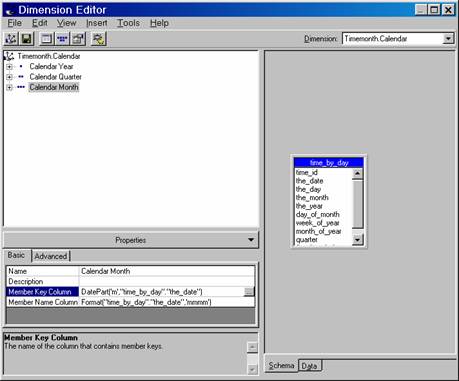
Next select the Calendar Month Level and compare the values of the Member Key Columns and the Member Name Column properties. The expression for the member key is DatePart(‘m’,”TimeMonth”.”Month”), and the expression for the member name is Format(“TimeMonth”.”Month”,’mmmm’). The member key is the month number, and the name is the descriptive name of the month. The Dimension Wizard also sets the Order By property to key. Click on the Advanced tab and view this property. This setting sorts the names of the months in calendar order.
The member name expression can be modified to display the three character abbreviation for a month. To do this, change the formatting string portion of the member name column property from ‘mmmm’ to ‘mmm’.
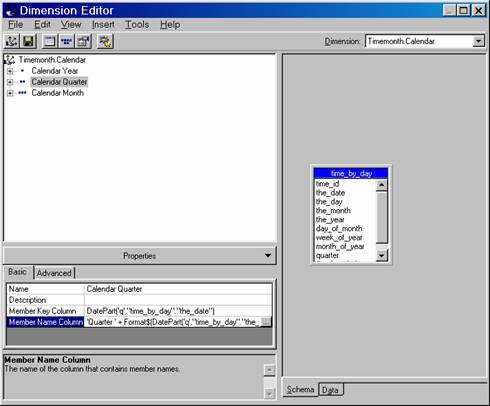
Next select the Calendar Quarter Level and look at the expressions for the Member name column. The expression is Quarter + Format$(DatePart(‘q’, “TimeMonth”, “Month”)). The labels for quarters can also be abbreviated to qtr by changing the expression for the Member Name Column of the Calendar Quarter from “Quarter” to “qtr”.
Click Save to Save the changes.
The type property of a dimension and Level Type property of a level assume significance when dealing with the time dimension. Even with dimension it is not critical. The expression created by the Dimension wizard can be modified and new levels can be added with appropriate expressions for these levels.
{mospagebreak}
Creating a fiscal Date hierarchy in the Time Dimension
In this exercise we propose to create the fiscal Date hierarchy as a second hierarchy of the Time Dimension created above. Since this is not planned while creating the time dimension, some of the properties will have to be adjusted to get the dimension to work properly.
In the Dimension Editor click the file menu and select New Dimension>Wizard.
Click the single table option and click Next. Select the Time_by_day as the Dimension table, and click Next. Click the Time dimension option and Click Next.
Select Year, Quarter, Month for the time levels and set March as the starting month of the year. Click Next.
Again Click Next to skip the Advanced options screen
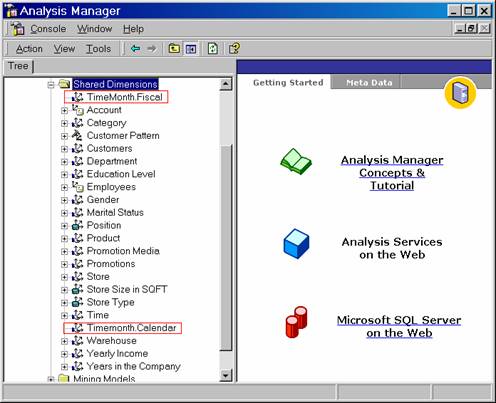
On the Finish screen type Time as the name of the Dimension, select the Check box for an explicit hierarchy, type Fiscal as the name of the hierarchy and Click Finish. This creates the second hierarchy.
Note that the Time.Calendar and Time.Fiscal dimension have Time as the value of the type property. This is the default value created by the Dimension wizard. The purpose is to enable the MDX functions to identify the default Time dimension. When two Time dimensions are defined only one can be the default. Normally the first time dimension is taken as the default dimension. If any other dimension has to be specified as default this has to be explicitly defined as the default dimension.
One method of setting a default dimension is to change the type of one of the dimensions to Standard and retaining the type of the default dimension as Time.
The second method is to change the order of the dimensions in the Dimension folder in the Cube Editor by dragging the dimension designated default to the top of the other time dimension.
For the current exercise we will reset the type of our Time.Calendar dimension as Standard.
Now Change the names of the levels—from year to Fiscal Year, from Quarter to Fiscal Quarter etc.
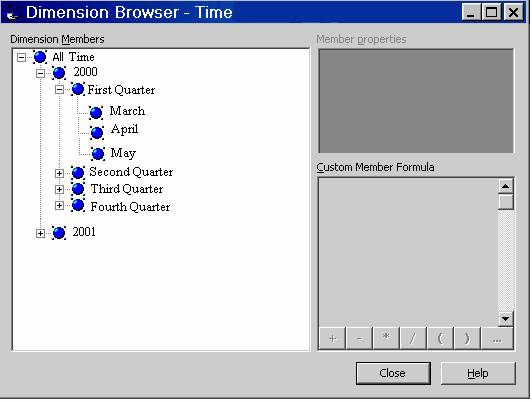
In the data pane expand All Time, 2000 and First Quarter . The months of the quarter appear, with March, April, May as components of the quarter.
In the Dimension tree, select the Fiscal month level and look at the Member Key Column property.
Click Save to save the changes.
[catlist id=181].