
Tutorial 15: MSAS : Designing Storage and Processing the Cube
We have already discussed in detail the type of storage options that are available in OLAP. Analysis Services offers the end user all the different storage options of the OLAP. Multidimensional OLAP (MOLAP), Relational OLAP(ROLAP) and Hybrid OLAP(HOLAP) are available in Microsoft Analysis services. Now that the design of the cube has been completed the user will have to designate one of the storage modes for the cube before it can be processed. The kind of storage selected will determine the query performance and enhance the cube efficiency.
To design the storage, the user will have to access the Storage Design Wizard. If we had clicked ‘Yes’ to the prompt asking us to design storage options when the cube was saved, we would have automatically navigated to the Design storage wizard. However the Wizard can also be accessed by right clicking on the cube name “sample cube” and selecting Design storage
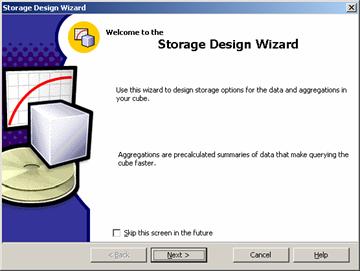
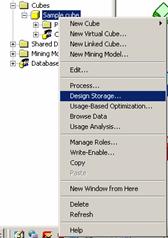
The option opens the Design storage Wizard. The welcome screen can be bypassed by checking the option at the bottom of the screen. We need to Click Next to navigate to the screen providing options for selecting the type of storage.
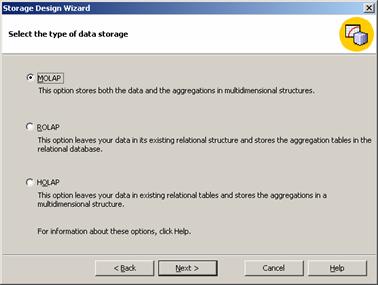
The default option for storage is MOLAP. We will leave it at the default value for the present tutorial. Click Next to continue
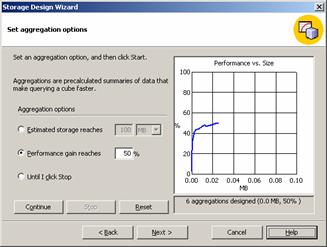
The next dialog box that opens is the “Set Aggregation Options” dialog. The user set the performance boost to any value he desires. In this instance we have set it at 50%, without taking into consideration the space required for the process. This option is intended to help the user manage the tradeoff between disk space consumed and the overall cube performance metrics.
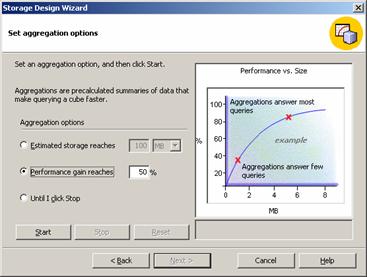
It is clear that as performance increases the disk space required will increase. On clicking start button after setting “performance gain reaches” at 50% we get a curve as belowr:
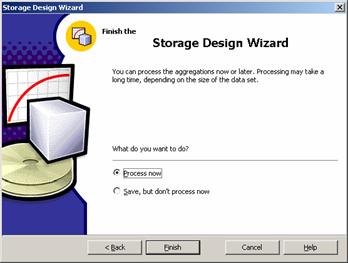
Click Next and finish the design storage process by selecting the radio button directing the wizard to process the cube now. The cube also can be saved at this stage for processing later. Click Finish to complete the task
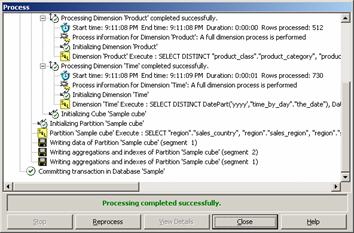
The process window allows the user monitor the processing of the cube. The phases, the activities and the statistics generated are displayed at the bottom of the Window. When the processing is complete a message is displayed.—“Processing completed successfully”. Now that the cube has been processed successfully we can close the window and return to the Analysis manager.
[catlist id=181].