
Technical Training
Analysis Services TrainingMicrosoft Analysis Services Installation
This tutorial covers the download and step by step installation instructions along with the screen shots which helps with your PC setup to contine learning MSAS.
Download or order the SQL Server 2000 120-day Trial Software. SQL Server is a complete database and data analysis package that opens the door to a new generation of enterprise-class business applications. SQL Server CE is the compact database for rapidly developing applications that extends enterprise data management to mobile and embedded devices. This fully functional trial software will be automatically turned off after four months. You can obtain the fully purchased version at any time.
Installation Instructions
Step 1: Download the Evaluation copy from the above link, extract to a temp folder, run autorun.exe.
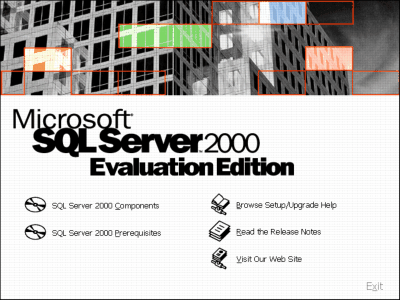
Step 2: See the screen shot below, select "SQL Server 2000 Components"
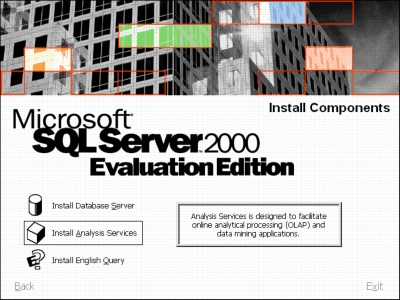
Step 3: in the next screen select " Install Analysis Services"
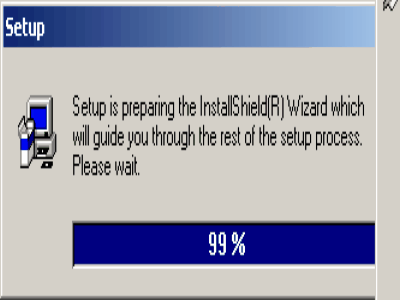
Step 4: You will see the progrss of the pre-installation
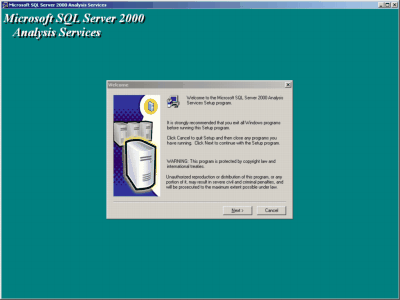
Step 5: Click Next to continue with the installation.
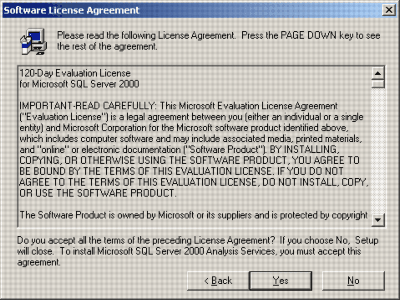
Step 6: Read the license agreement and continue.
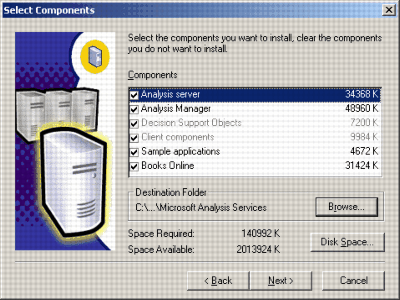
Step 7: Leave the default options checked and click on the Next button.
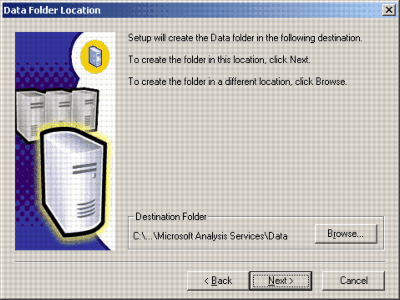
Step 8: Chage the path and the drive letter if you would like to or Leave the default path and click on the Next button.
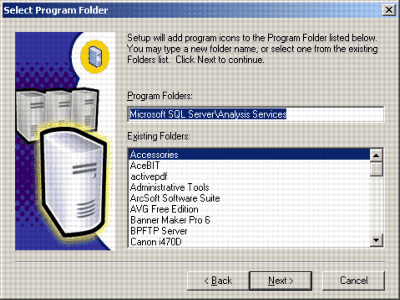
Step 9: Leave the default options and click on the Next button.
Step 10: Let the installation complete.
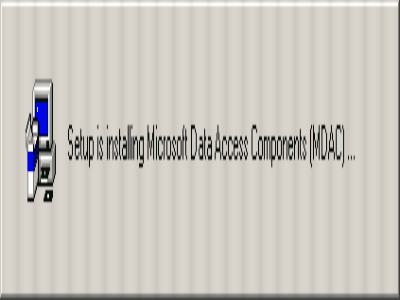
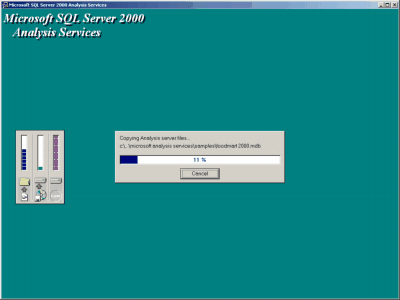
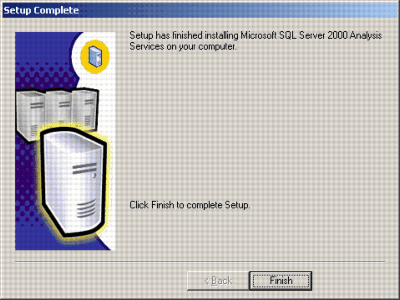
Step 11: You should see the shorcuts to launch MSAS in the your Start Menu.
Analysis Services Training
- MSAS - Browsing the Dependency Network
- MSAS - Building a Relational Decision Tree Model
- MSAS - Introduction to Data Mining
- MSAS - Applying security to a Dimension
- Tutorial 65: MSAS - Managing Cube Roles
- MSAS - Understanding Database Roles
- MSAS - Securing User Authentication
- MSAS - Introducing Analysis Services Security
- MSAS - Writebacks
- MSAS - Defining and Creating Drillthrough
- MSAS - Defining and Creating Auctions
- MSAS - Creating and Maintaining Calculated Members in Virtual Cubes
- MSAS - Building a Virtual Cube
- MSAS - Understanding Virtual Cubes
- MSAS - Introducing Solve Order
- MSAS - Implementing Calculations Using MDX Part 2
- MSAS - Implementing Calculations Using MDX Part 1
- MSAS - Merging Partitions
- MSAS - Introduction and Managing Partitions
- MSAS - Troubleshooting Cube Processing
- MSAS - Optimizing Cube Processing
- MSAS - Processing Dimensions and Cubes
- MSAS - Introducing Dimension and Cube Processing
- MSAS: Optimization Tuning Part 2
- MSAS: Optimization Tuning Part 1
- MSAS: Usage-Based Optimization
- MSAS: Analysis Services Aggregations
- MSAS: The Storage Design Wizard
- MSAS: Analysis Server Cube Storage
- MSAS: Defining Cube Properties
- MSAS: Introduction and Working with Measures
- MSAS: Introduction and Working with Cubes
- MSAS: Virtual Dimensions
- MSAS: Introducing Member Properties
- MSAS: Creating Custom Rollups
- MSAS: Creating a Time Dimension
- MSAS: Understanding Hierarchies
- MSAS: Dimension Storage Modes and Levels
- MSAS: Working with Levels and Hierarchies
- MSAS: Working with Parent-Child Dimensions
- MSAS : Basics of Levels
- MSAS : Working with Standard Dimensions
- MSAS : Shared vs Private Dimensions
- Understanding Dimension Basics
- MSAS : Office 2000 OLAP Components
- MSAS : Client Architecture
- MSAS : Cube Storage options
- MSAS : Meta data Repository
- MSAS : Analysis services Tools for Extended Functionality
- MSAS : The Wizards
- MSAS : The Analysis Manager and Analysis Server
- MSAS : The Data warehousing framework of SQL Server 2000 - Part 2
- MSAS : The Data warehousing framework of SQL Server 2000 - Part 1
- MSAS : Microsoft Data Warehousing Overview
- MSAS : Browsing the Cube
- MSAS : Designing Storage and Processing the Cube
- MSAS : Building the Cube Part #3
- MSAS : Building the Cube Part #2
- MSAS : Building the Cube Part #1
- MSAS : Setting up the Database in Analysis Server
- MSAS : Preparing to Create the Cube
- MSAS : Introducing Analysis Manager Wizards
- Microsoft Analysis Services Installation
- MSAS - Applying OLAP Cubes
- Understanding OLAP Models
- Designing the Dimensional Model and Preparing the data for OLAP
- Design of the data warehouse: Kimball Vs Inmon
- Defining OLAP Solutions and Data Warehouse design
- Microsoft Analysis Services Training
- Data Warehouse database and OLTP database
- Introduction to Data Warehousing


