
In this tutorial you will learn about SQL*Loader – Input Data and Datafiles, Fixed Record Format, Variable Record Format and Stream Record Format.
SQL*Loader is useful when you need to load the files in batch mode. SQL* Loader supports three different type of data files. You will need to specify the “INFILE” parameter with the file format and additional parameters required.
Fixed Record Format: This format is useful when you have a data file with fixed layout.
Variable Record Format: This format is used when you have different record lengths in the data file. You will need to specify the record length in the beginning of the each record. This format provided greater flexibility to have the data loaded compared to fixed record formatted files.
Stream Record Format: This format is used when the records are not in the fixed or specified size. Each record can be any length and records will be identified by using the record terminator.
You can specify terminator_string either in character or hexadecimal format. Char is enclosed in single or double quotes and hexadecimal should be used when nonprintable characters like new line feed or tab characters.
There are few types of hex characters which can be used. Please note that these may change based on the operating system you are using. In Unix/Linux based systems, the default to the line feed character will be n and Windows uses either n or rn as the default record terminator. Just to avoid any issues with various character sets, you may want to check NLS_LANG parameters for your session. Check to make sure that your record terminator is not part of the data record.
There are various options available, please use “sqlldr” for the parameters and usage.
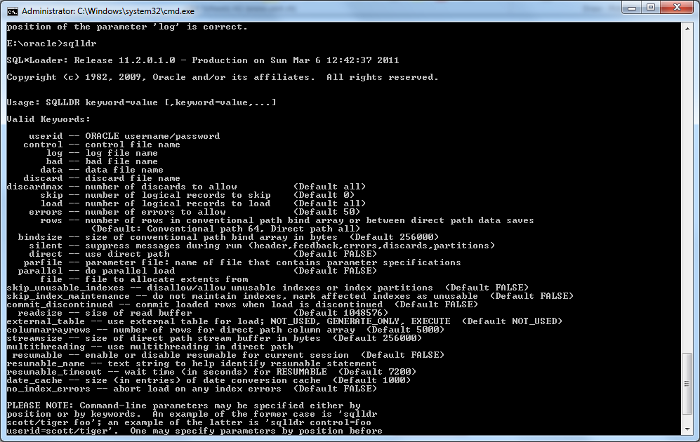
Now let us take a look at the loading some sample data to a table using command prompt and OEM interface.
{mospagebreak title= SQL*Loader – Loading data using OEM}- Log into OEM. (Note: If you have followed default installation with starter database, you will have a link in Oracle menu to “Database Control – “database name”. )
- Login and select Data Movement,
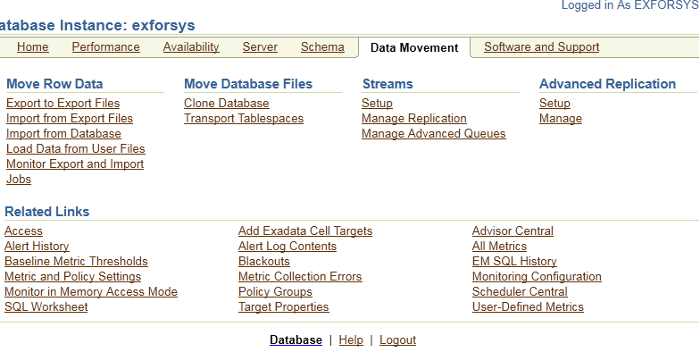
- Select Load Data from user file option. (If you have a control file already then you can use or select "Automatically Generate Control File" option).
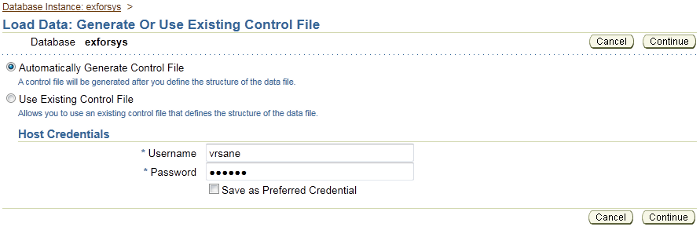
In this tutorials we are going to select the first option, then use the generated control file to load the data using command prompt.
Oracle needs access to the host, enter the server login and password, if you prefer you can check “Save as Preferred Credentials” otherwise leave it unchecked.
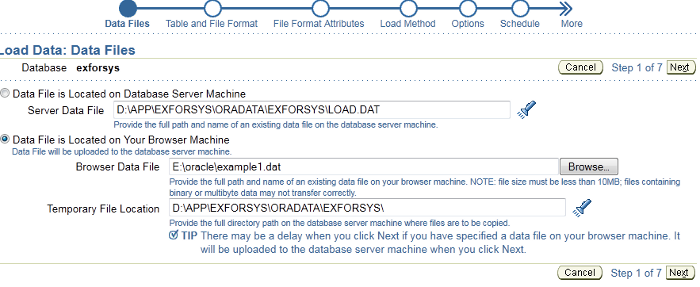
Step 1 – Load Data: Data Files
FirstName1,LastName1,Address1,City1,Country1
FirstName2,LastName2,Address2,City2,Country2
FirstName3,LastName3,Address3,City3,Country3
FirstName4,LastName4,Address4,City4,Country4
Step 2 – Load Data: Table and File Format
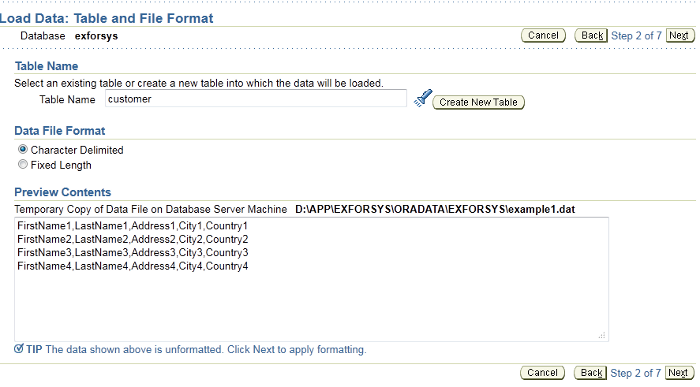
Enter Database name, Table Name, if you need to create select “ Create new table” option or just enter the table name which is already there.
CREATE TABLE customer
(First_Name CHAR(50),
Last_Name CHAR(50),
Address CHAR(50),
City CHAR(50),
Country CHAR(25));
Step 3 – Character Delimiters
Here you can change the settings. In our care Field delimiter is comma and optional filed enclosure is double quotes.
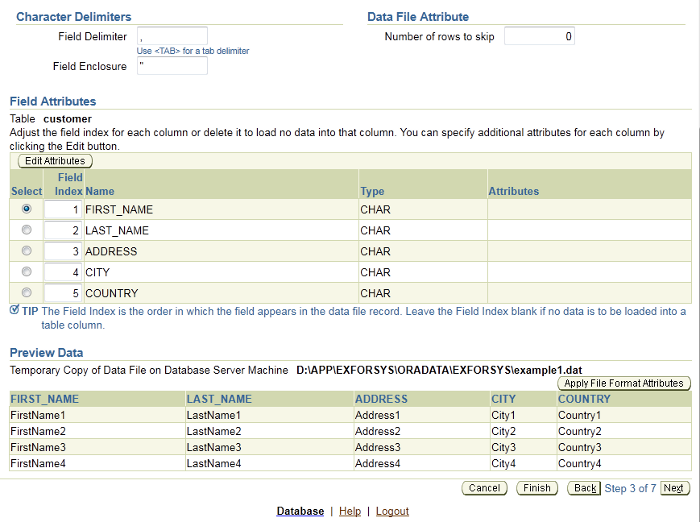
Verify the setting and click next to continue with Step 4
Step 4 – Load Data: Load Method
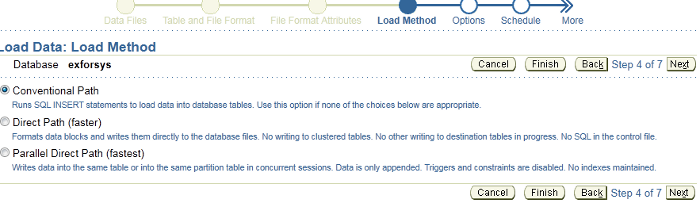
There are various methods you can use to load the data and it depends on the need and how much data you are loading . We will be discussing these methods in details later. For simplicity we are going to use Conventional path method.
Step 5 – Load Data: Options
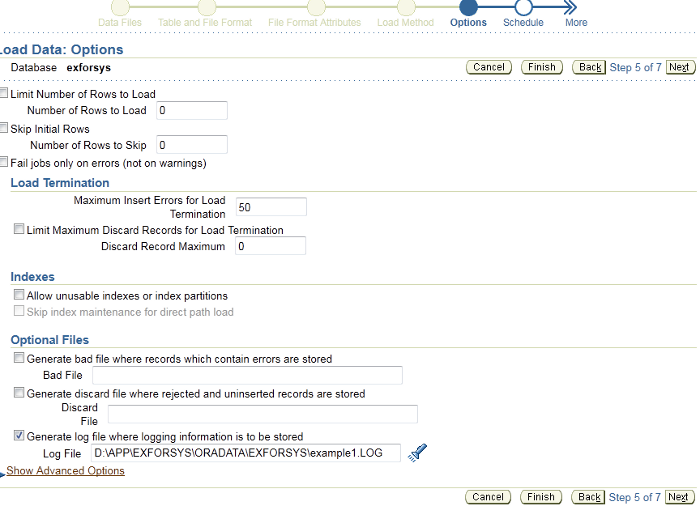
If you would like any records to written to the rejected file, select Bad file option and enter the path for the file to be generated. Keep in mind all of these paths related to the server not your local PC.
Step 6 – Load Data: Schedule
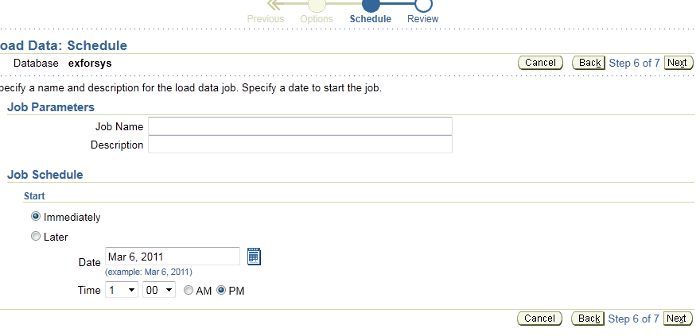
If you would like to schedule the job to run later date, you can use this step else click next
Step 7 – Review
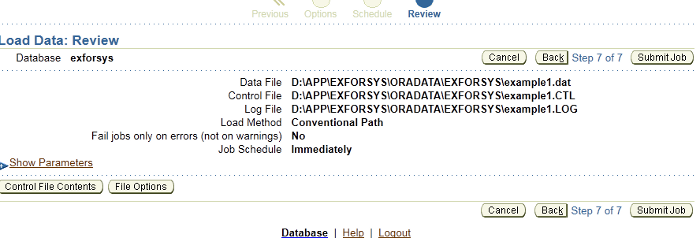
Verify the setting, submit job
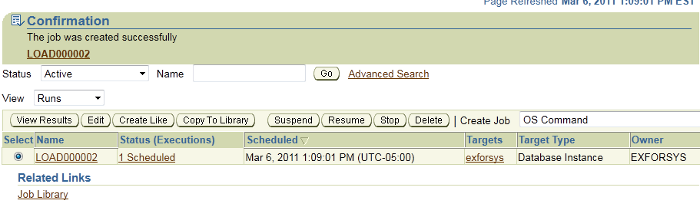
Click on the Job link to see the status
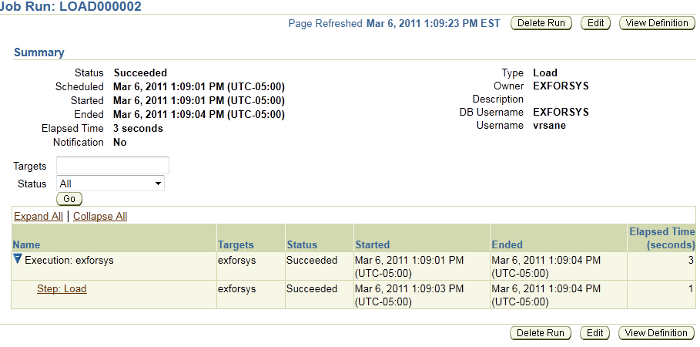
Control file created
LOAD DATA
INFILE 'D:APPEXFORSYSORADATAEXFORSYSexample1.dat' "STR 'rn'"
APPEND
INTO TABLE customer
FIELDS TERMINATED BY ',' OPTIONALLY ENCLOSED BY '"'
(FIRST_NAME CHAR,
LAST_NAME CHAR,
ADDRESS CHAR,
CITY CHAR,
COUNTRY CHAR)
If you see the following error during the job submission , Here are few things you will need to verify
Make sure service is running

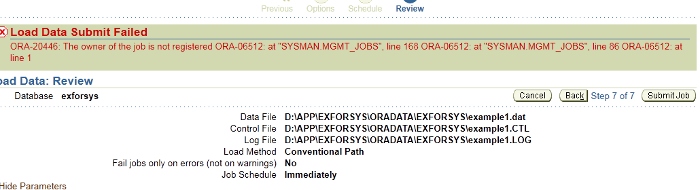

You will need to run the following command
Logon as SYSMAN and run
EXECUTE MGMT_USER.MAKE_EM_USER(‘username’);
username is the username that you are using to load the data.
After you complete the above, return back and continue the same step again where you have received the error
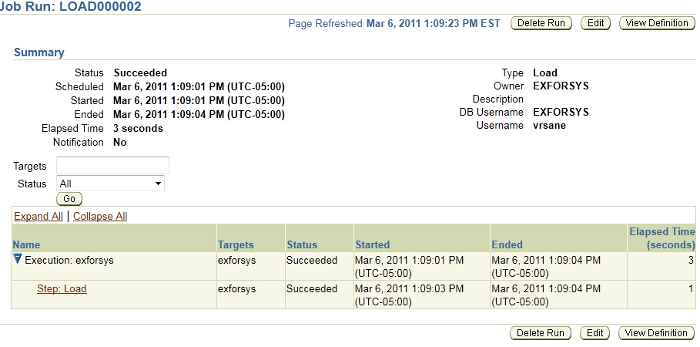
Login to SQL Plus to remove the data we have loaded from OEM.
Launch Command Prompt
sqlldr username/password@dbname control=commandload.ctl
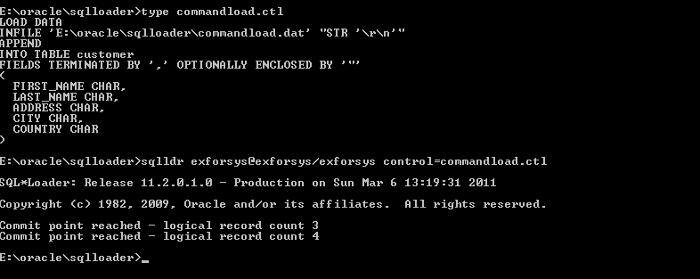
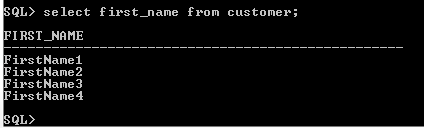
Here is the copy of the control file used in the example.
LOAD DATA
INFILE 'E:oraclesqlloadercommandload.dat' "STR 'rn'"
APPEND
INTO TABLE customer
FIELDS TERMINATED BY ',' OPTIONALLY ENCLOSED BY '"'
(FIRST_NAME CHAR,
LAST_NAME CHAR,
ADDRESS CHAR,
CITY CHAR,
COUNTRY CHAR)
Here is the logfile generated from the above demo.
SQL*Loader: Release 11.2.0.1.0 - Production ON Sun Mar 6 13:19:31 2011
Copyright (c) 1982, 2009, Oracle AND/OR its affiliates. ALL rights reserved.
Control File: commandload.ctlDATA File: E:oraclesqlloadercommandload.dat
File processing OPTION string: "STR 'rn'"
Bad File: commandload.badDiscard File: NONE specified(Allow ALL discards)
NUMBER TO LOAD: ALL
NUMBER TO skip: 0
Errors allowed: 50Bind array: 64 ROWS, maximum OF 256000 bytes
Continuation: NONE specifiedPath used: Conventional
TABLE CUSTOMER, loaded FROM every logical record.
INSERT OPTION IN effect FOR this TABLE: APPEND
COLUMN Name POSITION Len Term Encl Datatype
------------------------------ ---------- ----- ---- ---- ---------------------FIRST_NAME FIRST * , O(") CHARACTER
LAST_NAME NEXT * , O(") CHARACTER
ADDRESS NEXT * , O(") CHARACTER
CITY NEXT * , O(") CHARACTER
COUNTRY NEXT * , O(") CHARACTER
Table CUSTOMER:4 Rows successfully loaded.0 Rows not loaded due to data errors.0 Rows not loaded because all WHEN clauses were failed.0 Rows not loaded because all fields were null.Space allocated for bind array: 82560 bytes(64 rows)Read buffer bytes: 1048576Total logical records skipped: 0Total logical records read: 4Total logical records rejected: 0Total logical records discarded: 0Run began on Sun Mar 06 13:19:31 2011Run ended on Sun Mar 06 13:19:31 2011Elapsed time was: 00:00:00.05CPU time was: 00:00:00.03 )
[catlist id=177].