
This tutorial will teach you how to start, stop and check the status of the Oracle Listener through Enterprise Manager. Oracle Listener provides crucial information on database connection state. In case of any issue with the database connection, I would first check to see if the listener started properly or not. Hence it is important to be familiar with Listener functionality.
Startup listener through Command Prompt
Check listener status – The command to check the status of Oracle Listener is lsnrctl status

Screen Shot 1.
Stop listener – The command to check the stop of Oracle Listener is lsnrctl stop

Screen Shot 2.
Start listener – The command to check the start of Oracle Listener is lsnrctl start

Screen Shot 3.
Startup listener through Enterprise Manager (EM)
Open Enterprise Manager using following URL
http ://localhost:5500/em
You will see the following screen
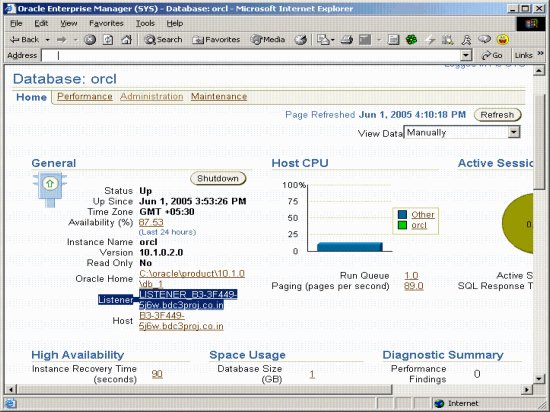
Screen Shot 4. Above screen shot shows EM Home Window
Click on the Listener link (Shown highlighted in the screen above).
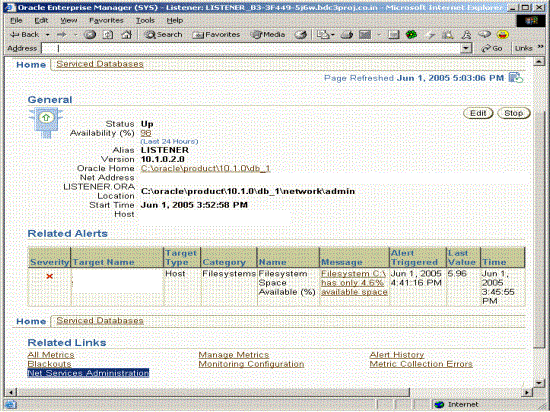
Screen Shot 5. Above screen shot shows EM Net Service Administration Window
Click on Net Services Administration link (shown highlighted) on the above window.
Following screen will appear.
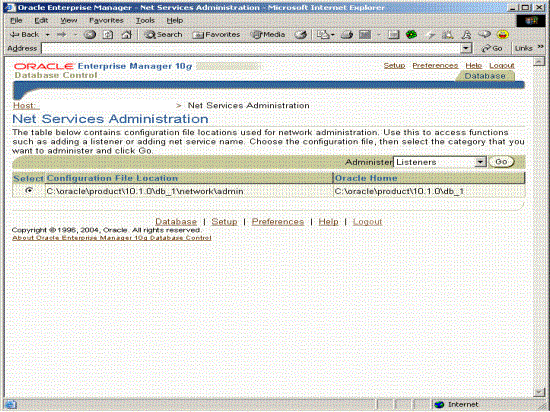
Screen Shot 6. Above screen shot shows EM Listener Administration Window
Select Listeners in the selection box beside Administer in the above window.
Click GO Button and following screen will appear.
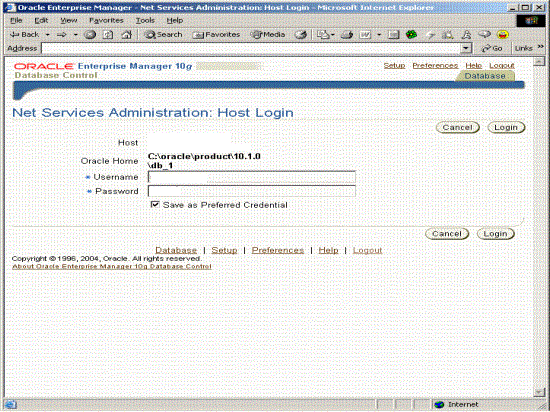
Screen Shot 7. Above screen shot shows EM Listener Administration login Window
Click on Login Button after entering userid and password. Following screen will
appear.
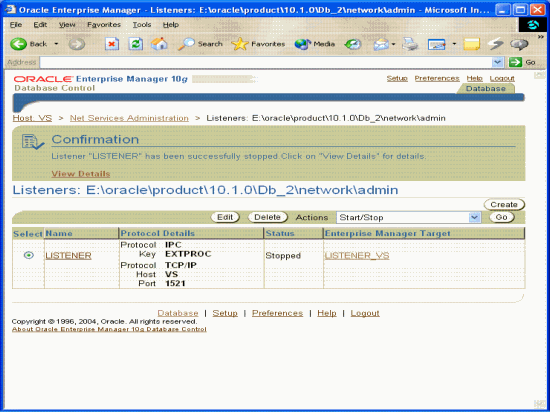
Screen Shot 8. Above screen shot shows EM Listener Start/Stop Window
Click on GO Button and listener would be started/stopped depending upon its
current status.
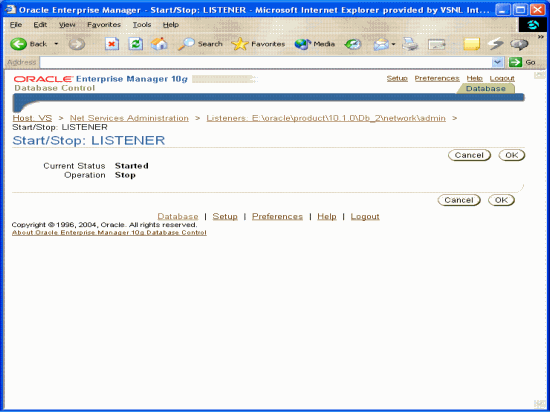
Screen Shot 9. Above screen shot shows EM Listener Stop Window
Click on OK Button and one of the below screens will appear depending upon the current status of the listener.
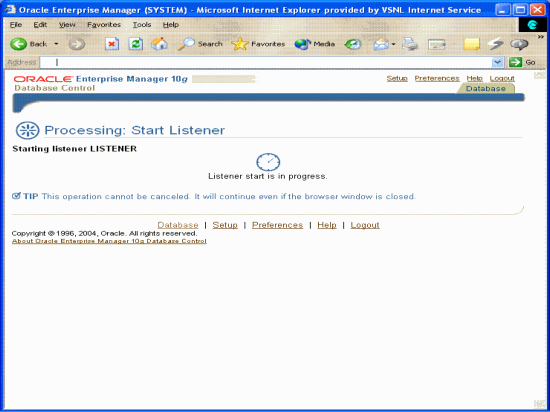
Screen Shot 10. Above screen shot shows EM Listener Start Progress Window
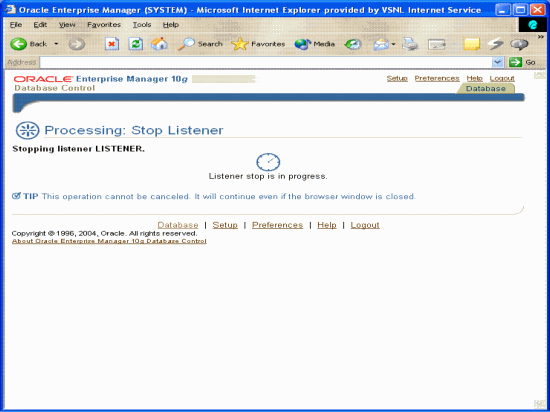
Screen Shot 11. Above screen shot shows EM Listener Stop progress Window
[catlist id=177].