
Oracle Apps 11i : Asset Management – Depreciation
In this tutorial you will learn about Asset Management – Depreciation ; a) Elements, b) Basic depreciation calculation, c) Calculate Annual Depreciation, d) Allocate Annual Depreciation across Periods, e) Spreading Depreciation across Expense Accounts, f) Methods, g) Run-Depreciation, h) Closing a Depreciation Period and i) Programs
Depreciation
a) Elements
Define corporate, tax, and budget asset books. Define the corporate book first to associate it with multiple tax and budget books. Oracle Assets provides many standard depreciation methods. Set up additional methods if required.
b) Basic depreciation calculation
Prorate date Oracle Assets prorates the asset depreciation in its first fiscal year of life according to the prorate date. Upon initial asset entry, it calculates the prorate date based on the date placed in the service and asset prorate convention.
Depreciation Rate Oracle Assets calculates depreciation based on recoverable cost or recoverable net book value. It uses the prorate date to choose a prorate period from the prorate calendar.
c) Calculate Annual Depreciation
Calculated and table-based methods calculate annual depreciation by multiplying the depreciation rate by the recoverable cost or net book value as of the beginning of the fiscal year.
Flat- rate methods calculate annual depreciation as the depreciation rate multiplied by the recoverable cost or net book value, multiplied by the fraction of year the asset was held.
d) Allocate Annual Depreciation across Periods
After calculating the annual depreciation amount, Oracle Assets uses your depreciation calendar, the divide depression flag, and then depreciate when placed in service to determine how much of the fiscal year depreciation to allocate to the period for which you ran depreciation.
e) Spreading Depreciation across Expense Accounts
Finally, Oracle Assets allocates the periodic depreciation to the assignments you made for the asset. It does this according to the fraction of the asset units that is assigned to each depreciation expense account in the Assignments window.
f) Methods
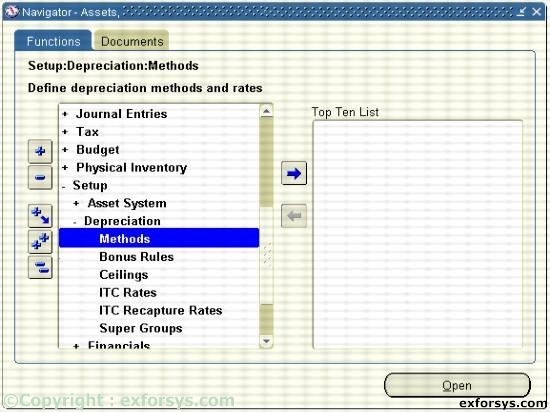
Figure 1. Navigate to define Depreciation method.
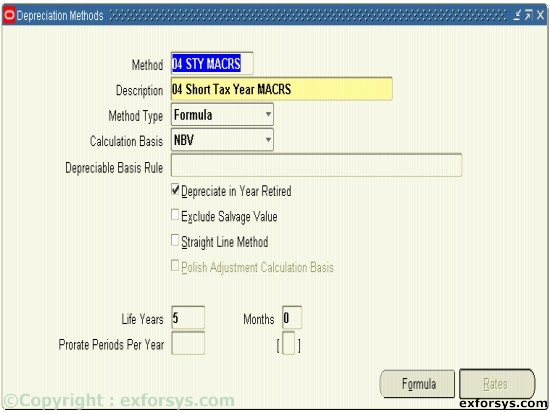
Figure 2. Define the Depreciation methods.
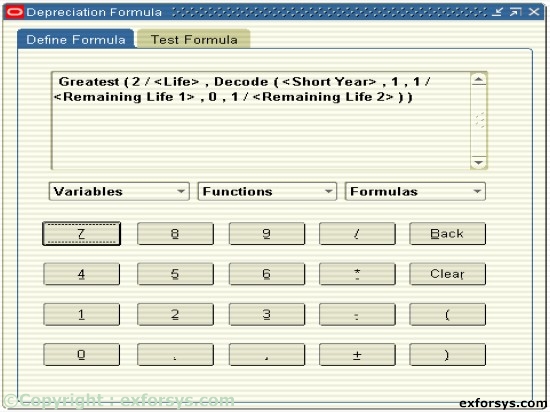
Figure 3. Define Depreciation formula.
You depreciate assets by using several types of depreciation methods that Oracle Assets supports. You also create periodic journal entries for each book to the GL. As an asset depreciates, its net book value approaches the salvage value. Oracle Assets is delivered with many seeded depreciation methods:
Life-based
Flat-rate
Units of Production{mospagebreak}
g) Run-Depreciation
Run depreciation to process all assets in a book for a period. Each asset book must have depreciation run individually.
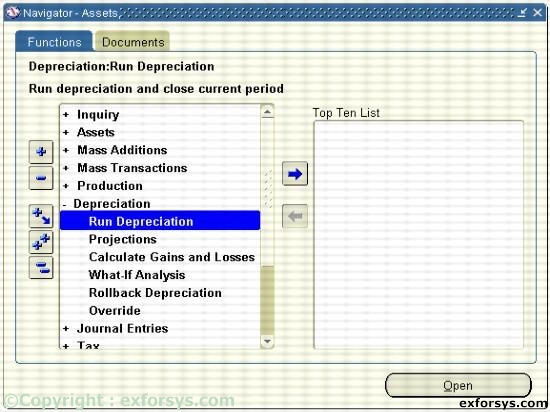
Figure 4. Navigate to Run Depreciation.
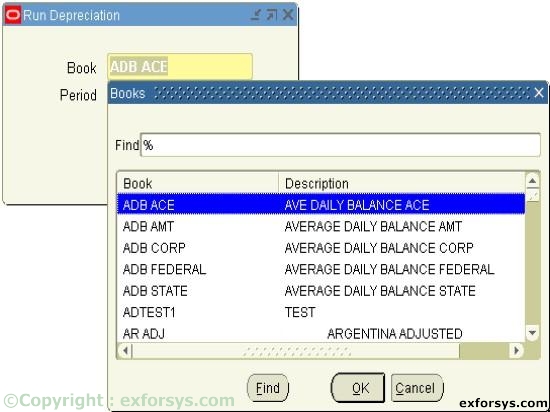
Figure 5. Running Depreciation.
h) Closing a Depreciation Period
When you run depreciation, Oracle Assets gives you an option of closing the current period if you check the Close Period check box on the Run Depreciation window. If all of your assets depreciate successfully, Oracle Assets automatically closes the period and opens the next period for the book.
If you do not check the Close Period check box when you run the depreciation, Oracle Assets does not close the period.
Once depreciation has been processed for an asset in the current open period, you cannot perform any transactions on those assets unless depreciation is rolled back or the current period is closed.
Note that you have entered all transactions for the period before you run depreciation. Once the period is closed, you cannot reopen it.
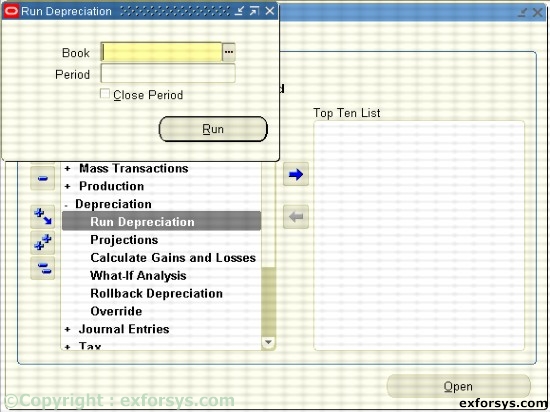
Figure 6. Running Depreciation. Close Period.
i) Programs
Generate Accounts Builds accounting combinations using Oracle Workflow.
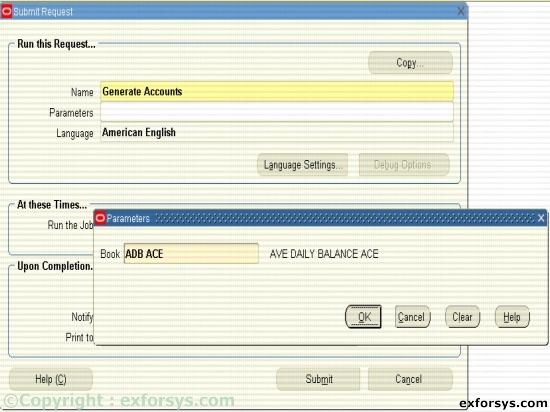
Figure 7. Running the Generate Accounts report.
Calculate Gains and Losses : Calculates gains and losses resulting from retirements.
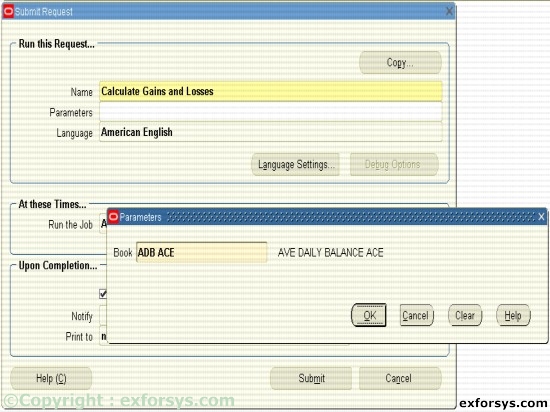
Figure 8. Running the Calculate Gains and Losses report.
[catlist id=183].