
Technical Training
Oracle Apps 11iOracle Apps 11i : Asset Management - Journal Entries
Oracle Apps 11i : Asset Management - Journal Entries
In this tutorial you will learn about Journal Entries: Assets Journal Entries Flow - Oracle Assets creates journal entries for depreciation expense, asset cost, other accounts, and automatically creates general ledger transaction journal entries, if you have set up the journal entry category for that transaction type in the asset book.
Journal Entries: Assets Journal Entries Flow
The GL period for which you want to create journal entries must be open,
The period name in the depreciation calendar assigned to the asset book must be the same as that in the GL calendar for the set of books for the journal entries.
When you run the Create Journal Entries program, Oracle Assets sends entries directly to the GL_JE_BATCHES, GL_JE_HEADERS, and GL_JE_LINES tables.
You can run the Create Journal entries program multiple times before closing the depreciation period.
You can rollback journal entries in an open depreciation period if the journals have not already been posted to GL.
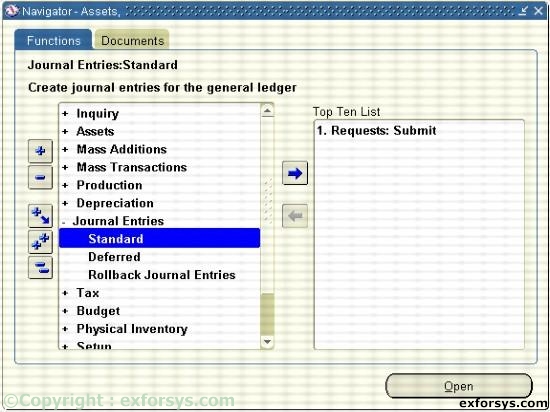
Figure 1. Navigate to Journal entries.
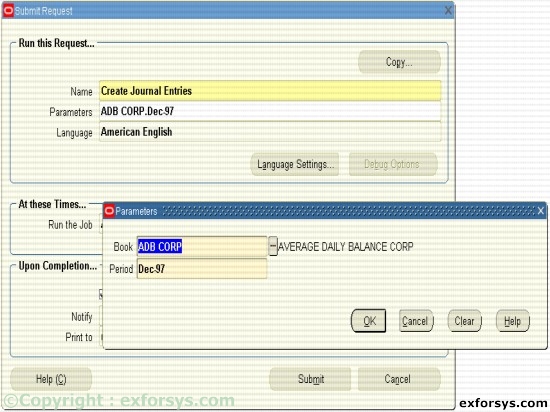
Figure 2. Running the Create Journal entries program
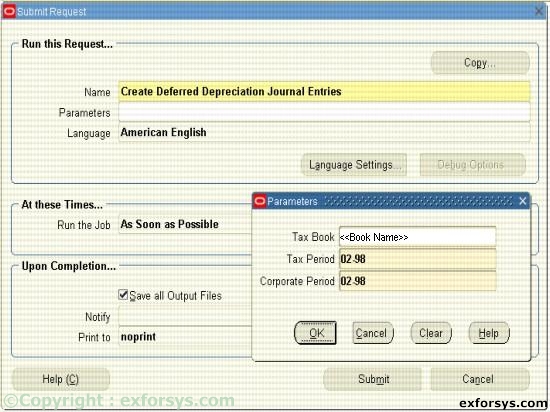
Figure 3. Running the Create Deferred Depreciation Journal entries program
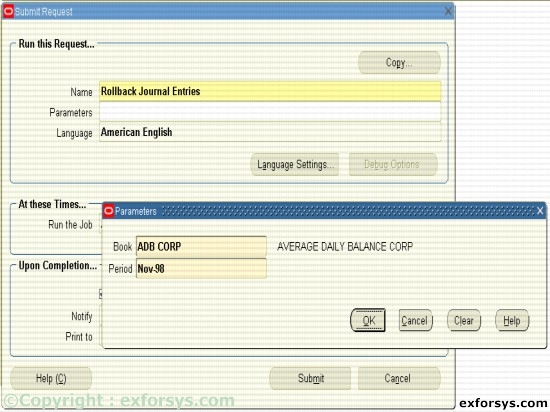
Figure 4. Running the Rollback Journal entries program
Ads
Frequently Asked Questions
1. What are the different ways of adding assets in FA?
2. How do we depreciate Assets in Oracle Applications?
3. What is the significance of asset books in FA?
4. How do we retire assets in Oracle applications?
5. What are the various Journal Entries generated through Fixed assets?
Oracle Apps 11i
- ERP Overview
- Oracle Apps 11i: Overview of popular ERP Products
- Oracle Apps 11i: Advantages of Oracle E-Business Suite
- Oracle Apps 11i : Getting started with Oracle Applications
- Oracle Apps 11i: Internationalization Support and Multiple Reporting Currencies
- Oracle Apps 11i : File System
- Oracle Apps 11i Installation - System Requirements
- Oracle Apps 11i - Using Rapid install and the Steps Before Apps Installation
- Single Node and Multi Node Installation Part 1
- Single Node and Multi Node Installation Part 2
- Oracle Apps Application Framework
- Oracle Apps Table Registration API
- Oracle Apps Concurrent Processing
- Oracle Apps Concurrent Library Window
- Oracle Apps Message Dictionary
- Oracle Apps Flex fields
- Oracle Apps Implementing Key Flex field and Descriptive Flex field
- Oracle Apps Template Form
- Special Triggers in the Template Form in Oracle Apps 11i
- Creating New Forms in Oracle Apps 11i
- Creation of Master Detail Block in Oracle Apps 11i
- Registering New Forms in Oracle Apps 11i
- Oracle Apps 11i: Setting up Chart Of Accounts (COA)
- Oracle Apps Sys Admin - Users and Responsibilities
- Oracle Apps 11i : Creating Journals through Oracle GL
- Oracle Apps 11i : Suppliers
- Oracle Apps 11i : Asset Management - Asset Book Positioning
- Oracle Apps 11i : Asset Management - Asset Books Regions
- Oracle Apps 11i : Asset Management - Manual and Quick Additions
- Oracle Apps 11i : Asset Management - Mass Additions
- Oracle Apps 11i : Asset Management - Asset Adjustments
- Oracle Apps 11i : Asset Management - Mass Transfers
- Oracle Apps 11i : Asset Management - Depreciation
- Oracle Apps 11i : Asset Management - Retirements
- Oracle Apps 11i : Asset Management - Journal Entries
- Oracle Reports 6i


