
Oracle Apps 11i : Asset Management – Mass Transfers
In this tutorial you will learn about Asset Management – Mass Transfers; a) Mass Reclassifications, b) Using Mass Changes and c) Mass Asset Transfers.
Mass Transfers
a) Mass Reclassifications
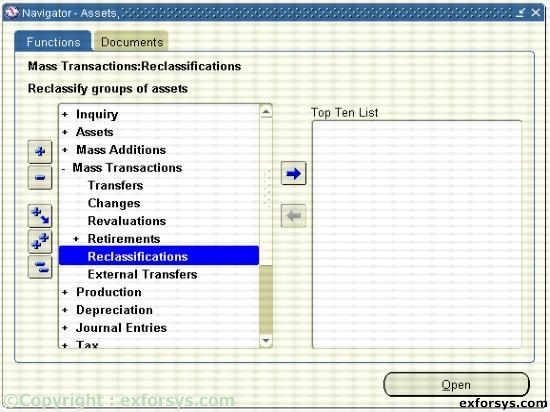
Figure 1. Navigate to Mass Reclassifications.
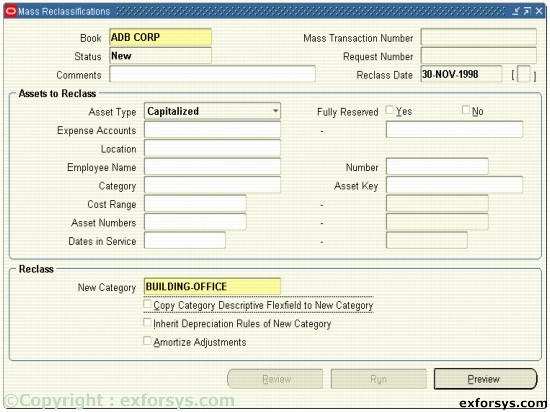
Figure 2. Create Mass Reclassifications.
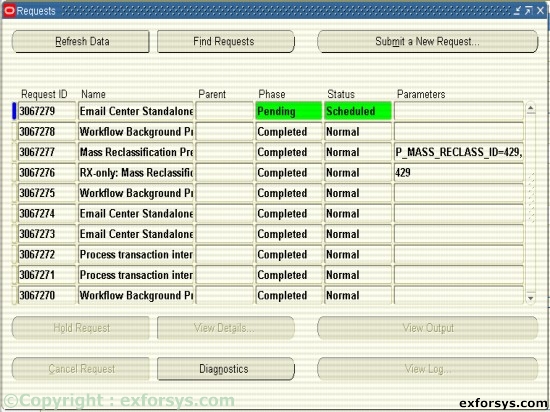
Figure 3. Running Mass Reclassification.(Request # 3067276 and 3067277)
You can reclassify a group of assets using the Mass Reclassifications window. In addition to reclassifying assets to a new category, when you run the Mass Reclassification process, you have the option to have assets inherit the depreciation rules of the new category.
b) Using Mass Changes
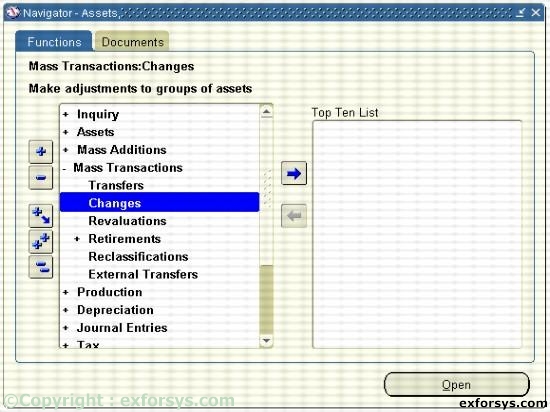
Figure 4. Navigate to Mass Changes.
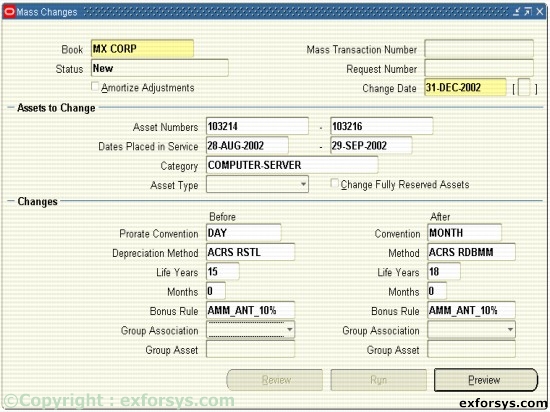
Figure 5. Create Mass Changes.
Sometimes a change applies to more than one asset. This can be a change in the prorate convention, the depreciation method, or the life, rates, capacity, and unit of measure for the method.
c) Mass Asset Transfers
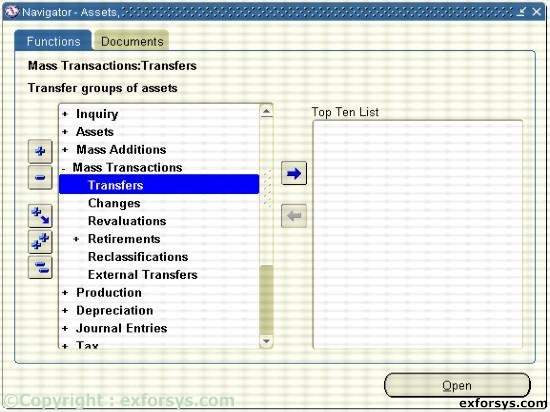
Figure 6. Navigate to Mass Transfer.
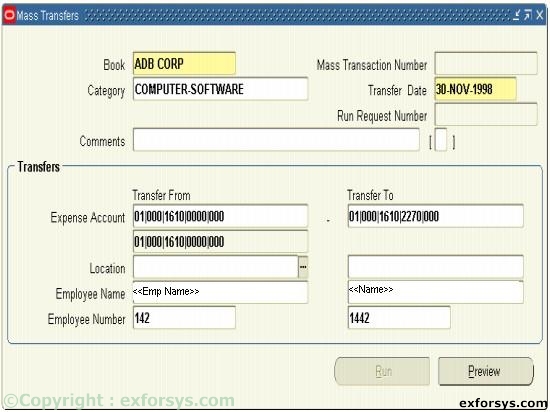
Figure 7. Create Mass Transfer.
Through Oracle Assets, you can transfer multiple assets with one transaction. You use “Transfer From” and “Transfer To” fields to identify the assets to be transferred.
[catlist id=183].