
.
Oracle Apps 11i Tutorials : Suppliers
- One must define a supplier before performing most activities in Purchasing and Payables.
- Optionally enter a recommended supplier on a requisition.
- Need a supplier to issue a RFQ.
- Use the same supplier for entering a quotation.
- Need supplier information for POs.
- Receive goods or services from suppliers.
- Return goods to supplier.
- Pay the supplier for the goods or services purchased.
Suppliers can be set up from many different applications, but the data is stored in only in one place. Applications sharing supplier information include Purchasing, Payables, Assets, and Property manager.
Enter/Update Supplier Base
Set up suppliers in the Suppliers window to record information about companies and individuals from whom you purchase goods and services.
When you enter a supplier that does business from multiple locations, you enter supplier header only once, and supplier sites for each location.
After defining the suppliers, one can use them while import/enter invoices and create purchasing documents.
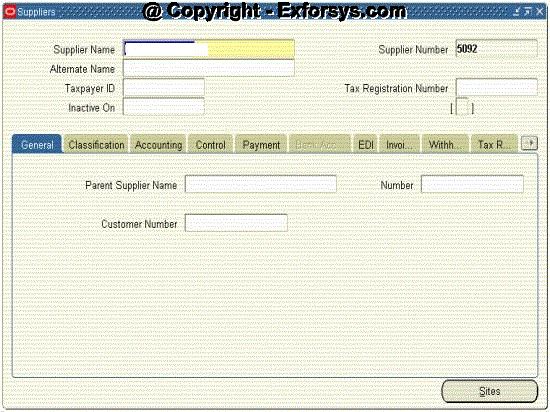
Figure -1 Supplier header information.
Default Values Flow
Defaults set at higher levels flow down to lower levels where you can override them.
PO matched invoices will receive defaults from the PO specified during the match.
Supplier Record Structure
For every supplier, one can create an unlimited number of supplier sites with different addresses and contacts. One can buy from several different sites while sending the payments to only one site. Define how supplier sites can be used with the following options:
1. Pay – one can import/enter invoices for and make payments to the site.
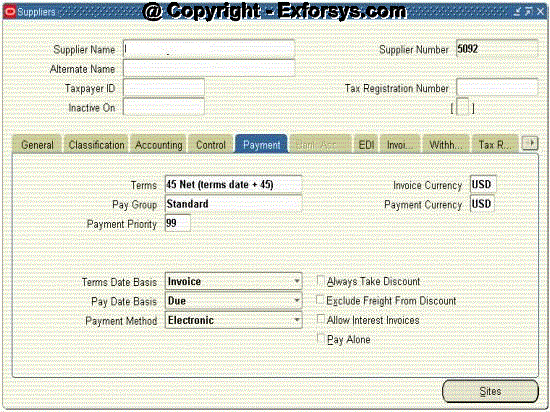
Figure -2 Payment options defined for the suppliers.
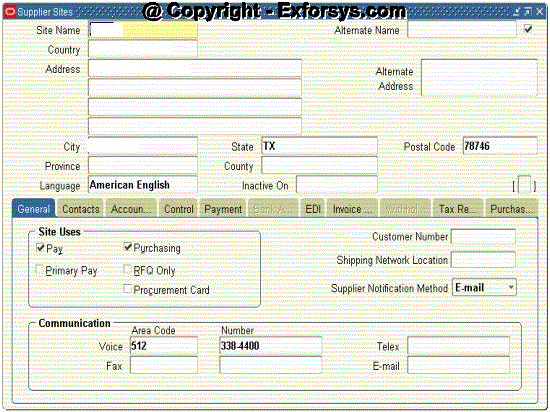
Figure -3 Payment site defined for a supplier.
2. Primary Pay – default pay site for invoice entry and import.
3. Purchasing – one can create POs for the site.
4. RFQ only – one can create RFQs in purchasing for the site. You can’t create POs for a RFQ only site.
5. Procurement card – one can purchase goods or services using a procurement card.
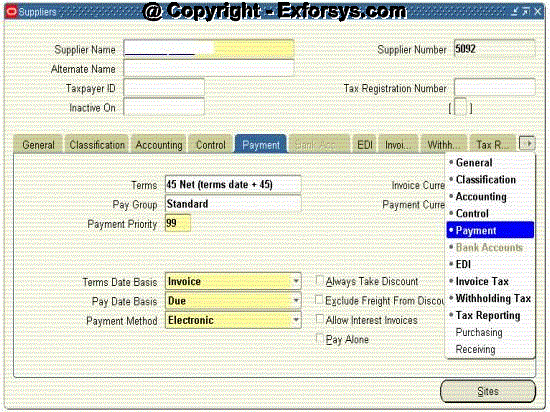
Figure -4 Various sites which one can define for a supplier.
Supplier Site Settings
Recall the default value hierarchy flow.
Entries made at the supplier level will default to the supplier site level.
Default information can be either accepted or overwritten with site-specific values.
Supplier Level v/s Site Level Entry
Information on the classification and receiving tabs is entered only at the supplier level. Contacts, however, are entered only at the site level.
Assuming the multi-org feature has been selected, the Accounting tab is also entered only at the site level. There is additional information entered on the General, EDI, Tax reporting a Purchasing tabs available at the site level v/s at the supplier level.
Avoiding Duplicate Suppliers
Before setting up a new supplier, verify it does not already exist. Perform the following steps to identify the potential duplicate suppliers:
1. Query on the supplier name.
2. Submit and review the Suppliers report.
3. Submit and review the supplier audit report to obtain a listing of suppliers whose names are same up to a specified number of characters.
4. Submit the 1099 Suppliers Exception Report to obtain a listing of suppliers with the same tax payer ID.
{mospagebreak}
.
.
.
Key Reports
Suppliers Report
Review supplier, supplier site, and supplier site contact information.
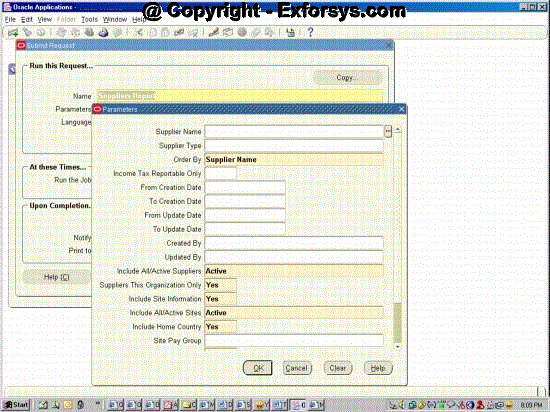
Figure -5 Suppliers report
Supplier Audit Report
Review supplier payment history, including voided payments, for a supplier or a group of suppliers.
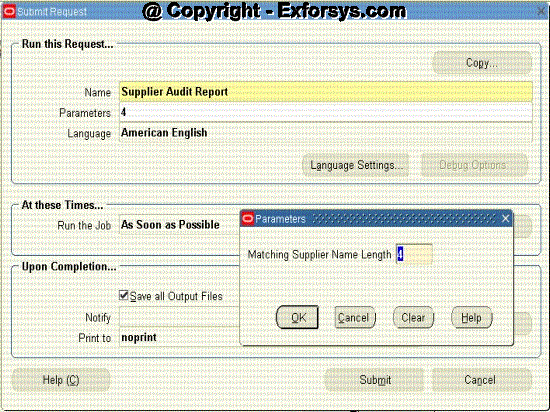
Figure -6 Supplier audit report
Supplier Mailing Labels
Create mailing labels for supplier sites.
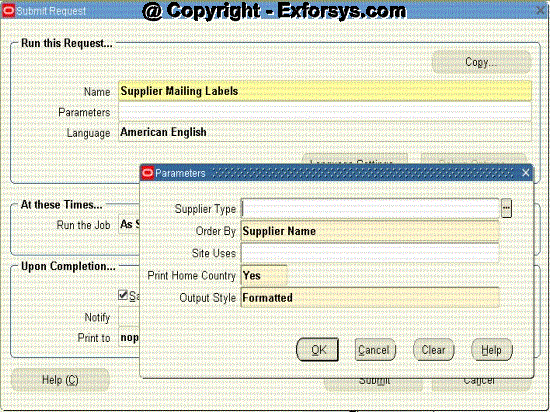
Figure -6 Supplier mailing labels report.
Merge Suppliers
Purchasing Responsibility
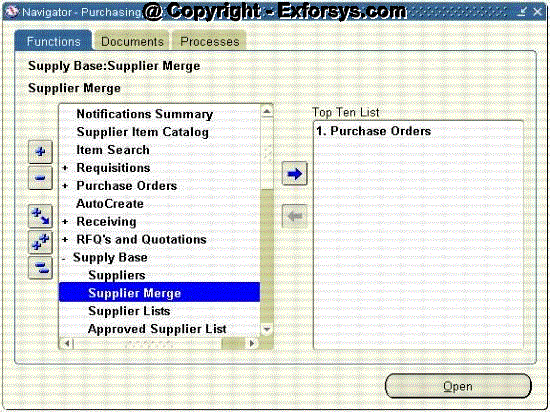
Figure -7 Navigate to supplier merge through Purchasing.
{mospagebreak}
.
.
.
Payables Responsibility

Figure -8 Navigate to supplier merge through Payables.
Use supplier merge to combine 2 or more suppliers or sites identified as duplicates. Decide whether they will be merged together or copied to a new supplier. Copied site will be added as a new site to the target supplier. Merged sites will be combined with the named site of the target supplier.
The resulting site names for each supplier after the merger must be unique within that supplier.
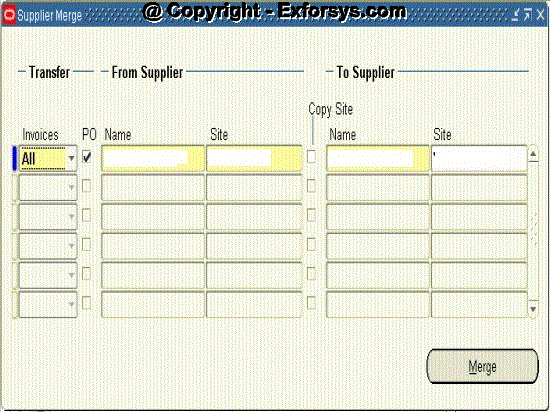
Figure -9 Merge suppliers screen.
Implementation Considerations
Responsibility for supplier maintenance
One must determine where the operational responsibility for supplier entry and maintenance should be assigned,
Typical options are either the Accounts payable or Purchasing departments.
Supplier Naming Conventions
Supplier and supplier site naming conventions are critical to the efficiency of the purchasing and payables operations.
1. This prevents duplicate invoices and payments.
2. Improves system performance and supplier inquiries.
3. Provides accurate supplier reporting.
4. Considers who should develop naming conventions.
5. Ensures document with sign-off by authorized approvers.
Supplier Numbering Options
One can opt to use either:
1. Automatically assigned numbers, which use numeric characters only.
2. Manually assigned numbers, which use either numeric or alphanumeric characters.
Fax or E-mail Setup
You have the option of communicating approved purchasing documents toyour suppliers by printed document, facsimile, or e-mail.
[catlist id=183].