
Overview
Oracle Applications and custom applications that integrate with Oracle Applications rely on having their components arranged in a predictable structure. This includes particular directory structures where you place reports, forms, programs and other objects, as well as environment variables and application names that allow Oracle Application Object Library to find your application components.
An application, such as Oracle General Ledger or Oracle Inventory, is a functional grouping of forms, programs, menus, libraries, reports, and other objects. Custom applications group together site–specific components such as custom menus, forms, or concurrent programs.
Application Directory structure
When oracle applications are installed, a directory with instance name would be created. All the snapshots are taken with instance name as ‘PROD’. Oracle application will have the parent directory as ‘apps’ and then a directory with name prod. Under that there would be five directories namely prodcomn, proddata, proddb, prodora,prodappl.
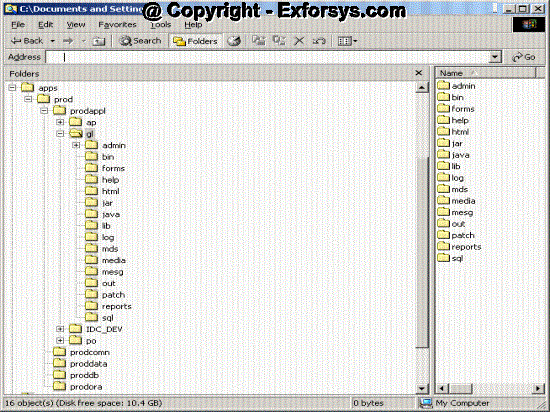
Figure1-Applications Directory Structure
Prodappl directory contains one directory for each application within oracle applications. The screen shot above shows the directory structure starting from ‘apps’ directory.
Each application directory will have directories shown in following screen shot.
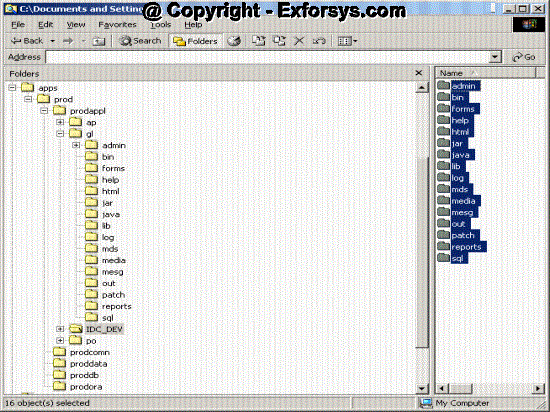
Figure-2 GL_TOP directory
Registering Application
Prerequisites
1. Define an environment variable that translates to your application’ basepath.
e.g If we are defining new application with base path as IDC_TOP and short name as IDC_DEV then there should be an entry in env file as IDC_TOP=/apps/prod/prodappl/IDC_DEV
2. Set up a directory structure for your application.
We need to create the standard subdirectories to be used by forms, reports and sql files under each application directory.
e.g. under IDC_DEV directory we need to have following subdirectories.
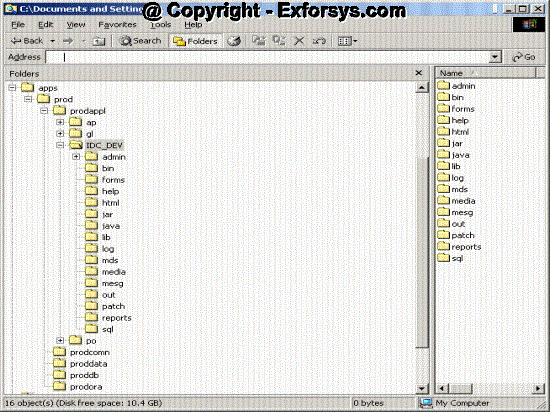
Figure3 IDC_TOP Directory structure
Following directories should exist under admin directory.
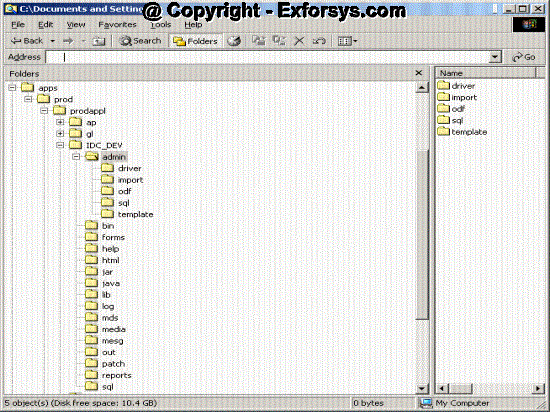
Figure3.1 IDC_TOP Directory structure
{mospagebreak}
3. If your application resides in a database other than the database where Oracle Alert resides, you must create a database link.
Navigation – Application Developer->Application->Register
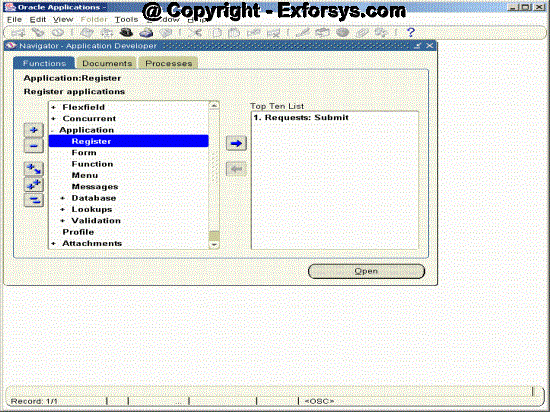
Figure -4 Register Application Navigation
Once you click on application, following screen will open
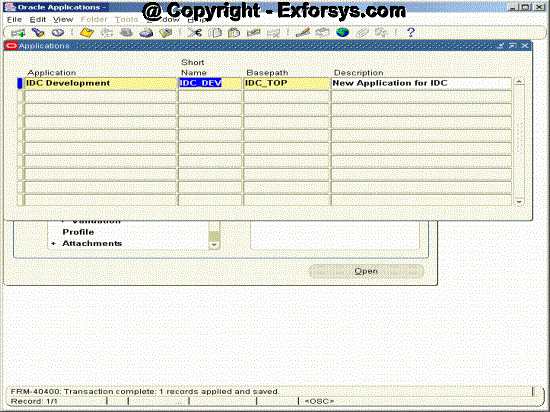
Figure -5 Register Application
Field
Application – Enter any user friendly name for your application. E.g. IDC Development.
Short Name – Oracle Applications use the application short name when identifying forms,menus, concurrent programs and other application components. The short name is stored in hidden fields while the name displays for users.
Basepath – Enter the name of an environment variable that represents the top directory of your application’s directory tree. Oracle Applications search specific directories beneath the Basepath for your application’s executable files and scripts when defining actions that resides in external files.
Description – Enter the description of your new application.
Frequently Asked Questions
-
What is the significance of defining application top?
-
Where do you need to place a custom form defined under a custom application?
-
Where do you need to place a report defined under Oracle General Ledger application?
-
What is the significance of BASEPATH for an application?
[catlist id=183].