
SQL Server 2005 – Configuring Replication
In this tutorial you will learn about SQL Server 2005 – Configuring Replication – New Types of Replication, Peer to Peer Transactional Replication, HTTP Replication, Configuring Replication Configuring Replication Using RMO, Referencing the RMO and SMO libraries and Creating a Subscription Using RMO.
New Types of Replication
New types of replications have been introduced in SQL Server 2005. The first of these is the Heterogeneous Replication which allows the publication of data from heterogeneous subscribers such as Oracle, DB2 using relevant ODBC drive and OLE DB provider. In SQL Server 2005 allows configuration of the snapshot and transaction replication without requiring additional software. The second type is the Snapshot replication from an oracle publisher. This requires the publisher to generate a set of data and the transfer of such data to the subscriber. When oracle is used the SQL Server connects to the Oracle database and retrieves the data without needing a change tracking or insertion of information into the Oracle database. Transactional replication requires that each transaction made to the data at the publisher is tracked, so that it can be replicated to subscribers. While configuring an Oracle publisher from the SQL Server triggers are added to replicate tables created in Oracle for each published table.
Peer to Peer Transactional Replication
The concept of Peer to peer transactional replication is used to increase the server scale out capabilities. All nodes within the system are treated as peers and can be updated simultaneously. Each node has its own Log Reader Agent and Distribution Agent. Therefore, a node can be taken offline for scheduled maintenance without impact on performance and put online again and logs from other nodes can be applied to it.
HTTP Replication
SQL Server 2005 introduces Web synchronization for merge replication and provides the user with the ability to replicate directly over an HTTP or HTTPS connection. This solution will be appreciated by mobile users. The Internet Information Services are used to transfer data between the publisher and the subscriber and subscribers connect to a URL on the web server using authentication parameters configured in the subscription. The messages sent are packaged as XML and encrypted using Secure Socket Layer for security. The IIS communicates in a binary format with the publisher over a TCP/IP network connection. Since HTTP replication is merge replication technology, updates can be made both to rows at both the subscriber and publisher ends. Since the subscriber is mobile, the merge agent runs on the subscriber and configures only pull subscriptions. The synchronization can be configured to run continuously, on schedule or on demand. Subscription is initialized at the subscriber end by a snapshot generated at the publisher and transferred to the subscriber. In Web synchronization the snapshot is delivered as an attachment over HTTP.
Configuring Replication
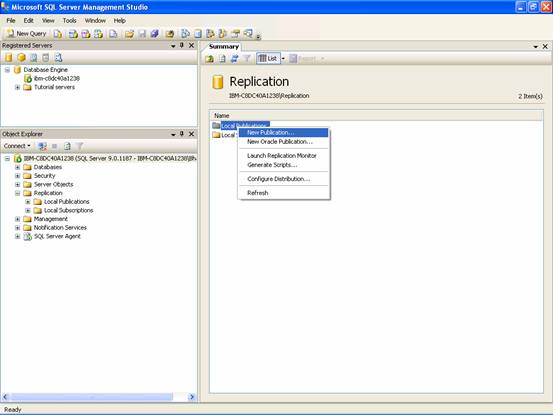
1. In Object Explorer, expand the Replication folder.
2. Right-click Publications, and then click New Publication.
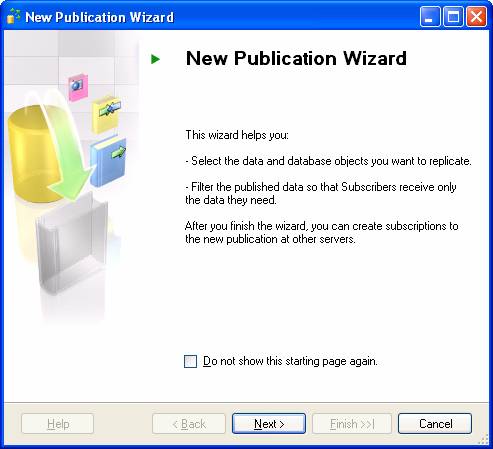
3. On the New Publication Wizard page, click Next.
4. On the Distributor page, click Next.

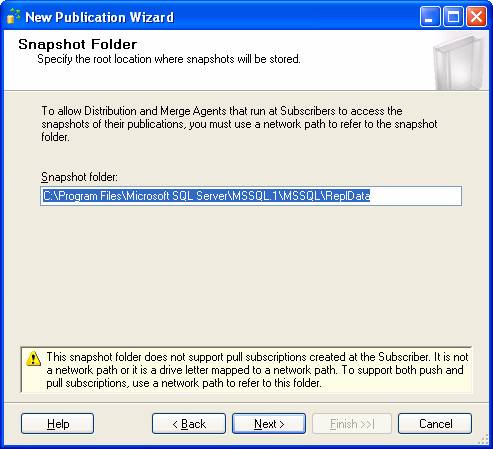
5. On the Snapshot Folder page, click Next.
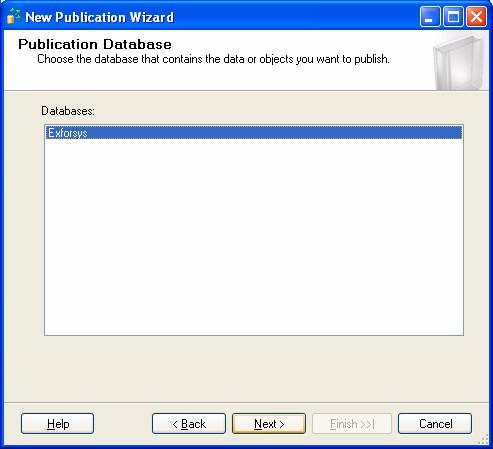
6. On the Publication Database page, click Exforsys, and then click Next.
7. On the Publication Type page, click Transactional publication, and then click Next.
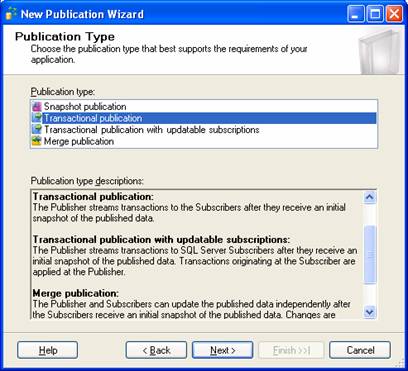
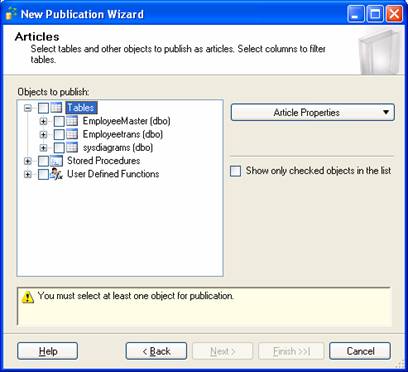
8. On the Articles page, expand Tables, select EmployeeMaster(EmployeeId), and then click Next.
9. On the Article Issues page, click Next.
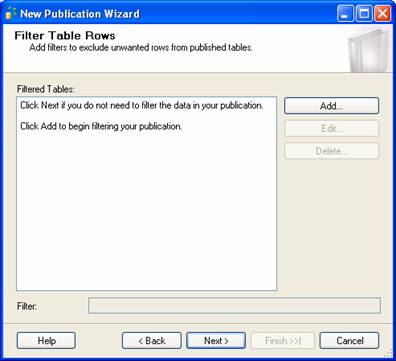
10. On the Filter Table Rows page, click Next.
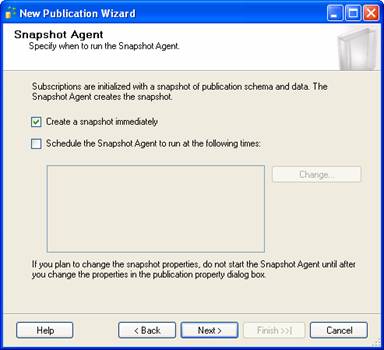
11. On the Snapshot Agent page, click Next.
12. On the Agent Security page, click Security Settings
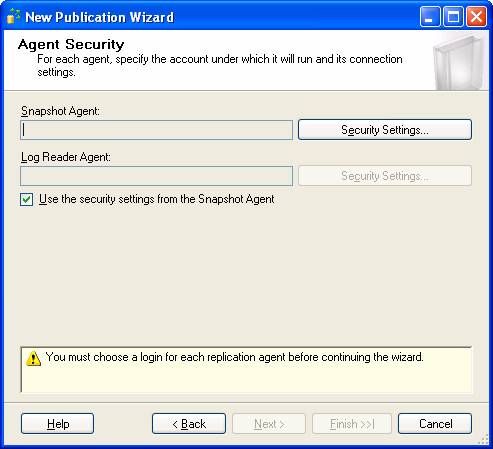
13. In the Process account box, type SQL2005PC\SQLServer. In the Password and Confirm Password boxes, type P@ssw0rd, and then click OK.
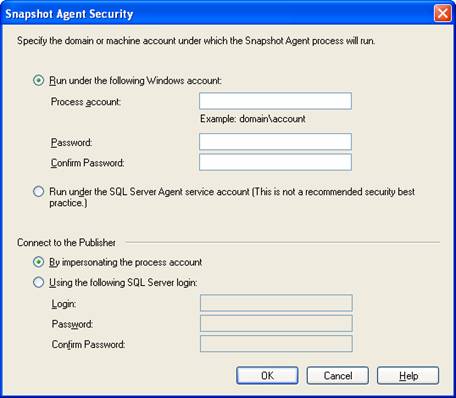
14. On the Agent Security page, click Next.
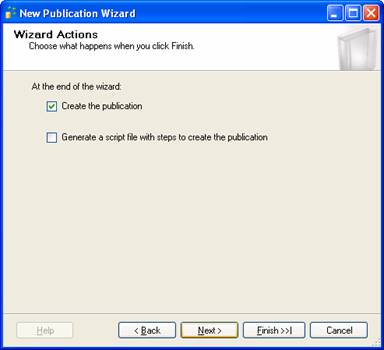
15. On the Wizard Actions page, click Next.
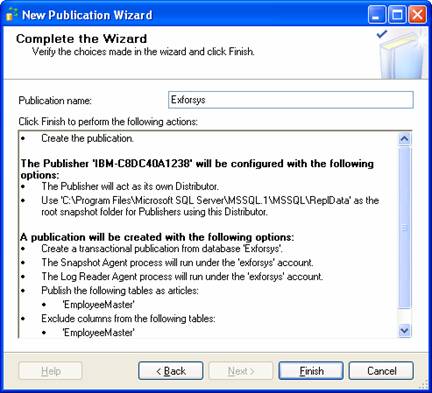
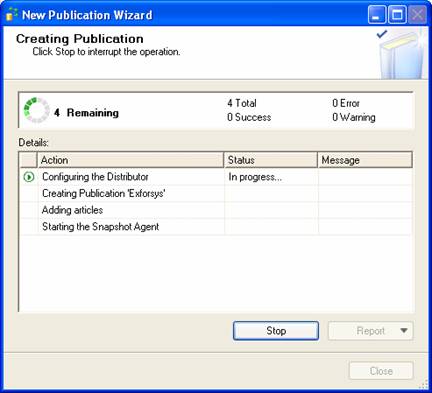
16. On the Complete the Wizard page, enter a Publication name of AWContacts, and then click Finish.
17. When the publication is successfully created, click Close.
Configuring Replication Using RMO
RMO can be used to create managed .NET applications that help in configuring and maintaining replication in SQL Server 2005. RMO is implemented as a class within a .NET assembly called Microsoft.sqlserver.rmo.dll. This assembly contains the Microsoft SqlServer.Replication namespace.
Referencing the RMO and SMO libraries
RMO and SMO libraries can be referenced from the project created in Visual Studio.NET.
1. On the Project menu, click Add Reference.
2. In the Add Reference dialog box, click Microsoft.SqlServer.ConnectionInfo, hold the CTRL key down, and click Microsoft.SqlServer.Replication .NET Programming Interface. Click OK.
Creating a Subscription Using RMO
Replication can be configured using RMO. The typical tasks that will have to be performed are importing the SMO and RMO namespaces, connecting to the subscriber and publisher servers, listing existing subscribers for a publication and creating a new subscription for publication.
In this module we have examined the enhancements made to replication services and the different types of replications that have been introduced in SQL Server 2005. We have also briefly examined how replication can be configured using the options available in the SQL Server 2005 version.
[catlist id=178].