
Using The System.Windows.Forms.Form class
System.Windows .Forms.Form class is the foundation class for all forms to be created. All the forms that are created in VB .NET are also inheriting from this base class. This class provides for all the facilities needed for the form. Additional functionality can be added by separate codes.
In the .NET Framework, a number of new features have been added to the Form Class and the Controls. We shall see some of the new features quickly. For most detailed information is available in the Microsoft website. We will see some of the members that have been added to Windows Forms Classes within the .NET Framework:
Application
Application.Activating event : Gives notification that this application is to become the active application
Button
This comes with added members like BorderColor property that gets or sets the color of the border of the button and the BorderSize property that gets or sets the size in pixels of the border of the button.
ComboBox
This control comes with additional members that make the control more functional. AutoCompleteCustomSource property that gets or sets a custom StringCollection to use when the AutoCompleteSource property is set to custom source. Beginupdate method maintains the performance as the items are added to the combo box. EndUpdate method is also included that resumes painting the ComboBox control after the BeginUpdate method suspends the painting.
Form
The .NET Framework gives us a complete, object-oriented, extensible set of classes that helps us to develop solutions using rich Windows applications. Windows Forms can also be used as the user interface in the solution. The forms are objects that expose properties that spell their appearance, methods which define their behavior and event which defines the interaction with the user. You can set these properties of the form and also write codes to respond to its events. A form can be a standard window, dialog boxes, display background for other graphical objects, or multiple document interfaces.
Flash method is added which gives visual notification to the user of events that happen in you your application. StopFlash method which stops the activity that is described in the flash method. RestoreBounds property gets or sets the location and size of the form in its normal window state.
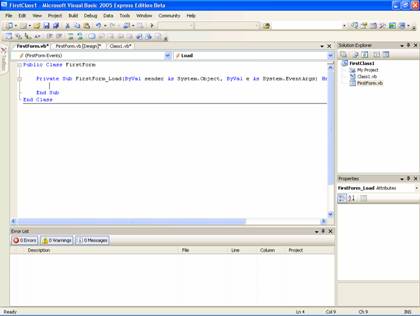
Designing a Form using Windows Forms Designer Window
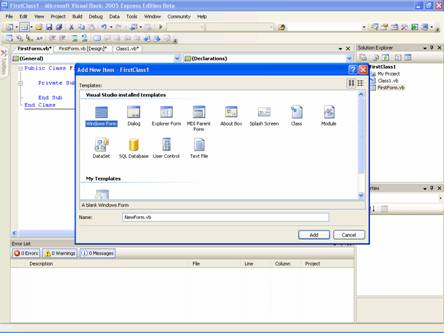
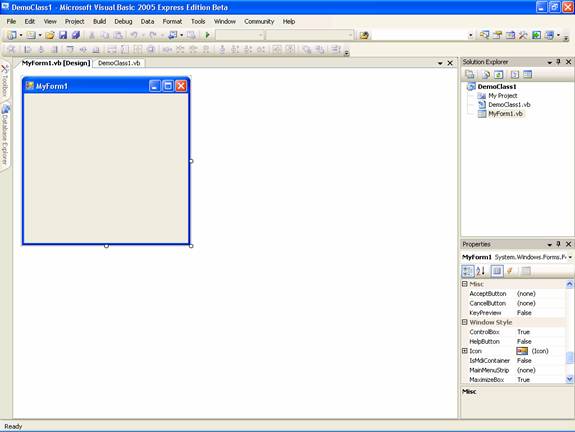
New form is created with default options when you start a Windows Application. You can add additional forms to the projects by clicking New from the File Menu. In the text box for name type NewForm.vb and click ok to create a new form. Alternatively you can right-click the project in the solution explorer and choose add form the menu and choose the option Windows Form
Below is the screen shot of showing the new MyForm
[catlist id=175].