
SIG founded in 1998 consists of 2000 members who have access to the Blue tooth specifications (information needed to make a blue tooth product). The SIG works to promote the Blue tooth technology and consists of members like IBM, Intel, Microsoft, and Nokia. The technology represents an opportunity for the industry to deliver wireless solutions that are ubiquitous across a broad range of devices.
What is Bluetooth ?
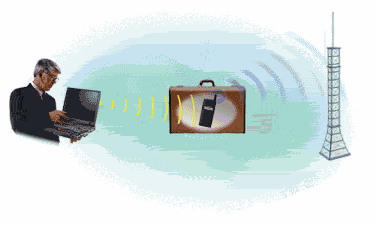
Bluetooth is a high-speed, low-power microwave wireless link technology, designed to connect phones, laptops, PDAs and other portable equipment together with little or no work by the user.
Bluetooth is the name for a short-range radio frequency (RF) technology that operates at 2.4 GHz and is capable of transmitting voice and data. The effective range of Bluetooth devices is 32 feet (10 meters). Bluetooth transfers data at the rate of 1 Mbps, which is from three to eight times the average speed of parallel and serial ports, respectively. It is also known as the IEEE 802.15 standards. It was invented to get rid of wires. Bluetooth is more suited for connecting two point-to-point devices, whereas Wi-Fi is an IEEE standard intended for networking.
Why is the technology called Bluetooth
The heart of the Bluetooth brand identity is the name, which refers to the Danish king Harald "Bluetooth" Blaatand who unified Denmark and Norway. In the beginning of the Bluetooth wireless technology era, Bluetooth was aimed at unifying the telecom and computing industries.
Bluetooth can be used to wirelessly synchronize and transfer data among devices. Bluetooth can be thought of as a cable replacement technology. Typical uses include automatically synchronizing contact and calendar information among desktop, notebook and palmtop computers without connecting cables. Bluetooth can also be used to access a network or the Internet with a notebook computer by connecting wirelessly to a cellular phone.
Types of Bluetooth Devices
Bluetooth Dongle
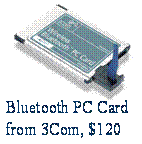
Bluetooth Dongle : Installing a Bluetooth dongle is easy; simply insert the CD that came with it, follow the on screen prompts and then plug the dongle into a free USB port. If you had a Bluetooth compatible laptop you could just plug the dongle into an internet enabled personal computer and check your e-mail, download Windows updates, or transfer files. On the same lines you could also synchronize your PDA with your personal computer and download the latest appointments, e-mails or send text messages.

Bluetooth Headset
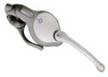
Bluetooth Headset : Bluetooth headsets are mainly used with compatible cell phones, place the headset on your ear and roam freely while talking to colleagues, friends and family. You could also connect to a dongle on a personal computer and use it for voice conferencing for example. A number of products exist on the market today, which all offer good sound quality and have a similar variety of features. Prices vary depending on manufacturer but usually you can get a decent one for around $75 to $150.
Other Examples
Technical Features
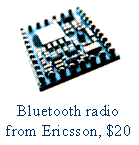
It comprises of a base band processor, a radio and an antenna. The base-band processor converts the data into signals, which radios can decipher. The antenna of another blue tooth device, within at least 30 feet distance, receives a transmitted signal in the air. The signals are processed in the reverse order.
Bluetooth technology provides a 10-meter personal bubble that supports simultaneous transmission of both voice and data for multiple devices. Up to 8 data devices can be connected in a piconet, and up to 10 piconets can exist within the 10-meter bubble. Each piconet supports up to3 simultaneous full duplex voice devices (CVSD).The gross data rate is 1Mb/s, but the actual data rates are 432Kbps for full duplex transmission, 721/56Kbps for asymmetric transmission, and 384 Kbps for TMS2000 transmission. A Time-Division Duplex scheme is used for full-duplex transmission.
Blue tooth specification is a de facto standard, which contains the information needed to ensure that the devices supporting the Blue tooth wireless technology can communicate with each other worldwide. It uses a frequency hopping spread spectrum technique (FHSS) – which is one of two basic modulation techniques used in spread spectrum signal transmission. Frequencies are switched repeatedly during radio transmission to help reduce unlawful access or other means of telecommunications to cross paths and cause interruption. It also makes Bluetooth communication more robust and secure. Interference from other devices will not cause the transmission to stop, but the speed to be reduced.

I hope you liked my first article on Bluetooth technolgy. In the next article we will learn about "How the Bluetooth technology works"
About the Author: Nupur Mittal is doing 3rd Year, B.E., Computer Science & Engg. Ghurdhauri, India. This is the first article on the BlueTooth Technology and the others will be published shortly. Please use the comments section to thank Nupur for the wonderful article series.
[catlist id=180].