
ASP.NET GridView Filtering
In this tutorial you will learn how to add a filter to a Grid View Control, To modify the query with a parameterized filter, the WHERE Clause, Parameter properties, Parameter Value Editor and To test filtering.
Adding Filtering
If the developer wants to display only selected data in a page, the query for the SqlDataSource control will have to be modified. The first step in this process is to add a Textbox control where the users can enter the filter condition. The filter condition then becomes the parameterized filter (WHERE clause).
1. In the Toolbox, from the Standard folder, drag a TextBox control and a Button control onto the page.
2. The Button control is used only to post the page to the server.
3. In the Properties window for the TextBox control, set the ID property to StudentNametext.
4. Type Student Name or similar text before the text box to act as a caption.
5. In the Properties window for the Button control, change the Text property to Submit.
The query will now have to be modified to add the filter.
To modify the query with a parameterized filter
1. Right-click the SqlDataSource control, and then click Show Smart Tag.
2. On the SqlDataSource Tasks menu, click Configure Data Source
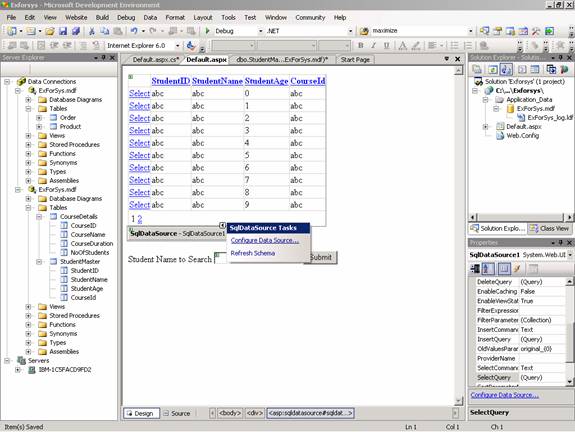
3. The Configure Data Source < Datasourcename > wizard appears.
4. Click Next.
5. The wizard displays the SQL command currently configured for the SqlDataSource control.
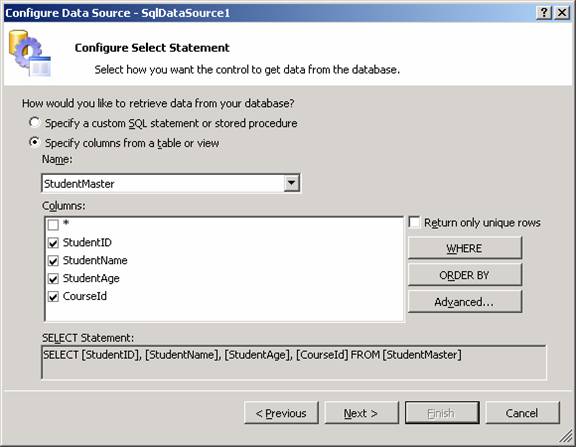
6. Click WHERE.
7. The Add WHERE Clause page appears.
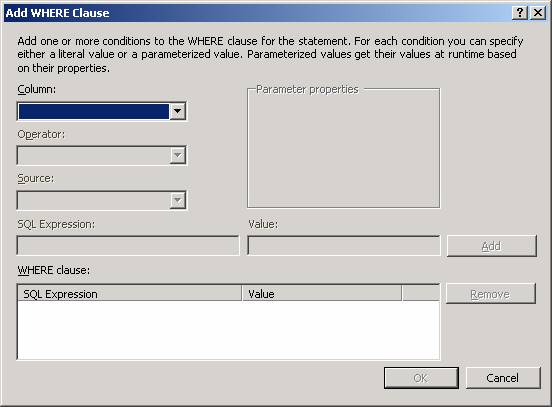
8. In the Column list, click Student Name.
9. In the Operator list, click =.
10. In the Source list, click Control.
11. Under Parameter properties, in the Control ID list, click StudentNameText.
12. The preceding five steps specify that the query will get the search value for Student Name from the TextBox control that was added in the preceding procedure.
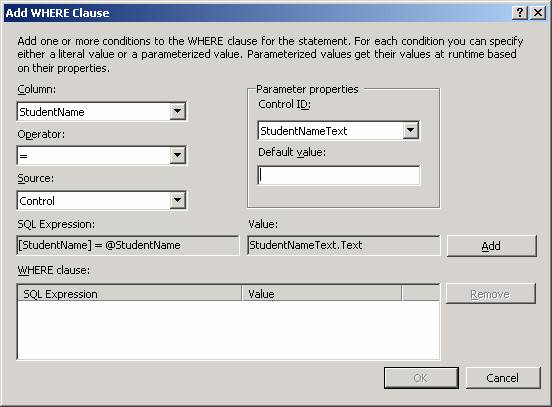
13. Click Add.
{mospagebreak}
.
.
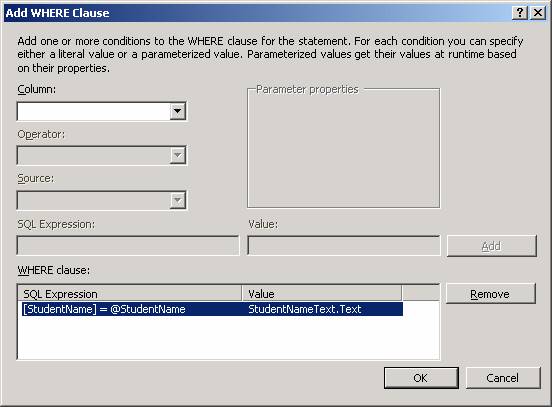
14. The WHERE clause that was created is displayed in a box at the bottom of the page.
15. Click OK to close the Add WHERE Clause page.
16. The Configure Data Source < Datasourcename > wizard again appears.
17. Click Next.
18. On the Test Query page, click Test Query.
19. The wizard displays the Parameter Values Editor page, which prompts for a value to use in the WHERE clause.
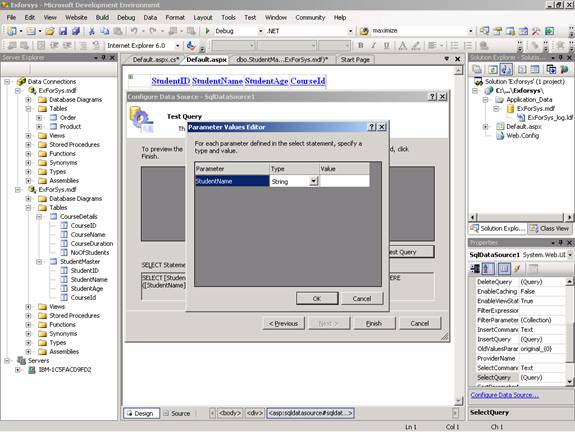
20. In the Value box, type Higgins, James and then click OK.
21. The record for Higgins, James is displayed.
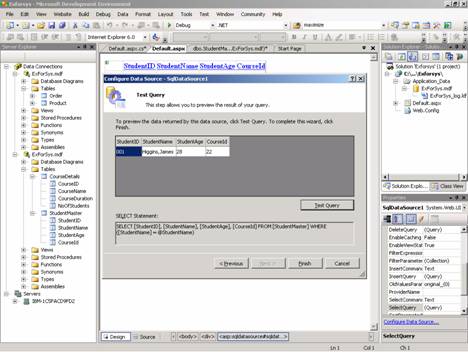
22. Click Finish to close the wizard.
23. The filtering can now be tested.
To test filtering
1. Press CTRL+F5 to run the page.
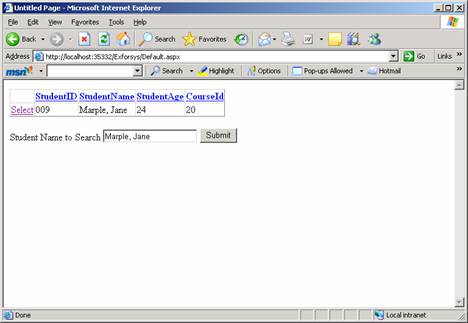
2. In the text box, type Marple, Jane and then click Button.
3. The record for Marple, Jane is displayed in the GridView control.
[catlist id=179].