Exforsys
 

ASP.NET Training

ASP.NET is Microsoft’s middleware that is built on the .NET framework and it is the successor to Active Server Pages (ASP). Programmers using ASP.NET to utilize the .NET Framework class library and common language runtime (CLR). Web developers build dynamic websites, XML web services and powerful web applications using ASP.NET. Since ASP.NET is structured around CLR, programmers write code in ASP.NET using a variety of Microsoft .NET languages. ASP.NET dramatically increases performance by taking advantage of native optimization, caching services, early binding and just-in-time compilation. Web application developers can access the .NET Framework to use Data Access results, Messaging and class library.

It is the goal of Microsoft that ASP.NET completely replaces ASP. ASP.NET technology is slower but benefits the programmer and user because of its inherent stability that opens up design and development possibilities for the Internet. ASP.NET uses a text-based, hierarchical configuration system to simplify applying settings for web-based applications and the server environment.

Using our tutorials, programmers can learn to use ASP.NET to perform a multitude of everyday development tasks such as client authentication, site configuration, simple form submission and deployment.

Training Index
  1. ASP.NET with C# Training Launch

    ASP.NET with C training series is packed with skill enhancing step-by-step tutorials to help you successfully build database-driven Web applications and Web services. ASP.NET with C training provides Sample Code along with articles links from external sites if any . Please use Discussion Board if you have any questions. ASP.NET Training Prerequisites At
  2. ASP.NET with C# Training Course Outline

    This article contains list of topics covered in ASP.NET with C training series.ASP.NET with C Training Course Outline Introduction to ASP.NET with C A Review of Classic ASP ASP.NET Web Applications Rendering HTML with Server Controls Using ASP.NET to Deliver XML Web Services Working with Web Forms Controls and
  3. Introduction to ASP.NET with C#

    Introduction In this tutorial we will introduce the new technology for building websites. This new technology is known as ASP.Net. ASP.Net allows the developer to build applications faster. This is achieved due to the fast that ASP.Net makes use of the rich class libraries provided by Microsoft. net framework. Topics Introduction Classic
  4. ASP.NET Web Forms Controls

    Working with Web Forms Controls and C covers Introduction to Web Forms Controls Simple Input Controls HyperLinks and Button Controls and List Controls Introduction In this tutorial we will introduce some of the most commonly used controls used in Asp.net web programming. We will see all the different types of controls and their behavior.
  5. ASP .NET: Validating User Input with C#

    This tutorial covers Validating User Input with C covers Overview of ASP.NET Validation Controls Using the Simple Validators Using the Complex Validators and Summarizing Results with the Validation Summary Control. In this tutorial we will see the validation controls. The purpose of the validation controls is to validate the user input. Asp.net
  6. Using Rich Server Controls with C#

    In the last article we saw some of the simple controls. Those included validation controls TextBox Label and other simple controls. Microsoft.net framework provides the developer with more advanced controls. Among those are the Calendar AdRotator and the Xml Control. In this Tutorial we will see how we can make use of the rich controls provided by
  7. Accessing Data with C#

    This tutorial explains about Accessing Data with C with an Overview of ADO.NET Connecting to Data Executing Commands Working with Data and Choosing an ADO.NET Provider along with the Project files used in this. ASP.NET Accessing Data with C Introduction When working with classic asp we had ADO object model for communication
  8. ASP.NET using the DataList and Repeater, Datagrid Controls

    In this tutorial of Week 6 we will be learning about Overview of List-Bound Controls Creating a Repeater Control Creating a DataList Control Introduction to the DataGrid Setting Up the DataGrid Using Advanced DataGrid Features and Adding Advanced Features. Overview of List-Bound Controls As we have seen in the previous tutorials
  9. Managing Data with ADO.NET DataSets and C#

    This tutorial explains about The Role of DataSets in ADO.NET Using DataSets in ASP.NET Saving DataSets in Session State Using DataTable Constraints DataSet DataRelations Using DataSets with DataAdapters to Modify Data and the Transactional Model in DataSets. ASP.NET Managing Data with ADO.NET DataSets and C Introduction In
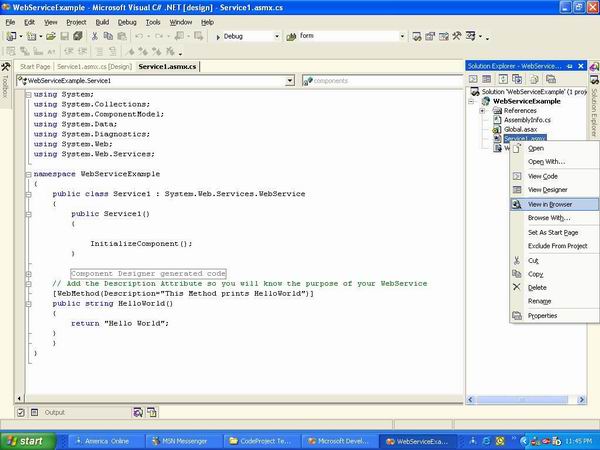
  10. Creating and consuming XML Web Services with C#

    Introduction We all talk about webservices webservices can do this and webservices can do that. But when we are asked to make one we hesitate. Maybe it s because we never made a webservice before and all the time playing with Webforms and Windows Forms or even Console Applications. By the way I love Console applications. In this article I will
  11. ASP .NET Migration and Interoperability

    Before Asp.net invasion there were many other programming languages and technologies on which the dynamic pages were made. In this tutorial I will explain how we can migrate our classic asp application to the modern asp.net application. Most of the components that were written was in visual basic 6 which communicated with the asp application using the
  12. Managing State with ASP.NET and C#

    Web Applications are disconnected in nature which means that there is no way for the browser to know who is using the application at present time. In classic Asp programming maintaining state was a headache for the developers. They had to write alot of code to maintain state. But Asp.net model provides easy state management. In this article we will
  13. Caching in ASP.NET

    This tutorial explains about The Importance of Caching Declarative Page Output Caching Programmatic Page Caching Caching Page Fragments Caching Data and Monitoring Performance. Introduction Caching is one of the coolest features in Asp.net. Caching enables you to store the expensive data into Cache object and later retrieve it without doing
  14. Configuring and Deploying ASP.NET Applications

    Asp.net applications can be easily configured by using web.config files. You can store number of things in the configuration file. Let s see some important stuff that can be stored in this file.Database Connections The most important thing to store in the web.config file is the database connection string. The reason of storing connection string in
  15. Securing ASP.NET Applications with C#

    Asp.net Security Overview Security is one of the most important component of any application. Security is even more important when you are making a web application which is exposed to million of users. Asp.net provides classes and methods that ensure that the application is secure from outside attacks. In this article we will investigate the different

Share


Connect

Ads

Exforsys e-Newsletter

Enhance Technical and Soft Skills every week, get our Job Interview Questions and Answers eBook free when you subscribe.

Subscribe and Get Free Bonus PDF Book

eBook

Subscribe

Ads