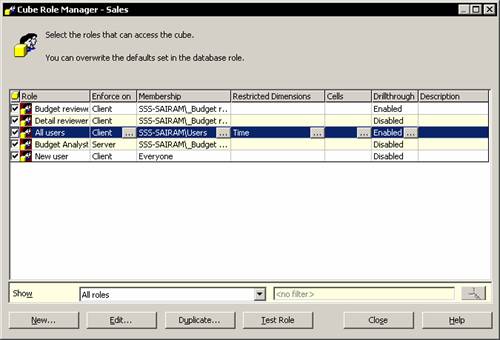
The Decision Tree model can be created from the relational data contained in the FoodMart 2000 Access database.
1. In the Analysis Manager tree pane right click the Mining model folder and select New mining model…
2. In the Wizard Welcome screen click Next to proceed.
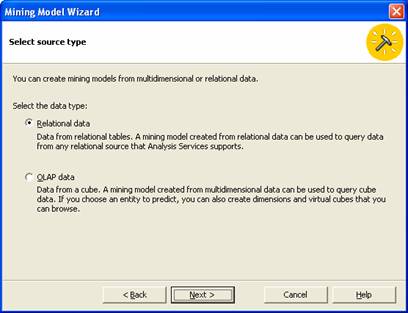
3. In the Select the source type screen select ROLAP model.
|
|
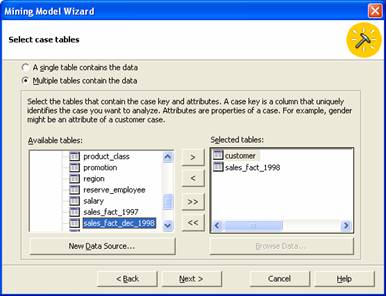
4. Next select the source table for defining our database. The window displays the available data sources. New data sources can be added by clicking on the New data source button. We will build our decision tree by using two tables:–Customers and Sales_fact_1998. Select the radio button for Multiple tables. Now add the selected tables from the list of those available by double clicking on it or selecting it and clicking the arrows to move the tables.
|
|
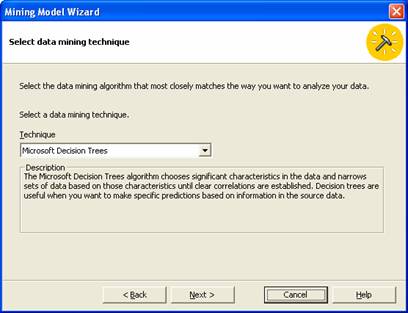
5. In the next screen we have to choose the Algorithm for the mining model. Select Microsoft Decision Tree and click Next.
|
|
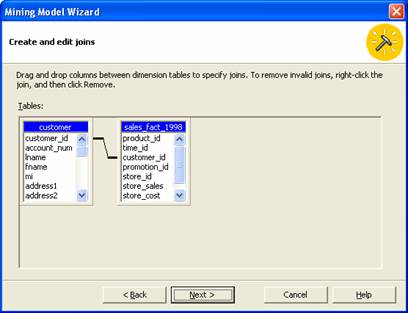
6. In the next screen we are prompted to define how the tables are related. We can edit and create joins on this screen. A default join is displayed and this can be changed if we are not satisfied.
|
|
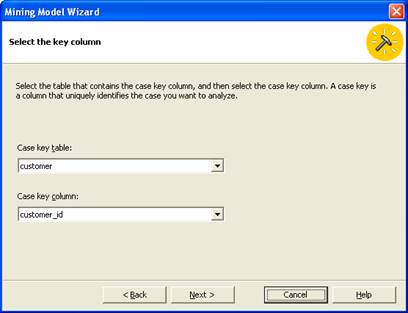
7. In the next screen we will proceed to define the Key column that will uniquely identify our case. Since our focus is on customer we will select the customer ID as the column key for analysis.
|
|
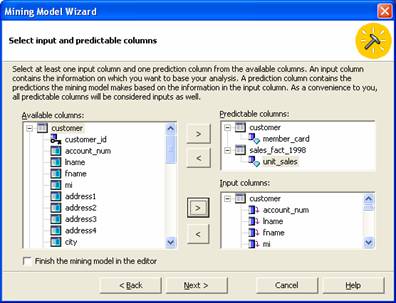
8. Next we will proceed to identify input and prediction columns. Input columns are considered during the partitioning process and give the user the best split. The aim is to identify the demographic factors that determine Golden card holder’s behavior. Let us add member_card from customer table and unit_sales from the Sales fact 1998 table to the predictable columns and all the columns from the customer table to the Input Columns pane.
|
|
{mospagebreak}
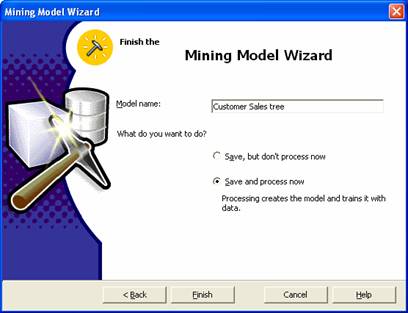
9. Now click Next to save the model and process it. Let us name our decision tree mining model as Customer sales tree. We will save the model but not process it. Select the Radio button and click Finish.
|
|
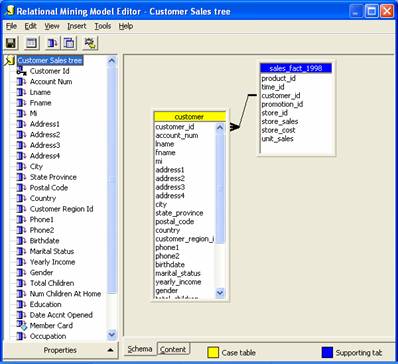
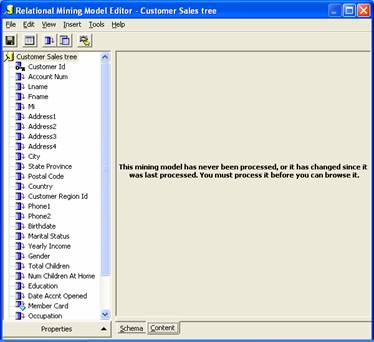
10. Now let us edit the model in the Relational Mining Model Editor. This editor has only the parameter pane on the left and the tables are displayed on the right pane with the join in place. There are two tabs in the right pane one for Schema and the other for content. Click the content tab to view the content. A message is displayed asking the user to process the mining model.
|
|
|
|
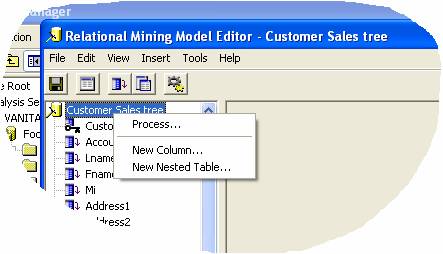
11. Right click on the mining model in the left pane and click process.
|
|
12. The following message is displayed
|
|
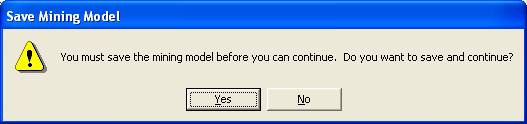
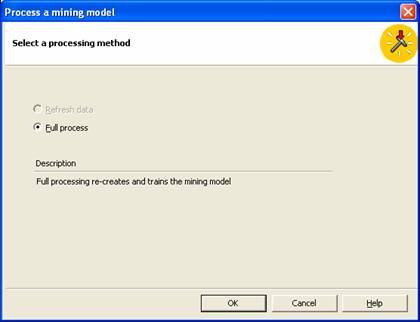
13. Save the cube and process it. Click Yes to save and process. The user is now asked to select the processing method. Full Process is selected by default. Click OK.
|
|
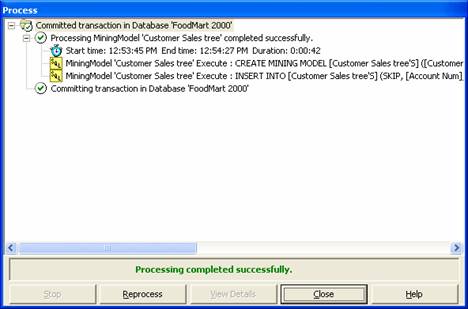
14. The process log window opens and the model is processed.
|
|
15. Now view the data in the content tab.
|
|
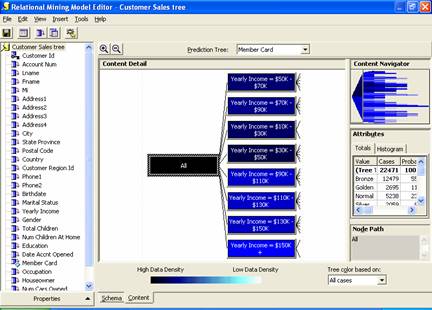
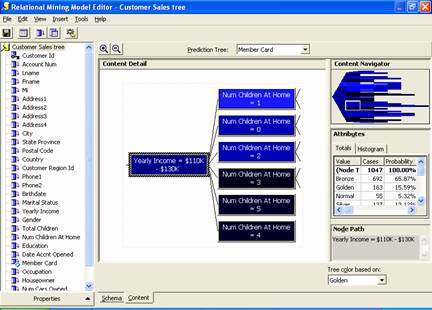
16. Note that some nodes have higher concentration of cases than the others. Selecting one node and double clicking it we get a larger view of the data.
|
|
{mospagebreak}
17. We can navigate the nodes and see the various attributes of the nodes until we have a pattern. Let us say we want to see if golden cards are held by persons who are in the higher income bracket. Let us focus on persons with $150K + salaries per annum. Double click on the node.
|
|
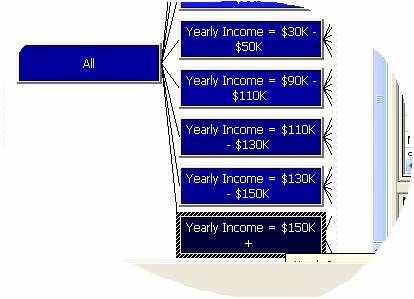
18. The node has two sub nodes: Persons who are married and persons who are not married.
|
|
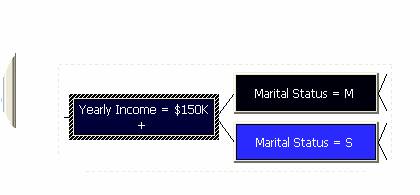
19. There are further levels to the decision tree as indicated by the forked lines. Let us double click on persons who are married.
|
|
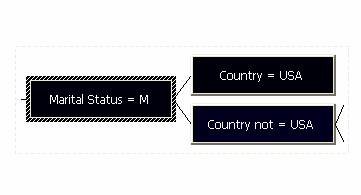
20. Under the married persons, persons not in USA node has further levels. Let us double click on that and examine the nodes.
|
|
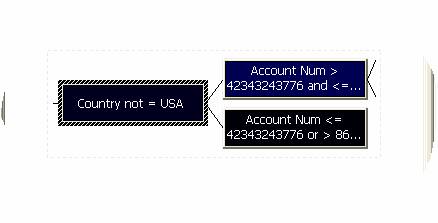
21. Now we know that the number of persons having account numbers greater than a particular number or less than a particular number have golden membership but the percentage of such members is only 32.26%, Whereas the members who have an Account number greater than 42343243776 or >86 have 88.89% golden membership.
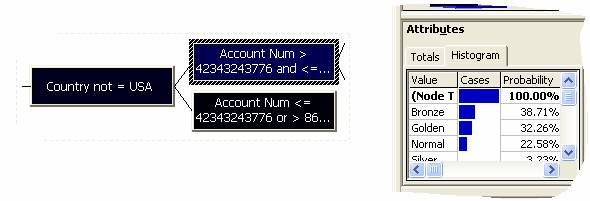
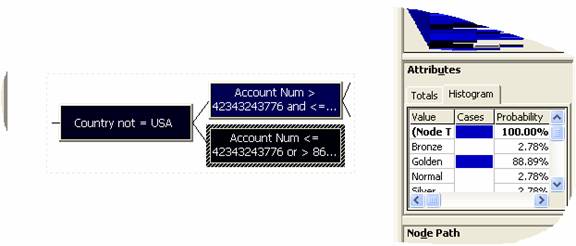
22. A pattern emerges. Persons having high income levels, who are married and not in USA and having an account number over a particular range have golden cards. Now we can examine the attributes of such persons-whether they are educated or reside in a particular geographical area or shop at a particular store etc. The final pattern that emerges can be used to make marketing decisions.
[catlist id=181].