
Oracle 10g Installation tutorial depicts step by step installation of Oracle 10g on Windows 7, 64bit (10204_vista_w2k8_x64_production_db) operating system. Installation on Windows 7 will return a operating system version compatibility error. However, there will not be any such issue during installation on older version of Windows operating system. It is important to note that this installation method is neither certified nor recommended by Oracle. If you are planning to install Oracle 10g for production purpose then please follow the Oracle specified installation guidelines and use only the correct and supported version for installation.
Download Oracle 10g for Windows
Oracle software is free for evaluation and educational purpose. If you do not have a copy, please start with the link below. You need to register for free account with www.oracle.com to be able to download.
To download the Oracle Database 10g Release 1 (10.2.0.4) for Microsoft Windows Vista x64.
http://www.oracle.com/technetwork/database/10204-winx64-vista-win2k8-082253.html
After downloading the Oracle10g from Oracle TechNetwork, you need to unzip the files and double click on the setup.exe program to get the installation process started.
You can also find complete list of Oracle Database installation files for different versions such as Linux, Solaris, HP and AIX over here
http://www.oracle.com/technetwork/database/enterprise-edition/downloads/index.html
Let’s start with the installation process.
Step 1:
Oracle 10g installation is done via Oracle Universal Installer. As mentioned earlier, Installation of Oracle 10g on Windows 7 will return version compatibility error as shown here below
“Checking operating system version: must be 5.0,5.1,5.2 or 6.0. Actual 6.1”
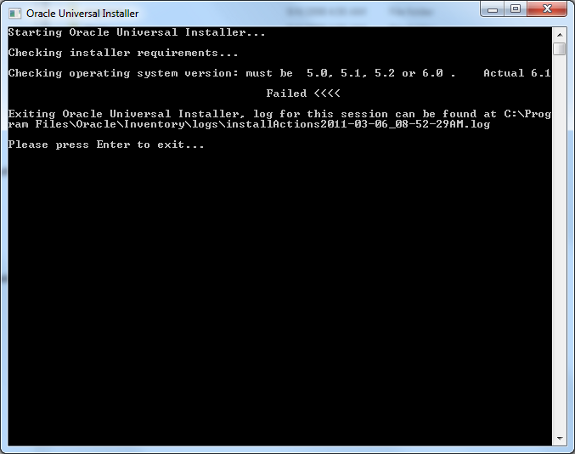
Do not panic, you will only need to edit a couple of files to get the installation working. Let me show you how to handle this in a series of steps.
Step 2:
Locate the file /install/oraparam.ini after you extract the installation zip file to your local computer or external disk.
Step 3:
Change the following to include the version “Actual 6.1” as per the installation. You may see other version numbers as well. Use the appropriate version number for the changes you are going to make.
[Certified Versions]
#You can customise error message shown for failure, provide value for
CERTIFIED_VERSION_FAILURE_MESSAGE
Windows=5.0,5.1,5.2,6.0
Change to
[Certified Versions]
# You can customise error message shown for failure, provide value for
CERTIFIED_VERSION_FAILURE_MESSAGE
Windows = 5.0,5.1,5.2,6.0,6.1
Step 4:
Add this additional block needed
[Windows-6.1-required]
# Minimum display colours for OUI to run
MIN_DISPLAY_COLORS = 256
# Minimum CPU speed required for OUI
# CPU = 300
Step 5:
You will need to add Windows 7 compatabilty entries in databasestageprereqdbrefhost.xml and databasestageprereqdb_prereqsdb refhost.xml.
Find the following entries and insert the following . Keep in mind that 6.1 for VERSION VALUE is based on the version we are using in this tutorials. Use the appropriate version number based on the error message you get.
<!–Microsoft Windows
7–>
<OPERATING_SYSTEM>
<VERSION VALUE="6.1"/>
</OPERATING_SYSTEM>
Here is entry for “CERTIFIED_SYSTEMS” block adding the entry for Windows 7.
<CERTIFIED_SYSTEMS>
<OPERATING_SYSTEM>
<VERSION VALUE="5.0"/>
<SERVICE_PACK VALUE="1"/>
</OPERATING_SYSTEM>
<OPERATING_SYSTEM>
<VERSION VALUE="5.1"/>
<SERVICE_PACK VALUE="1"/>
</OPERATING_SYSTEM>
<OPERATING_SYSTEM>
<VERSION VALUE="5.2"/>
</OPERATING_SYSTEM>
<!–Microsoft Windows Vista–>
<OPERATING_SYSTEM>
<VERSION VALUE="6.0"/>
</OPERATING_SYSTEM>
<!–Microsoft Windows 7–>
<OPERATING_SYSTEM>
<VERSION VALUE="6.1"/>
</OPERATING_SYSTEM>
</CERTIFIED_SYSTEMS>
Note: If any of the entries does not match the Operating System version then
you will see the following error after the installation starts for “Checking
operating system requirements step”

Step 6:
Save the modified files and restart the installation running setup.exe. You will see the messages as shown here below
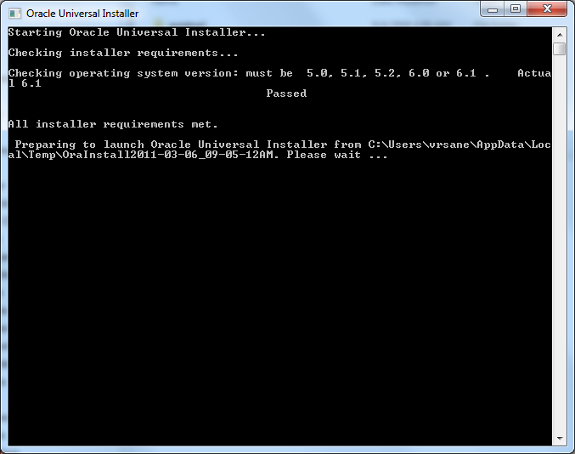
Step 7:
Change Oracle Home location and select the Installation type.
If you are not planning to use the starter database then you need to uncheck the
“Create Starter Database (additional 720MB) check box option
Enter the database name and password.

Step 8:
Click “Next” to continue with the installation.
If you encounter any status with Error(s) during “Product-Specific Prerequisite
Checks” then you need to check further before you can continue with the
installation; otherwise your Oracle Server may not work.
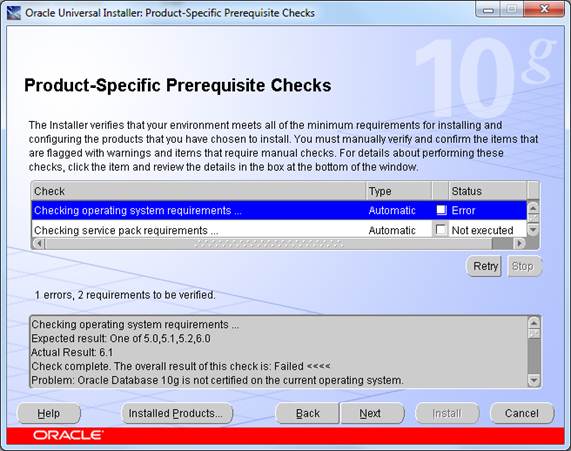
Step 9:
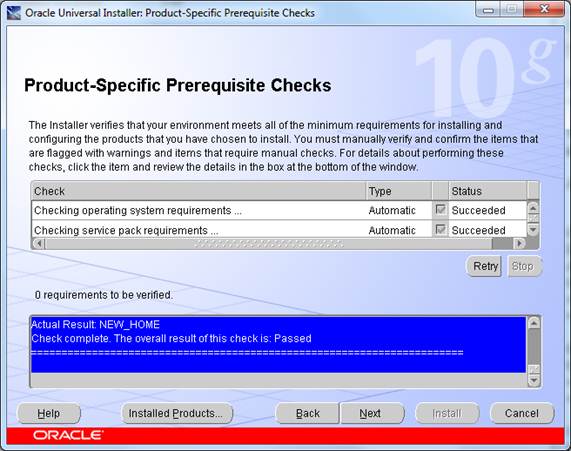
As soon as all the requirements gets verified and the errors are eliminated, You
will see the “Succeeded” status as below screen shot for all the
Product-Specific Prerequisite checks.
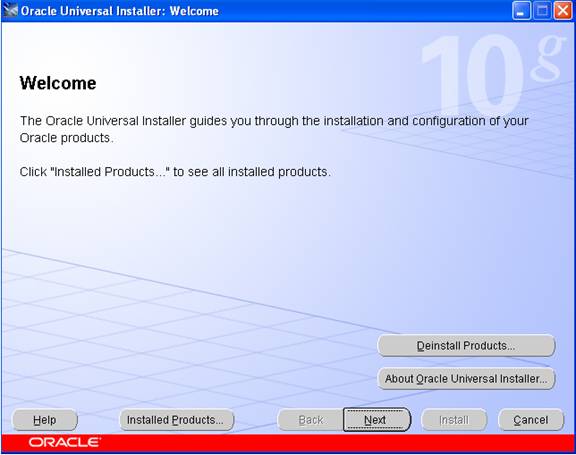
It is assumed that this is a fresh install so no other Oracle products should be installed at this time.
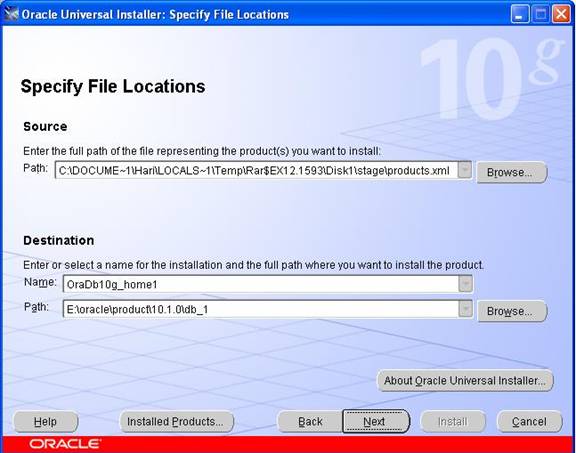
In this screen, the Source and Destination locations must be selected.
The Source path should reflect either your CD-ROM or the directory in which you unzipped the source files. Leave this as the default. In the example above, the source files were unzipped into c:DOCUME~1HARILOCALS~1temprar$ex12.1593diskstageproduct.xml.
For the Destination, leave the Oracle Home named oraDb10g_home1 as the default. Choose a hard disk drive that has at least 6 gigabytes of free space. In the example here, we are using the E: drive.
Leave the Oracleproduct10.1.0db_1 path as it is (the default). If you must change this to a different drive, only change the drive letter and not the directories.
Click on the Next button to select installation type. This may take up to 2 minutes (depending on the speed of your machine). Once the product information has been read, the following 3 "Available Products" options are presented:
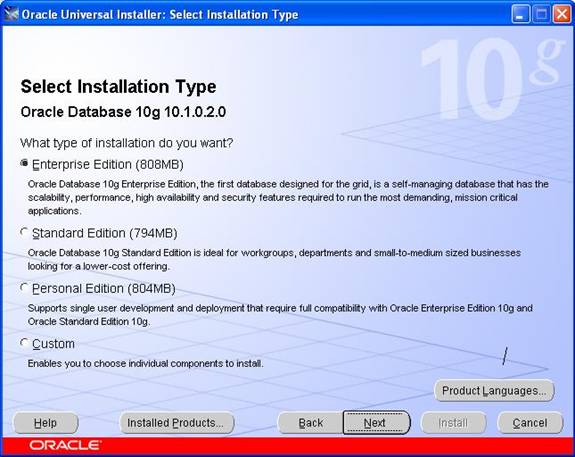
After selecting the type click on the next button to get the screen:
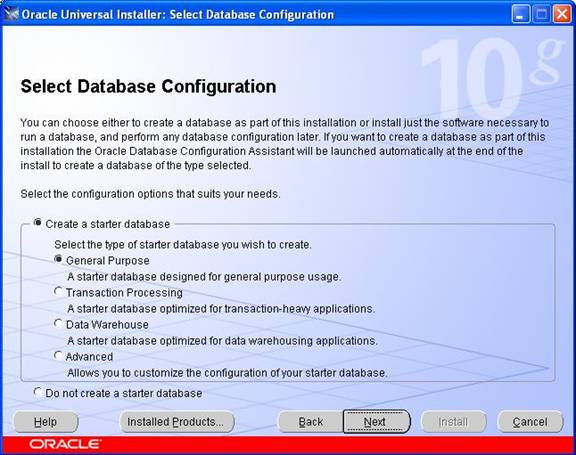
For this install, we chose the "General Purpose" Database option. Click on the Next button to continue.
The next step is to identify the database using the Global database name
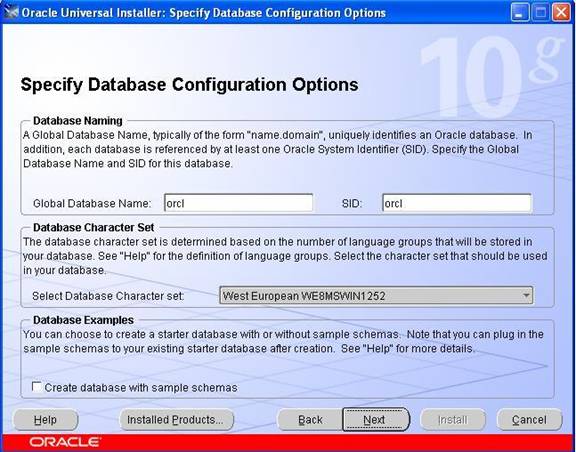
Keep the default names for GLOBAL and the SID Otherwise, use the following (make a note of these for later on): Global Database Name is orcl, Oracle SID is orcl
Click on the Next button to continue to the "database file storage option" screen
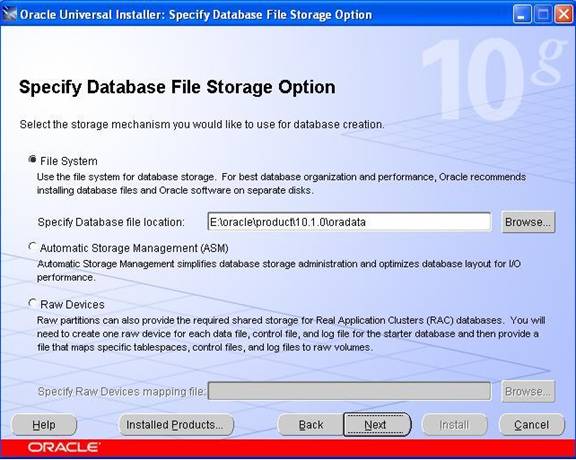
In this step, you need to select where the Oracle data files will be located. In large operations, we typically keep the data files on a separate disk (or disks), however, for this install, keep the default storage
Click on the Next button to move to the "Summary" screen:
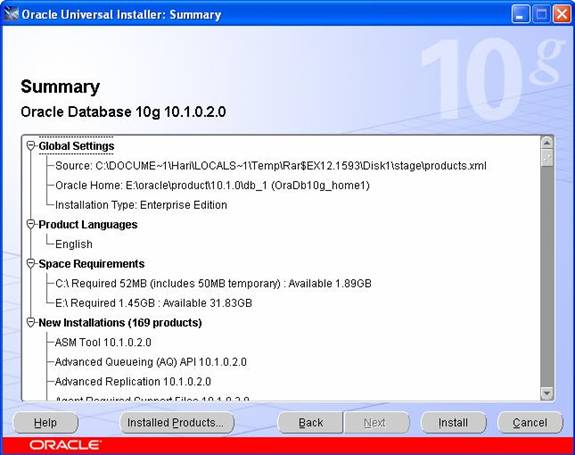
In this screen (shown above), the products and files that will be installed are summarized. Note that in this example, it will take 1.5 GB MB of disk space for the installation of the software. Additional space will be required for the default database.
If everything looks OK at this point, click on the Install button to begin the installation.
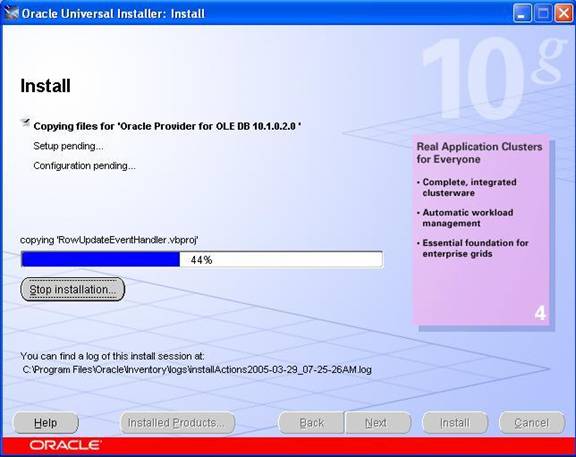
During the install, you will notice various Oracle products being copied over to the hard disk.
Once the installation is completed, the next step will be to configure the various additional services and the database.
The following tools will be automatically starts and it is optional. It is recommended, although not required
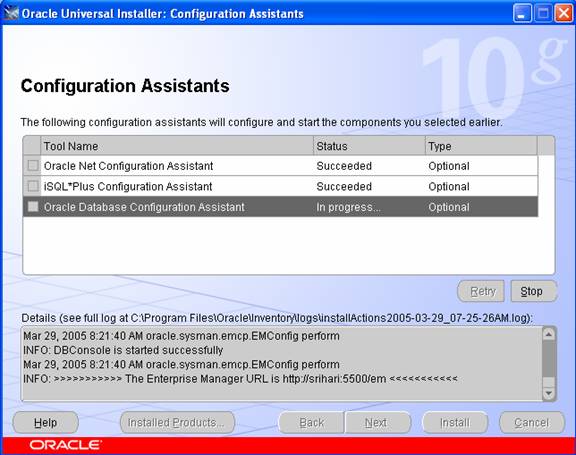
Click on the next button .The Oracle Database Configuration Assistant will appear for some time while the default database is created and opened. As below
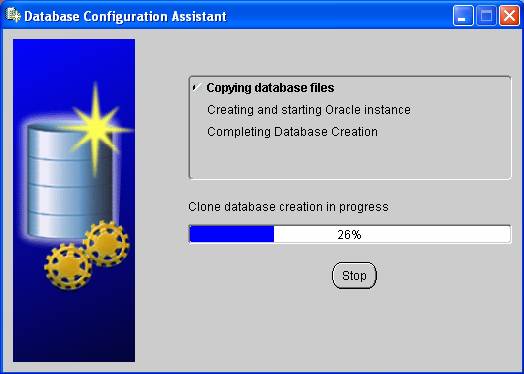
Once the default database has been installed, the following screen will appear
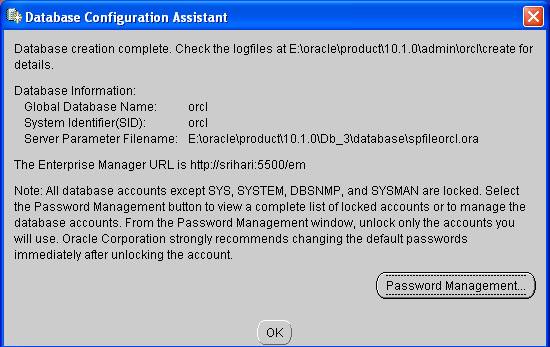
Click on the Password Management button and change the default passwords for the SYS, SYSTEM, SCOTT and DBSNMP accounts as shown below:
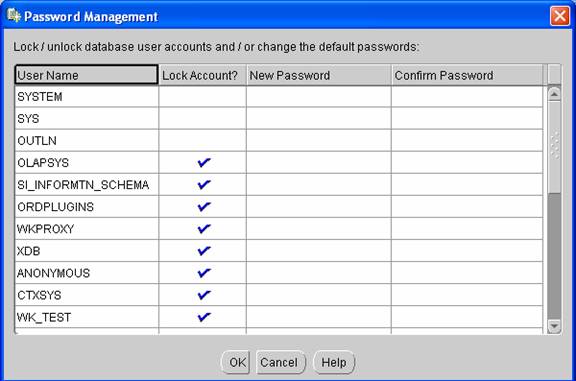
Click the OK button to complete the installation. The following screen will be appears:
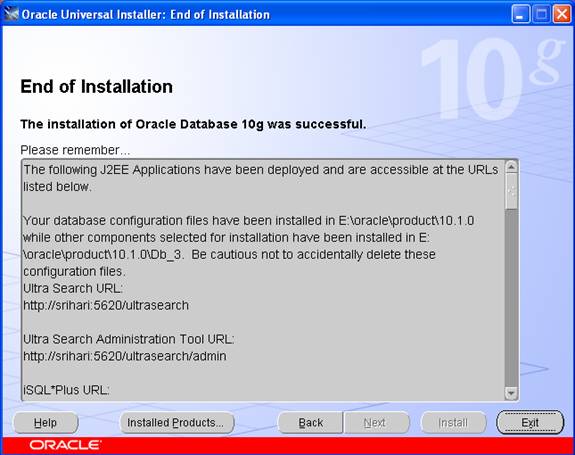
After completion of installation .reboot your computer.
To Remove the Oracle Products
Go to start menu – > programs – > orcle-oradb10g_home5 – >oracle installation products – > Click the universal installer, the screen will appears as below
click the button installed product. to see the installed products. you will see the screen as below
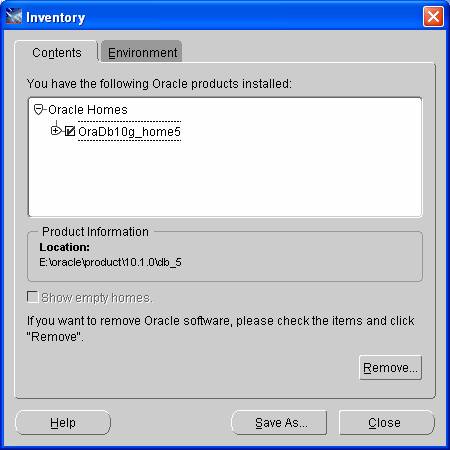
Click the button remove to remove the oracle products or you can remove directly on clicking deinstall product button in welcome page.
Testing Installation
Go to start menu – > programs – >oracle-oradb10g_home5 – >application development -> click on the sql plus.
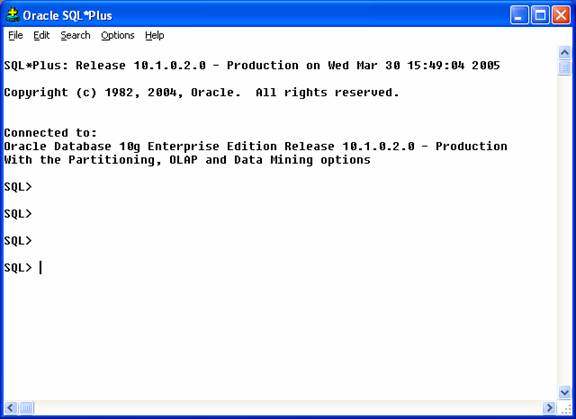
It will appears like the screen below, Once SQL Plus is running, you will be prompted for 3 things: Username, password and Host String.
Fill in the Username and password fields with the SYSTEM account and leave the Host String field blank. Since we are connecting to a local Oracle database, no Host String is required. Click on the OK button as shown below:

If the database is running and the username and password are typed correctly, SQL*Plus should log the SYSTEM user in and present the SQL>prompt as shown below
Uninstalling Oracle 10g
Following step will describes the uninstallation of oracle 10g:
First you have to remove all the oracle products by using oracle universal installer Go to start button -> programs -> oracle-oraDb10g_home1 -> oracle installation products -> click on the universal installer. You will get welcome screen, click on the deinstall products
To remove the oracle products. After uninstall the products. Now you have to remove all the remaining oracle products manually run this command regedit.exe. You will get registry editor.
Find related to oracle by using ctrl+f and remove all you find related to oracle, Do this again and again until you get no search. After completing this, reboot your system
Note: when you installing oracle 10g at first time on your system you may not
encounter any problem. If any thing wrong you done when installation you may get
an error like this staging area error
To overcome with that error you must delete every think related to oracle by
using above uninstallation steps
Frequently Asked Questions
1. Where do I get the installable to install oracle 10g on my machine?
2. What should be the RAM of my machine in order to successfully run oracle 10g?
3. How much of disk space is required to install oracle 10g?
4. What does G stands for in Oracle 10g?
5. What are the new features of oracle10g?
[catlist id=177].