
Oracle Applications Login
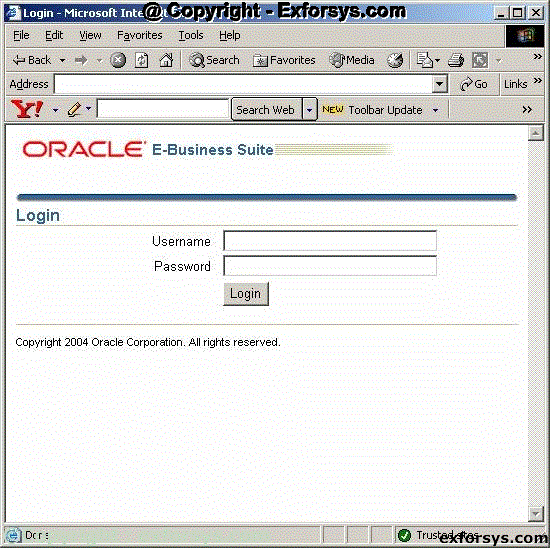
Before you connect to Oracle Applications you must know the URL of the Oracle Applications server you want to connect to. Clicking on the URL would lead you to the Oracle Applications Login Page as shown in figure 1 below.
Oracle Applications Login Page
Choosing Responsibility
To connect to the Oracle Applications, you must have an Oracle Apps login ID created by the System Administrator of the Oracle Applications instance.
Enter the appropriate Login ID and password and click login. If the login is successful it will lead you to the responsibility page as shown in figure 2 below. This page will show all the responsibilities that have been assigned to your Login ID by the System Administrator.
List of Responsibilities

Choosing Function / Opening Form
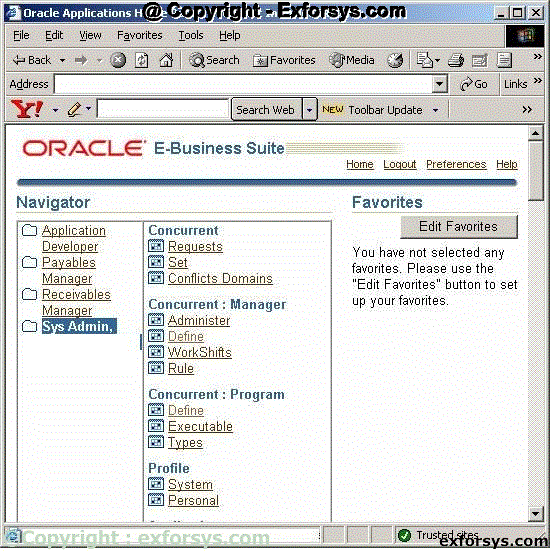
Once you click on a responsibility, it will show you the menus and functions associated with the responsibility. Click on the Sys Admin, Vision Services (USA) responsibility. The page will look like as shown in the figure 3 below.
Menus and Functions attached to a responsibility
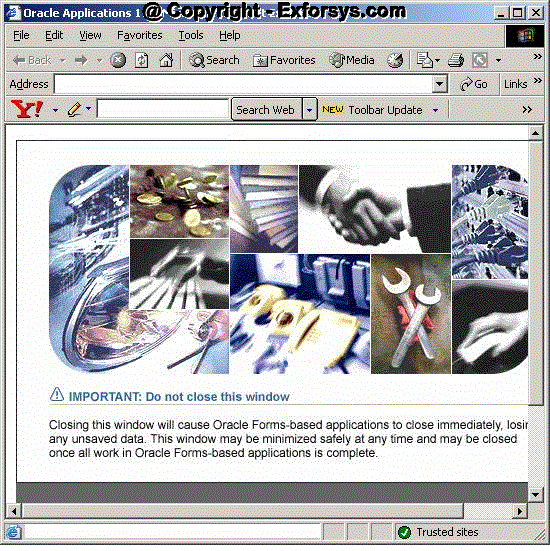
Each function under a menu opens a form when clicked upon. The forms are basically an interface between you and the applications for various functionalities. These forms are run on Oracle Jinitiator. Once you click on a function, the jinitiator is invoked and it then opens the respective form. If you are login for the first time, Oracle Applications automatically downloads and installs the jinitiator for you. It, therefore, takes a longer time to open the form for the first time. Once the jinitiator is installed, it opens an intermediate window (figure 4) before the form is opened. Please do not close this window as it will close the Oracle Applications session. Wait till the form window opens up automatically. The intermediate page would go to the background.
Intermediate Window
{mospagebreak}
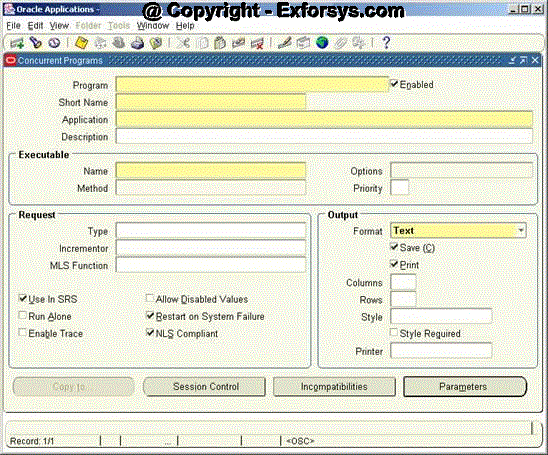
Click on the Define link under the Concurrent : Program Menu. This will open the form to define the Concurrent Program in Oracle Applications. The form is shown in the Figure 5 below.
Figure 5. Concurrent Programs a Define form
Switch Responsibility
The details about using the above form are given in the document on Concurrent Programs. To switch to another responsibility, you can either go to the page which was shown in the figure 3 above and click on the required responsibility and follow the step 4 and step 5 or you can click on File tab and choose Switch Responsibility as shown in figure 6 below.
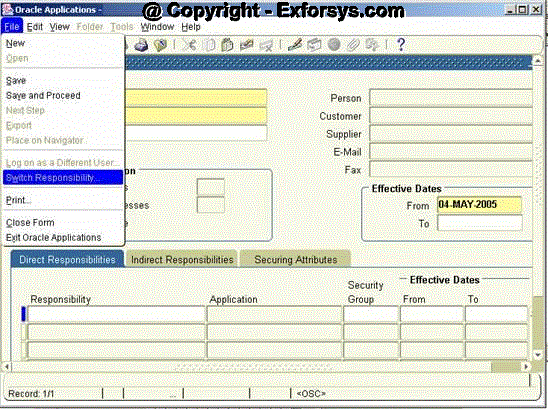
Figure 6. Swicth Responsibility
Clicking on Swicth Responsibility would lead you to the list of the available responsibilities to choose from as shown in figure 7 below.
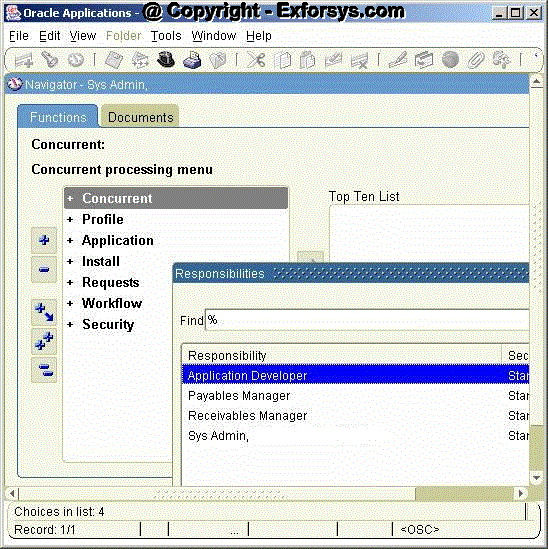
Figure 7. List of Available Responsibilities
If you want to go to Application Developer responsibility to check the responsibilities attach to your username then follow these steps.
Click on File->Switch Responsibility
Choose Sys Admin responsibility among the list of responsibilities displayed.
Choose Security->User->Define from the following screen. The screen would look like as shown in the figure 8 below.
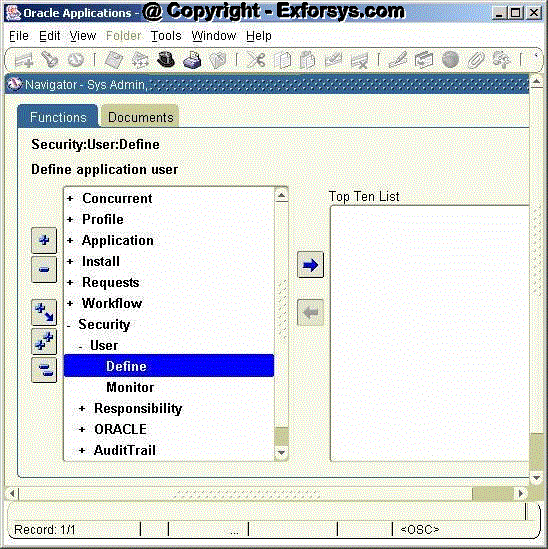
Figure 8. System Administrator à Security à User à Define
Once the Define Function is clicked, it will open the Define form which looks like as shown in the figure 9 below.
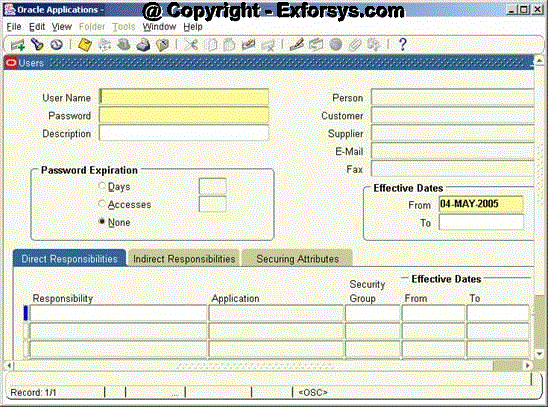
Figure 9. Define Form
{mospagebreak}
Query Form The Define shown in the figure 9 above is used to create Login Ids for the Oracle Applications users by the System Administrator. The same form can also be used to query the existing users’ data. To view (query) the existing data go to View->Query By Example->Enter to enter the query criteria as shown in the figure 10 below.
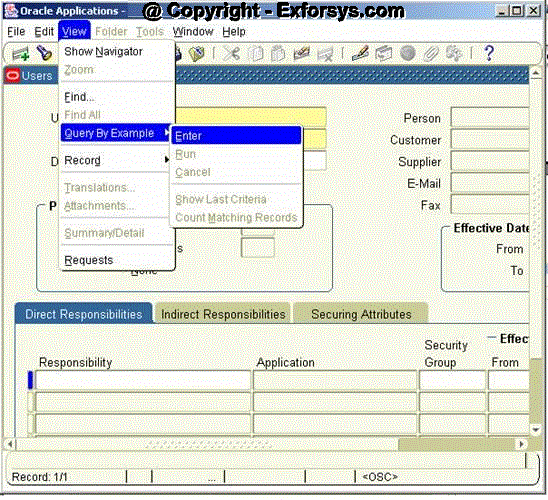
Figure 10. Query Method
Once you click on Enter as shown in the form above, the Define form switched mode to query mode and the color of the fields changes to BLUE. Enter a value in a field in the form above for which you want to query the data.
If you want to query for your username, type your username in the ‘User Name’ field on the form. The form would look like as shown in the figure 11 below.
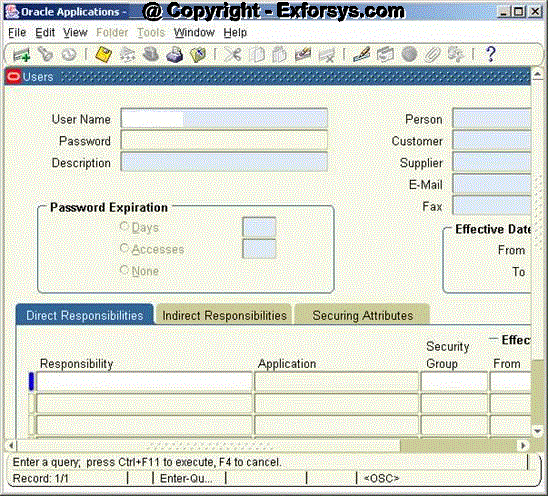
Figure 11. Enter Query
To fetch the results matching the entered criteria, you need to run the query. This can be done by clicking on View->Query By Example->Run as shown in the figure 12 below.
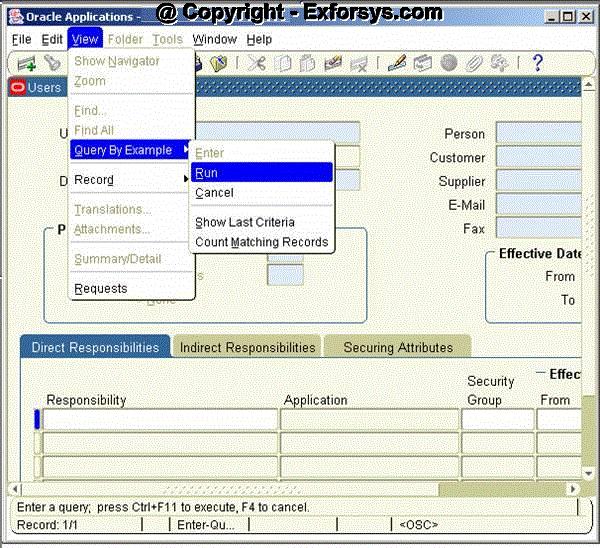
Figure 12. Run Query
The data would be displayed in following fashion as shown in the figure 13 below. The form shows a lot of details about the username entered in the query. All the responsibilities attached to the user name are shown in the form.
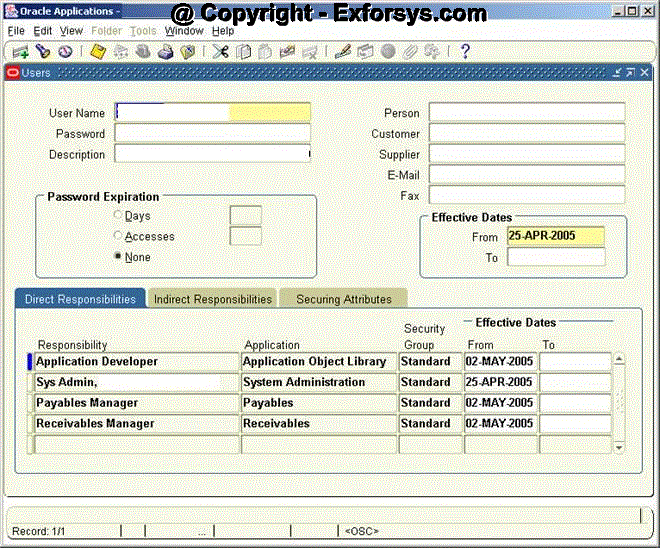
Figure 13. Query Results
Keyboard Shortcuts
The same process can be used to query data on any form in Oracle Applications. You can also use the keyboard shortcuts for entering and running the query. For example, F11 key puts the form in the query mode and Ctrl + F11 runs the query. You can get the list of the complete key board shortcuts by clicking on Help->Keyboard Help as shown in the figure 14 below
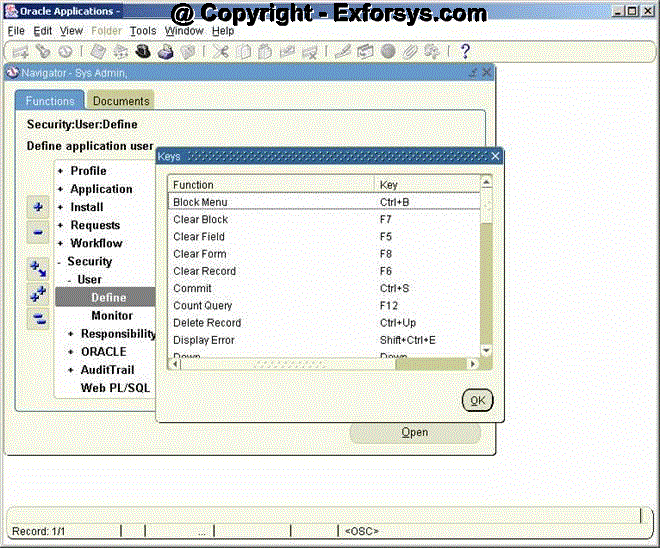
Figure 13. Keyboard Shortcuts
[catlist id=183].