
Getting started and Installing SQL Server 2005
Microsoft has redesigned SQL server 2005 to deliver unprecedented value and functionality to the Database Administrator and the Developer. The four editions of the SQL server are Express, workgroup, Standard and Enterprise. Each of these editions offers a range of features.
High scalability, availability with advanced business intelligence tools empowers business users with a more secure, reliable and productive database management system. A reduced downtime and tight security controls make for a step forward in providing support to enterprise systems. Moreover, customers benefit from a reduced cost of ownership as this belongs to the Windows Server system.
In this tutorial we shall be installing SQL Server 2005 Enterprise Edition. However, before actually describing the installation process let us briefly examine the minimum requirements for installing and running SQL Server 2005.
Requirement for 32 bit platform
|
SQL Server 2005 (32-bit) |
Processor type |
Processor speed |
Memory (RAM) |
|
SQL Server 2005 Enterprise Edition SQL Server 2005 Developer Edition SQL Server 2005 Standard Edition |
Pentium III compatible processor or higher required |
Minimum: 500 MHz Recommended: 1 GHz or higher |
Minimum: 512 MB Recommended: 1 GB or more Maximum: OS maximum |
|
SQL Server 2005 Workgroup Edition |
Pentium III compatible processor or higher required |
Minimum: 500 MHz Recommended: 1 GHz or higher |
Minimum: 512 MB Recommended: 1 GB or more Maximum: 3 GB |
|
SQL Server 2005 Express Edition |
Pentium III compatible processor or higher required |
Minimum: 500 MHz Recommended: 1 GHz or higher |
Minimum: 128 MB Recommended: 512 MB or more Maximum: 1 GB |
Requirement for the 64 bit platform
|
QL Server 2005 (64-bit) |
Processor type |
Processor speed |
Memory (RAM) |
|
SQL Server 2005 Enterprise Edition4 SQL Server 2005 Developer Edition SQL Server 2005 Standard Edition |
IA64 minimum: Itanium processor or higher X64 minimum: AMD Opteron, AMD Athlon 64, Intel Xenon with Intel EM64T support, Intel Pentium IV with EM64T support |
IA64 minimum: 733 MHz IA64 recommended: 733 MHz or more X64 minimum: 1 GHz X64 recommended: 1 GHz or more |
IA64 minimum: 512 MB IA64 recommended: 1 GB or more IA64 maximum: 32 TB X64 minimum:512 MB X64 recommended: 1 GB or more X64 maximum: 32 TB |
Disk space requirements
|
Feature |
Disk space requirement |
|
Database Engine and data files, Replication, and Full-text Search |
150 MB |
|
Analysis Services and data files |
35 KB |
|
Reporting Services and Report Manager |
40 MB |
|
Notification Services engine components, client components, and rules components |
5 MB |
|
Integration Services |
9 MB |
|
Client Components |
12 MB |
|
Management Tools |
70 MB |
|
Development Tools |
20 MB |
|
SQL Server Books Online and SQL Server Mobile Books Online |
15 MB |
|
Samples and sample databases |
|
Other Requirements
|
Resolution |
1024 x 768 |
|
DVD Drive |
Required |
|
Cluster installations |
For 32 and 64 bit platforms eight node cluster installations required |
|
Operating System |
Windows Server 2003, Windows XP, Windows 2000, Windows 98 or Windows ME |
|
End points |
Introduces new concept of server connections called Transact SQL endpoint. |
|
Internet |
Microsoft Internet Explorer 6.0 SP1 or later is required for SQL Server Management Studio, Business Intelligence Management Studio, the Report Designer component of reporting services. |
|
Software Requirements |
Microsoft Windows Installer 3.0 |
|
|
Microsoft Windows .NET Framework 2.0 |
|
|
Reporting services require MDAC 2.8 on Windows 2000 |
|
|
SQLXML requires MDAC 2.6 or higher on Windows 2000 |
|
|
SQL Server Failover clusters require Microsoft Cluster Server (MSCS) on at least one node of the server cluster. |
The above list is by no means exhaustive but it does cover the fundamental requirements that need to be present while installing SQL Server 2005.
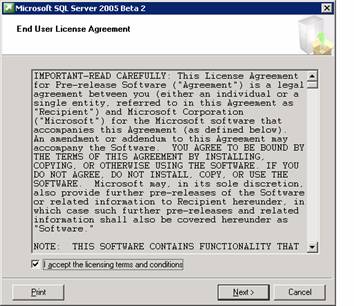
Now insert the DVD into the drive and begin the installation. The user is expected to read through the license agreement and accept the license before he can proceed any further. After accepting the license agreement click on Next to proceed.
{mospagebreak}
The next screen informs the user that some of the required components will be checked for and upgraded.
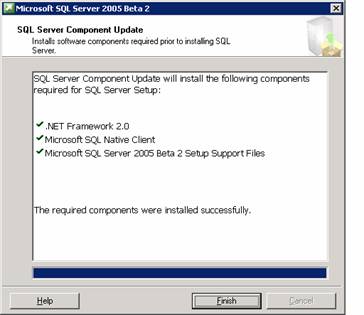
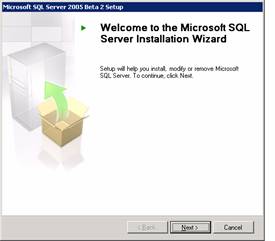
Once the installation of the components required prior to Installing SQL Server is complete the finish button is to be clicked. Now the Welcome screen appears.
The next step is the system configuration check. The report of the check is displayed to the user. The success or failure of the check is reported along with warnings if any.
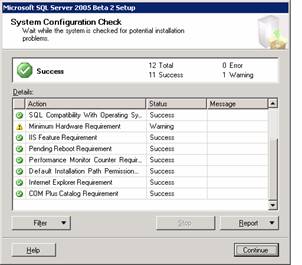
Once the user clicks continue the installation begins.
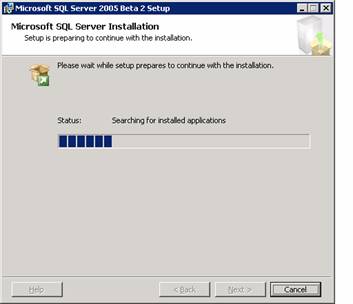
The next step is to enter the registration information. The user enters his name, company name and the serial number as it appears on the yellow sticker on the cover of the DVD. The user then clicks on Next to continue.
Next the components to be installed have to be specified. The user can chose to install all the components or some of the components.
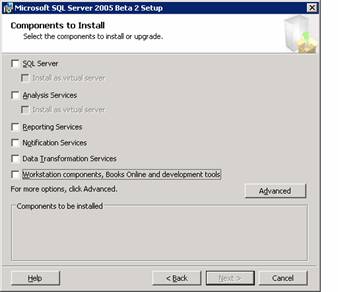
On clicking Next, the Feature selection dialog box appears. All the selected features are displayed.
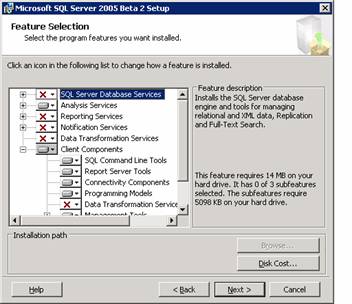
On clicking next the user is prompted to select the instance name. If he selects Default instance no name need be specified. If he selects Named instance, he will have to specify a name for the instance. Click Next to continue.
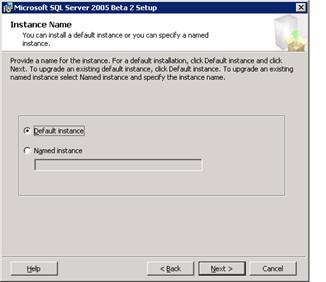
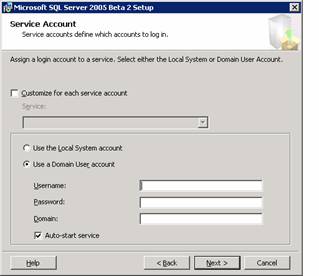
The user is now prompted to enter the details of the service account which is to be used for login to the server. The local or Domain user account can be selected.
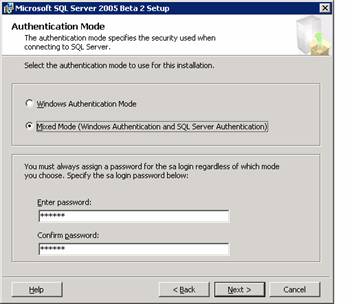
The Authentication mode dialog box appears. The user must specify the authentication mode. It can be Windows authentication or Mixed mode. The user must assign a login irrespective of the mode selected. He must enter the password and confirm it before clicking next to continue.
{mospagebreak}
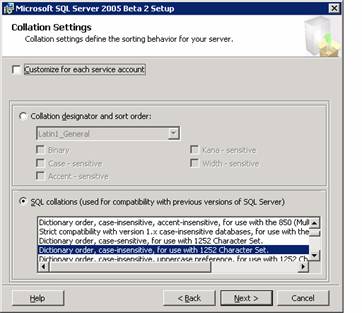
The next dialog box is the Collation Settings dialog box. Collation settings define the sorting behaviour of the server. SQL server collations are used for setting up compatibility with earlier versions of SQL Servers.
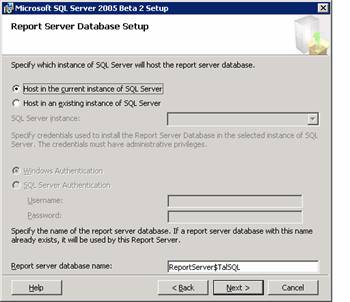
The Report server database setup dialog box which appears requires the user to specify the instance of the SQL Server which will host the report server database. Select Host in current instance of SQL Server and specify the report server database name and click next to continue
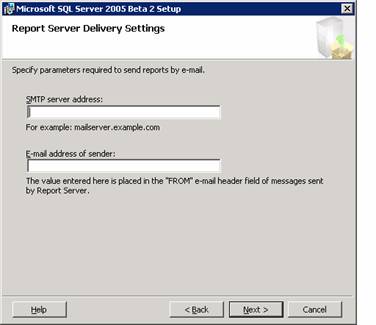
The Next dialog box is the Report Server Delivery Settings dialog box. The user has to specify the parameters required for sending email reports. Click Next to continue if you do not wish to enter any details here.
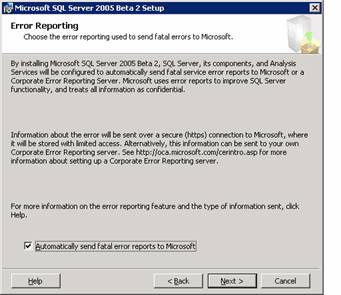
The Error Reporting dialog box appears prompting the user that SQL server, its components and Analysis services will be configured to send fatal service error reports to Microsoft or a corporate error reporting server. The user can select the check box and click next as this helps Microsoft in monitoring its services and improving upon its software. Click Next to continue.
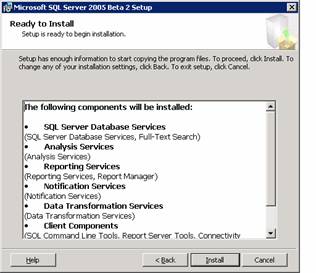
The ready to install dialog box displays all the components that are going to be installed on the system. To proceed with the installation the user has to click on Next.
The setup progress bar is displayed. On completion of set up the Next button will become enabled and the user has to click on Next to proceed.
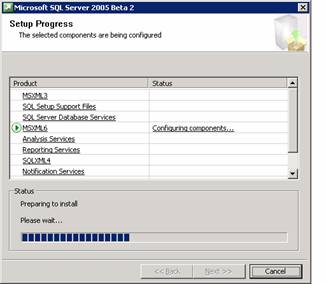
The next dialog box displays all the files that are being configured. The user has to click on Next to continue.
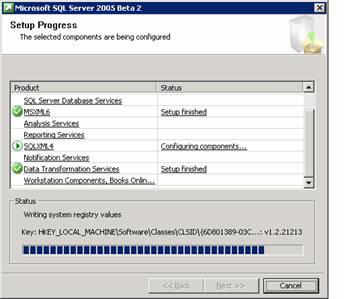
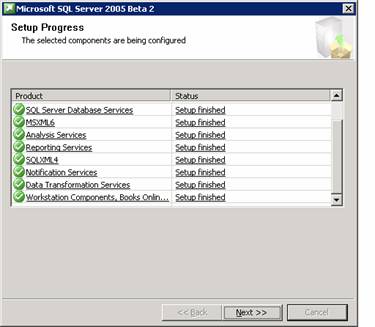
The last dialog box displays the progress of the set up. All the selected components being configured are displayed and their status indicated. Click on Next to continue.
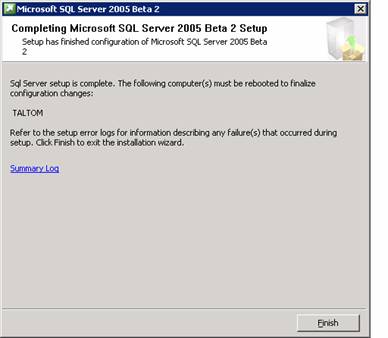
This takes the user to the final screen of the setup. The system is required to be rebooted for the configuration to take effect. The user is asked to click on finish to reboot the system. The user is informed that any errors in set up are recorded in the summary log for future reference. Click on Finish to complete the process.
In this lesson we have completed the set up of SQL Server 2005. In the lessons that follow we shall explore the new features of SQL Server 2005.
[catlist id=178].